








































Table of Contents
Categories
Most Popular


Email marketing remains one of the most effective channels for driving customer engagement and revenue, generating an average return of $36 for every $1 spent. Repeated mistakes in strategy, audience selection, list quality, deliverability, content, execution, and measurement can gradually undermine campaign performance. Emails may reach the wrong audience, land in spam, provide little value, or make it difficult for subscribers to take action.
This guide covers 15 common email marketing mistakes, their impact, and practical ways to fix them, helping you improve engagement, conversions, deliverability, and overall email marketing campaign performance.
15 Common Email Marketing Mistakes: At a Glance
- No clear goal: Sending emails without a defined objective makes campaigns unfocused and difficult to measure.
- One-size-fits-all audience: Sending the same message to everyone makes emails less relevant and can reduce engagement.
- Ignoring the customer lifecycle: Failing to engage customers at the right stage means missing timely opportunities to nurture, convert, and retain them.
- Only sending promotional emails: Constantly pushing sales messages can overwhelm subscribers and cause them to disengage.
- Emailing without clear consent: Sending unsolicited emails can violate privacy regulations, damage trust, and increase spam complaints.
- Using outdated or poor-quality lists: Stale, inaccurate, or purchased contacts can increase bounces and complaints while hurting sender reputation.
- Ignoring authentication and sender reputation: Poor authentication and inconsistent sending practices can reduce trust with mailbox providers and hurt deliverability.
- Emailing inactive subscribers: Continuing to email disengaged contacts can reduce engagement signals and negatively affect the sender’s reputation.
- Using weak or misleading subject lines: Vague or clickbait-style subject lines can reduce opens, create distrust, and increase spam complaints.
- Using generic content and superficial personalization: Adding only a first name does little to improve relevance, leaving subscribers with little reason to engage.
- Sending emails that are too long or unfocused: Excessive copy and multiple competing messages make emails harder to scan and can distract from the desired action.
- Using weak CTAs or mismatched landing pages: Unclear calls to action or irrelevant landing pages create friction and can cause potential conversions to drop.
- Ignoring mobile design and rendering: Emails that are difficult to read or interact with on mobile devices can lead recipients to delete or ignore them.
- Sending without proper testing: Skipping pre-send checks can result in broken links, personalization errors, rendering issues, and other avoidable mistakes.
- Failing to measure and improve: Without tracking meaningful email performance metrics, marketers cannot identify what is working or make informed campaign improvements.
Email Strategy and Audience Mistakes
Many email marketing problems start long before an email is written. If the campaign lacks a clear objective, targets the wrong audience, ignores the customer journey, or relies on poorly designed automation, even strong copy may fail. Strategy determines who receives a message, why they receive it, and what should happen next.
Mistake 1: Sending Emails Without a Clear Goal
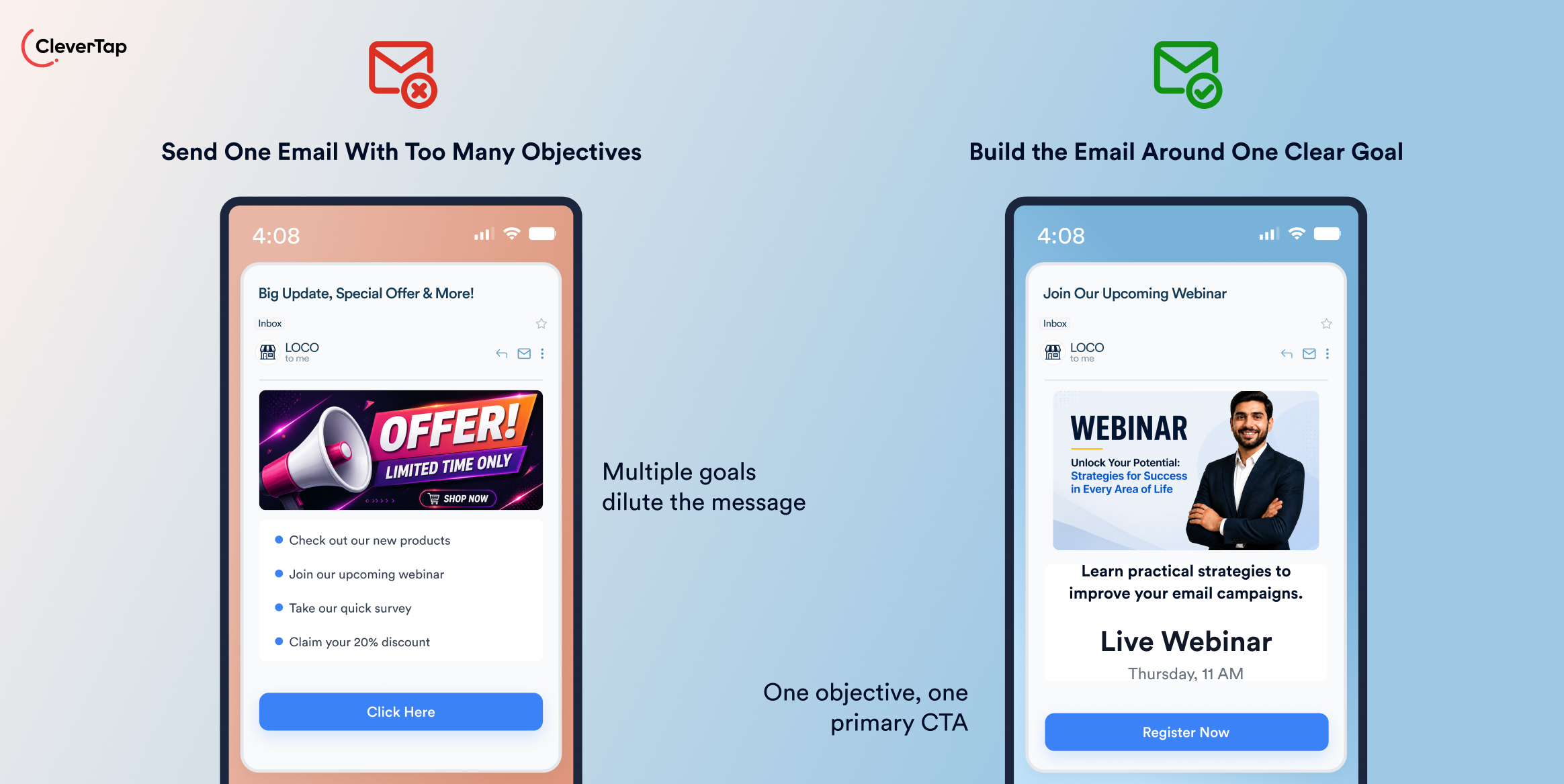
Sending an email without a defined objective makes it difficult to create focused content or measure success. For example, an email designed to drive webinar registrations should not also try to promote a product, share unrelated articles, and collect survey responses.
Define the primary goal before creating the email. Decide what action you want recipients to take and choose a metric that reflects it. For a webinar campaign, that might be registrations or email conversion rate; for a product promotion, it could be purchases or revenue. Keep the message, CTA, and landing page aligned with that objective.
Mistake 2: Treating the Entire Audience as One Segment
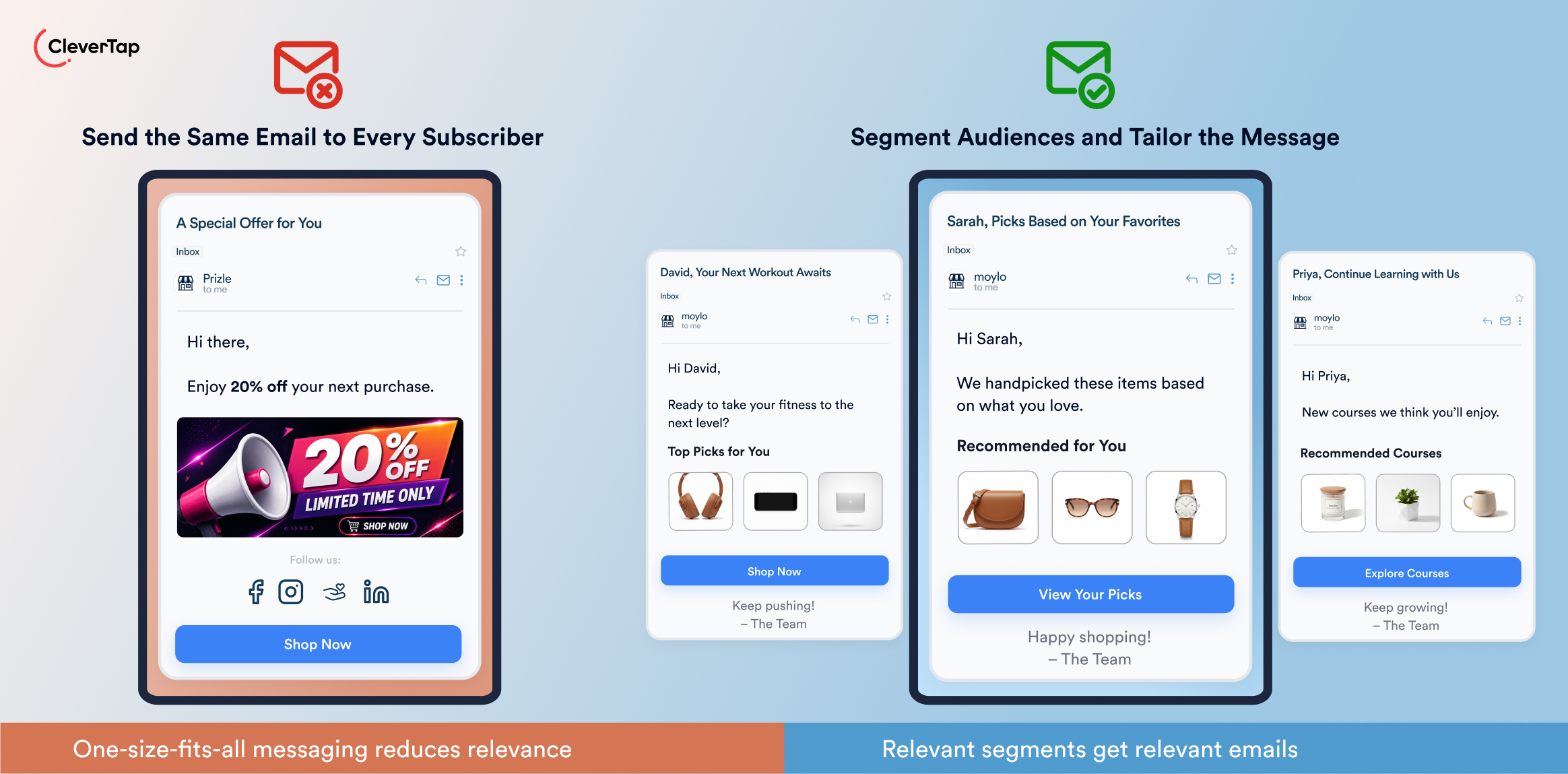
Sending identical emails to everyone can make campaigns irrelevant, reducing engagement and increasing unsubscribes. A new subscriber, a recent purchaser, and a customer who has not interacted with your brand for months should not necessarily receive the same message.
Segment your audience using relevant demographic, firmographic, and behavioral data. Consider factors such as location, subscription date, purchase history, product interest, and engagement. Dynamic segments can also respond to real-time actions, such as a page visit or product interaction. More relevant messages give subscribers a stronger reason to engage.
Mistake 3: Ignoring the Customer Lifecycle
Customers need different messages as they move from prospect to customer and, eventually, to repeat or inactive users. Relying on generic email blasts can cause you to miss opportunities to welcome, educate, convert, retain, and re-engage subscribers.
Irrelevant triggers may send a promotional email immediately after a purchase. Missing exclusions can cause users to receive messages after they convert or unsubscribe. Weak exit conditions can leave customers on a journey after they have completed their goal.
Map your customer lifecycle and identify the messages that make sense at each stage. Build journeys around events such as sign-up, first purchase, cart abandonment, or product use. Add conditions, exclusions, and clear exit criteria. For example, a cart-abandonment journey should stop when the customer completes the purchase, while a welcome journey should end when the subscriber moves to the next lifecycle stage.
![Infographic showing two email strategies: outdated messaging vs adaptive lifecycle emails with example messages and timelines (CleverTap).]](https://clevertap.com/wp-content/uploads/2026/08/Mistake-3-Ignoring-the-Customer-Lifecycle-Email-Marketing-Mistakes.jpg)
Also read: What Is an Email Funnel? Lifecycle Stages, Strategy, and Real Examples
Mistake 4: Sending Only Promotional Emails
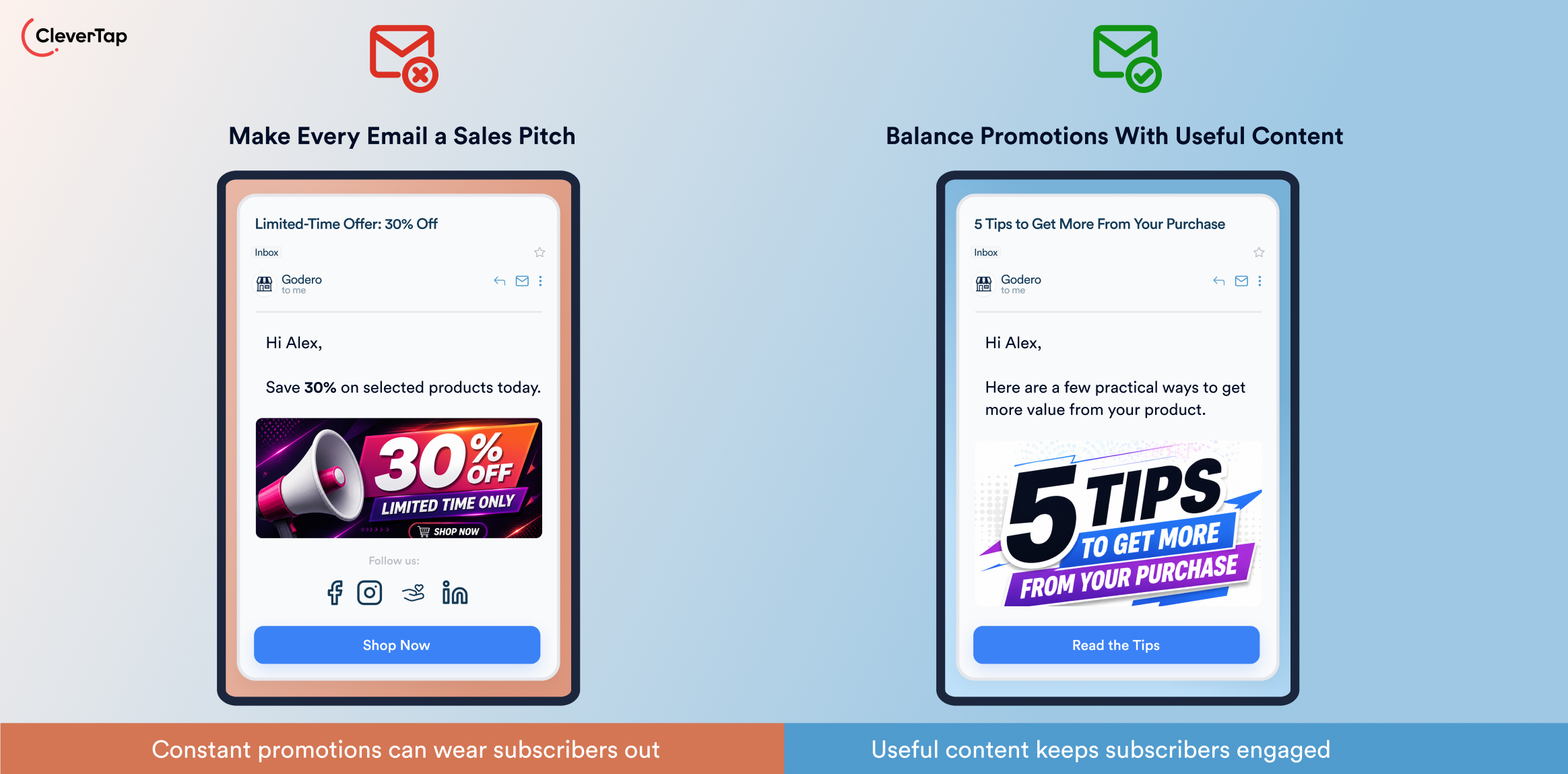
An email program built around constant promotions can quickly lose subscribers’ attention. When every message asks customers to buy, offers become less compelling and recipients may start ignoring, deleting, or unsubscribing from your emails. Promotional content works better when subscribers also receive useful information.
Create a balanced content mix that combines promotional messages with educational, informational, and relationship-building content. Share product tips, how-to guides, industry insights, customer stories, or useful resources alongside offers. The right mix will vary by audience and business, so use engagement and conversion data to determine what resonates.
List Quality and Deliverability Mistakes
Poor list quality, weak consent practices, missing authentication, and inconsistent sending can increase bounces, spam complaints, and filtering. Maintaining a healthy audience and strong sender reputation is therefore just as important as creating engaging content.
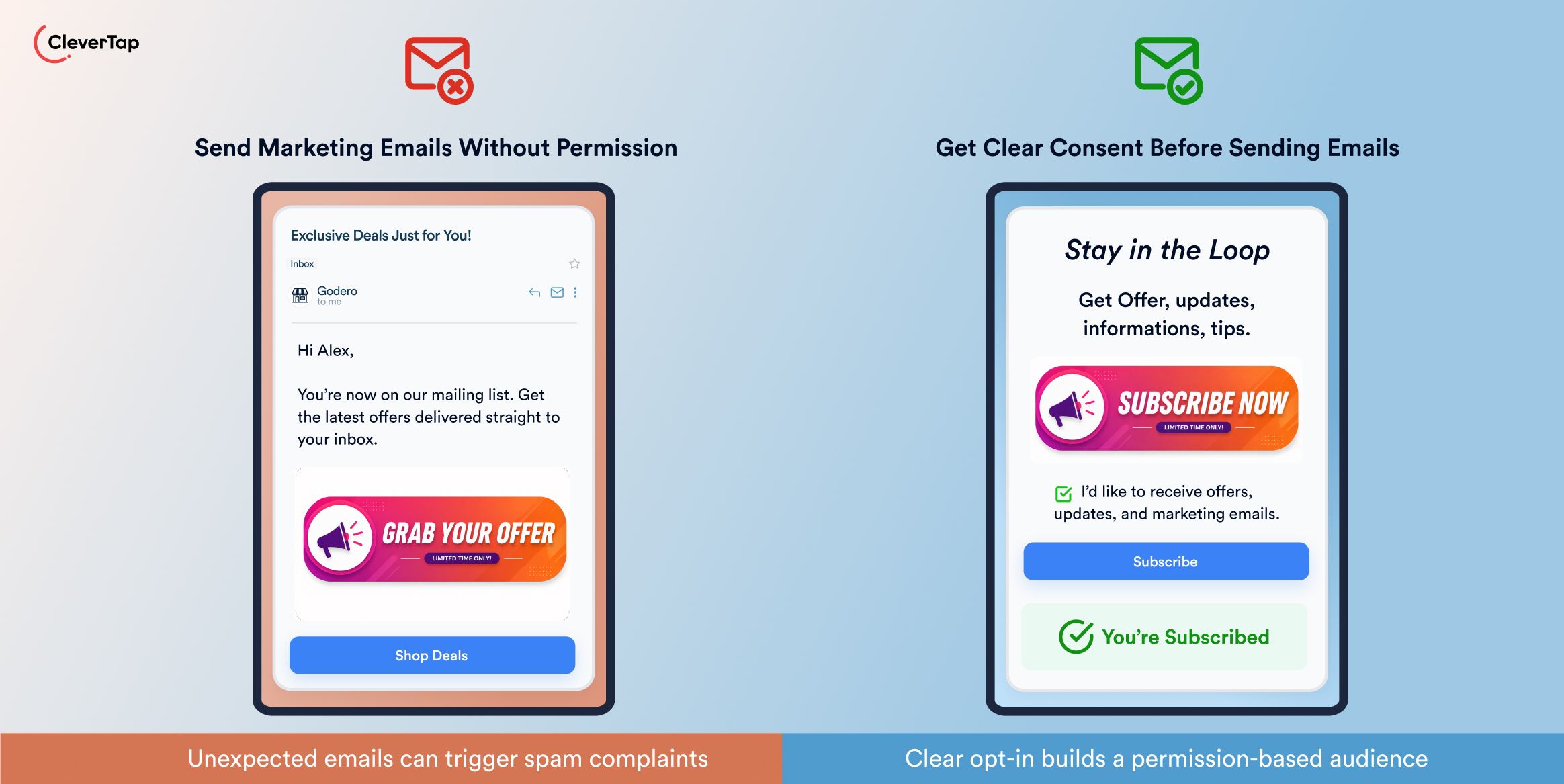
Mistake 5: Emailing People Without Clear Consent
Adding people to your marketing list without clear permission can damage trust, increase spam complaints, and create compliance risks. Recipients who did not expect your emails are more likely to ignore, delete, or report them, which can also hurt your sender reputation.
Use permission-based signup practices and clearly explain what subscribers are signing up to receive. Provide an easy way to unsubscribe or manage preferences. Where appropriate, use double opt-in to confirm that subscribers want your emails. Never purchase lists or add contacts without permission.
Mistake 6: Using Outdated or Poor-Quality Email Lists
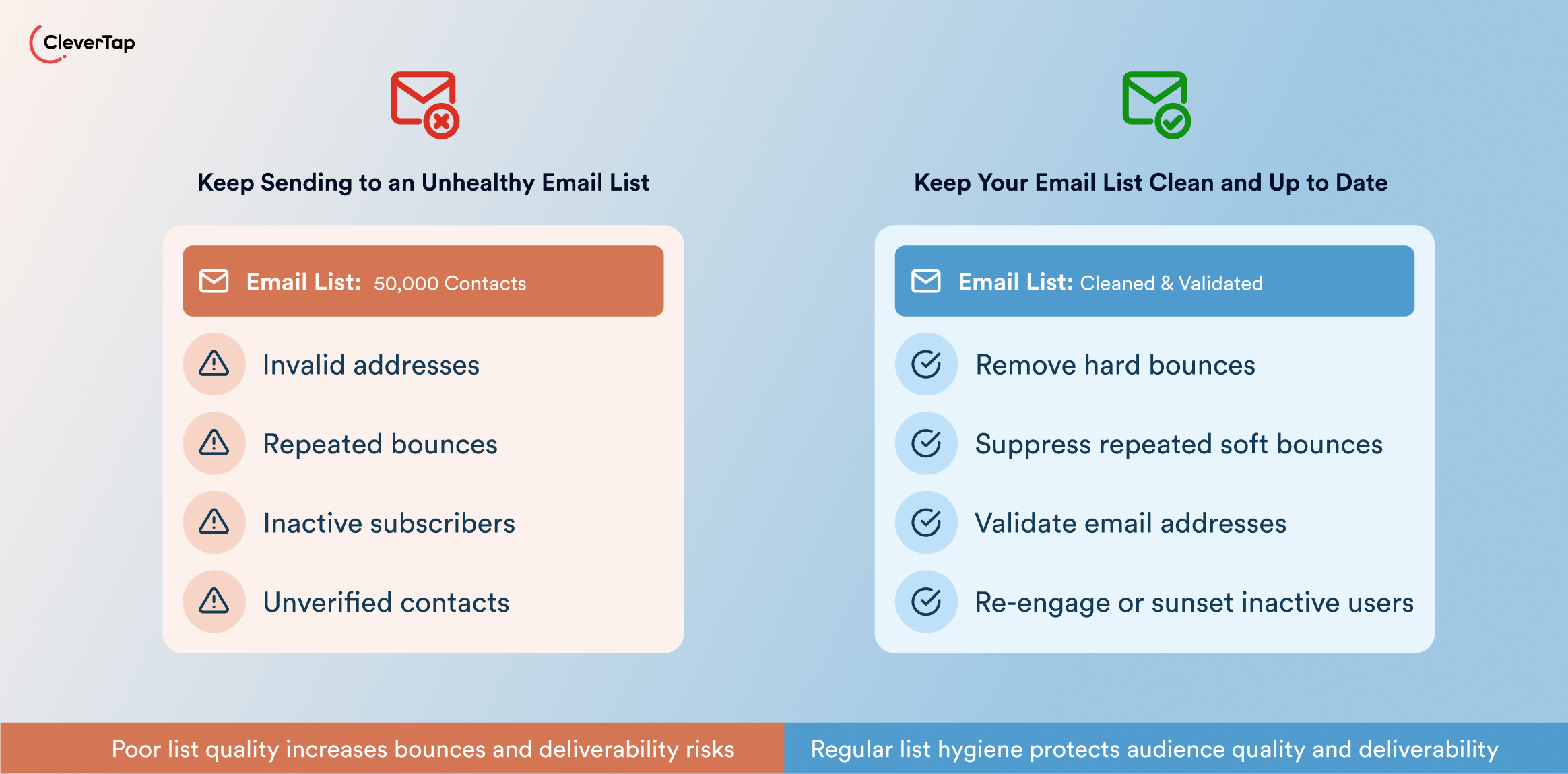
Email addresses become outdated over time. Typos, abandoned addresses, repeated bounces, and disengaged subscribers can gradually reduce list quality. Sending to invalid or unresponsive contacts increases bounce rates and can signal that your emails are not wanted.
Make list hygiene an ongoing process. Remove hard bounces promptly, suppress addresses that repeatedly soft-bounce, and validate addresses when they are collected. Move long-term inactive subscribers into a re-engagement campaign rather than continuing to send regular emails. Never use purchased or scraped lists.
Mistake 7: Ignoring Sender Authentication and Reputation
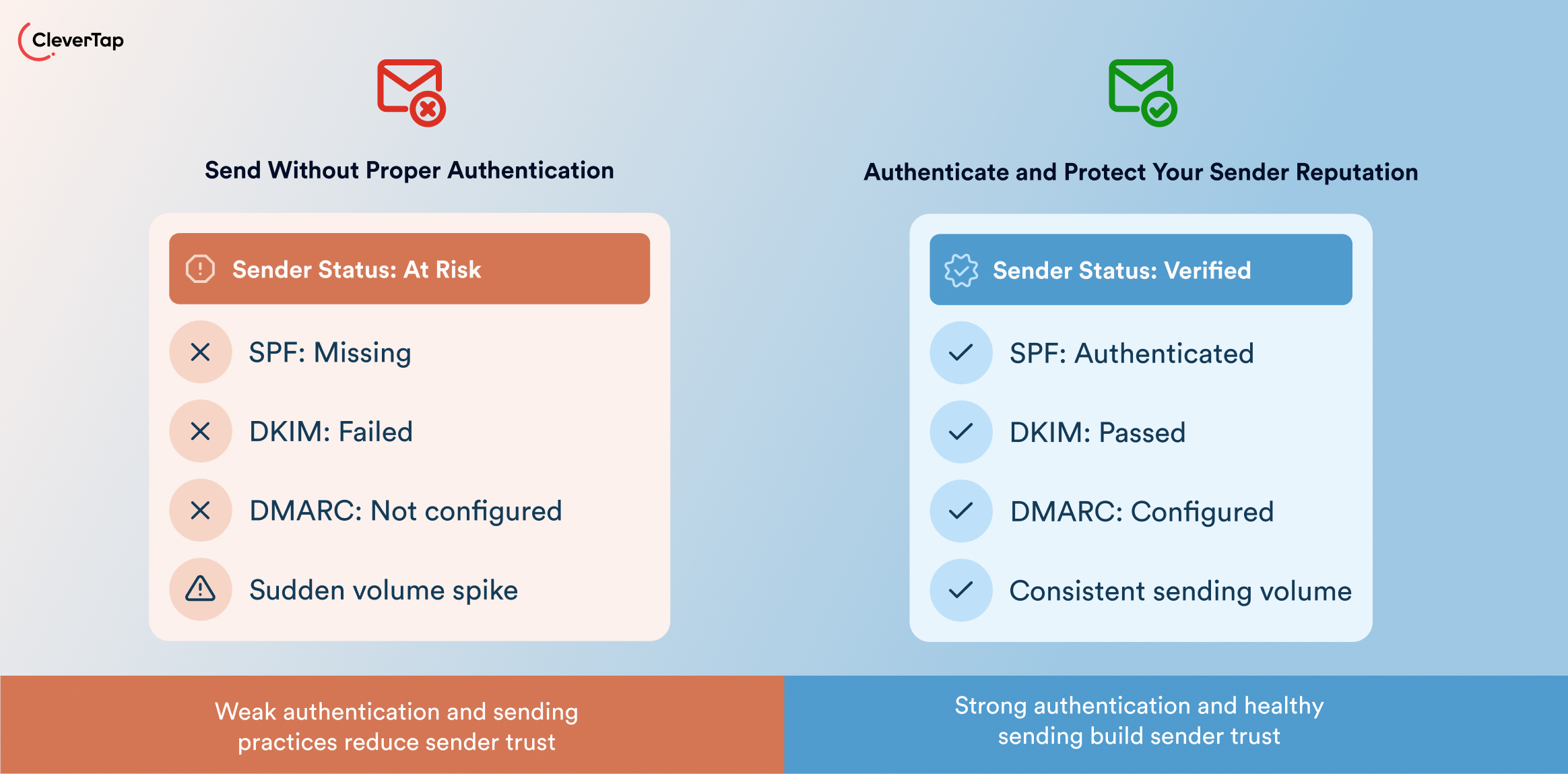
Mailbox providers evaluate more than email content when deciding whether to deliver a message. They also consider whether the sender can be trusted. Missing or poorly configured SPF, DKIM, and DMARC records can make it harder to verify that emails are legitimate. Domain and IP reputation also depend on spam complaints, bounces, and sending behavior.
Authenticate your sending domains with SPF, DKIM and DMARC, and monitor your domain and IP reputation. Start DMARC with a monitoring policy, review the results, and move toward stronger enforcement once legitimate sending sources are identified. Maintain a consistent sending cadence and avoid sudden volume increases. When introducing a new domain or dedicated IP, gradually increase sending volume instead of sending to your entire audience at once.
Mistake 8: Continuing to Email Inactive Subscribers
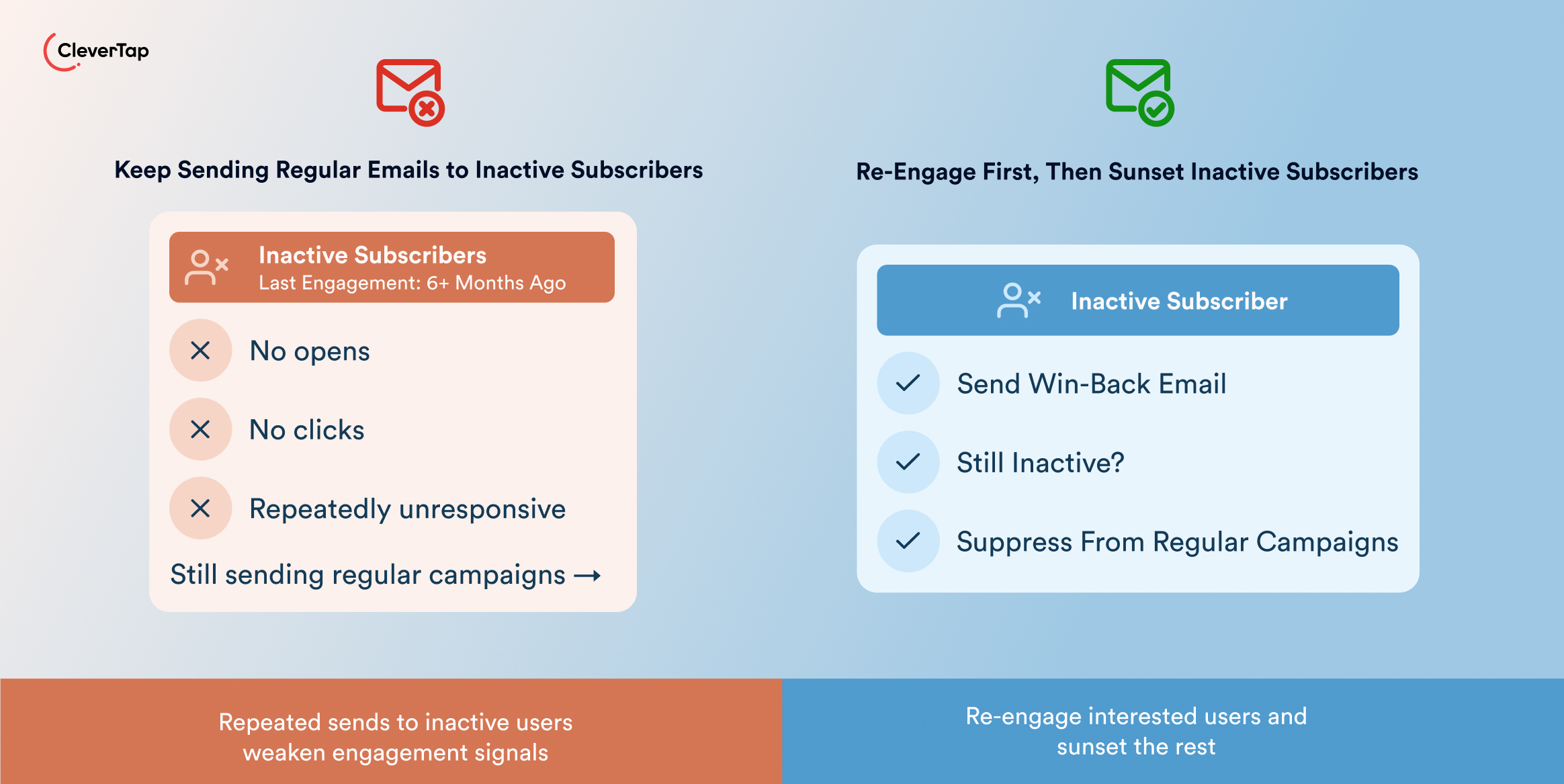
Not every subscriber will remain engaged forever. Continuing to send regular campaigns to people who haven’t opened or clicked an email in months can lower overall engagement and waste resources. It can also contribute to weaker engagement signals with mailbox providers.
Use a two-step approach: re-engage, then sunset. Identify subscribers who have been inactive for a defined period and send a short win-back campaign asking whether they still want to hear from you. Allow them to update their preferences or confirm their subscription. If they remain inactive, suppress or sunset them from regular marketing sends.
| Step | Action | KPI to Track |
| Identify inactive subscribers | Segment subscribers with 3+ months of no opens or clicks | Number in segment |
| Email 1: Win-back | Send a friendly email with a clear CTA | Open rate, click rate |
| Wait 3 days | Track engagement after Email 1 | Engagement rate |
| Email 2: Reminder | If still inactive, send a final reminder | Re-engagement rate |
| Remove or sunset | Suppress remaining inactive subscribers | List size, bounce rate |
For example, a win-back email could use “We Miss You! Are We Still Friends?” as the subject line and ask subscribers to update their preferences or confirm that they want to stay on the list.
Also read: Win-Back Email Campaigns With 10 Examples, Strategies, and Templates
Content and Personalization Mistakes
Getting an email into the inbox is only half the battle. Personalized emails have an 82% higher open rate than non-personalized emails. If the subject line fails to earn attention, the content feels generic, or the CTA creates friction, even a successfully delivered email may not drive engagement or conversions. These content mistakes can turn a relevant campaign into an easy one to ignore.
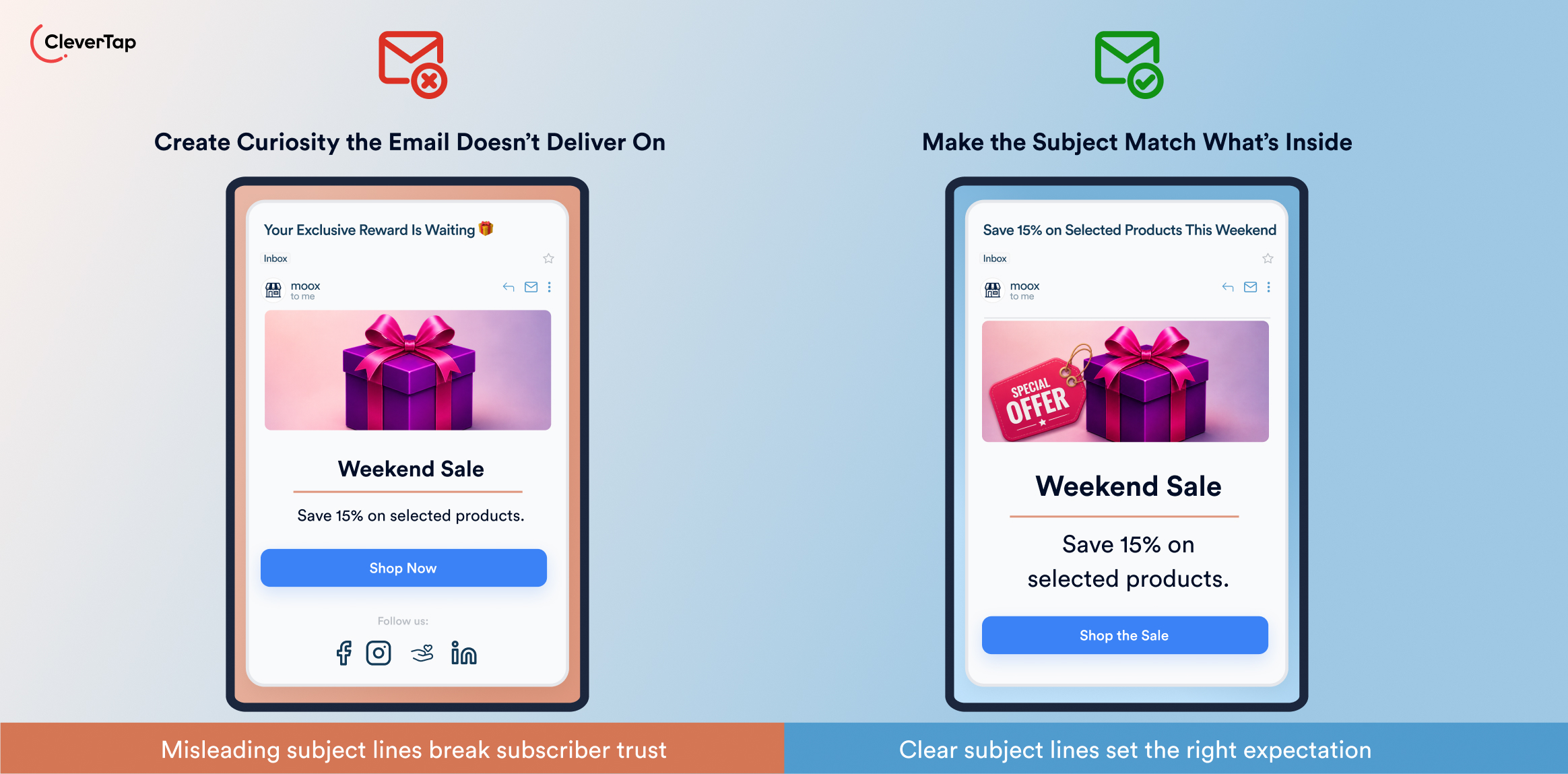
Mistake 9: Writing Weak or Misleading Subject Lines
The subject line is often the first thing subscribers see, so a vague, generic, or misleading one can prevent them from opening the email. Clickbait may generate curiosity, but it can also create disappointment and erode trust when the email does not deliver on its promise.
Write concise, accurate subject lines that communicate the email’s value. Go beyond generic phrases and use relevant details, benefits, or urgency where appropriate. Personalize when you have useful information to include, and A/B test different approaches to identify what resonates with your audience.
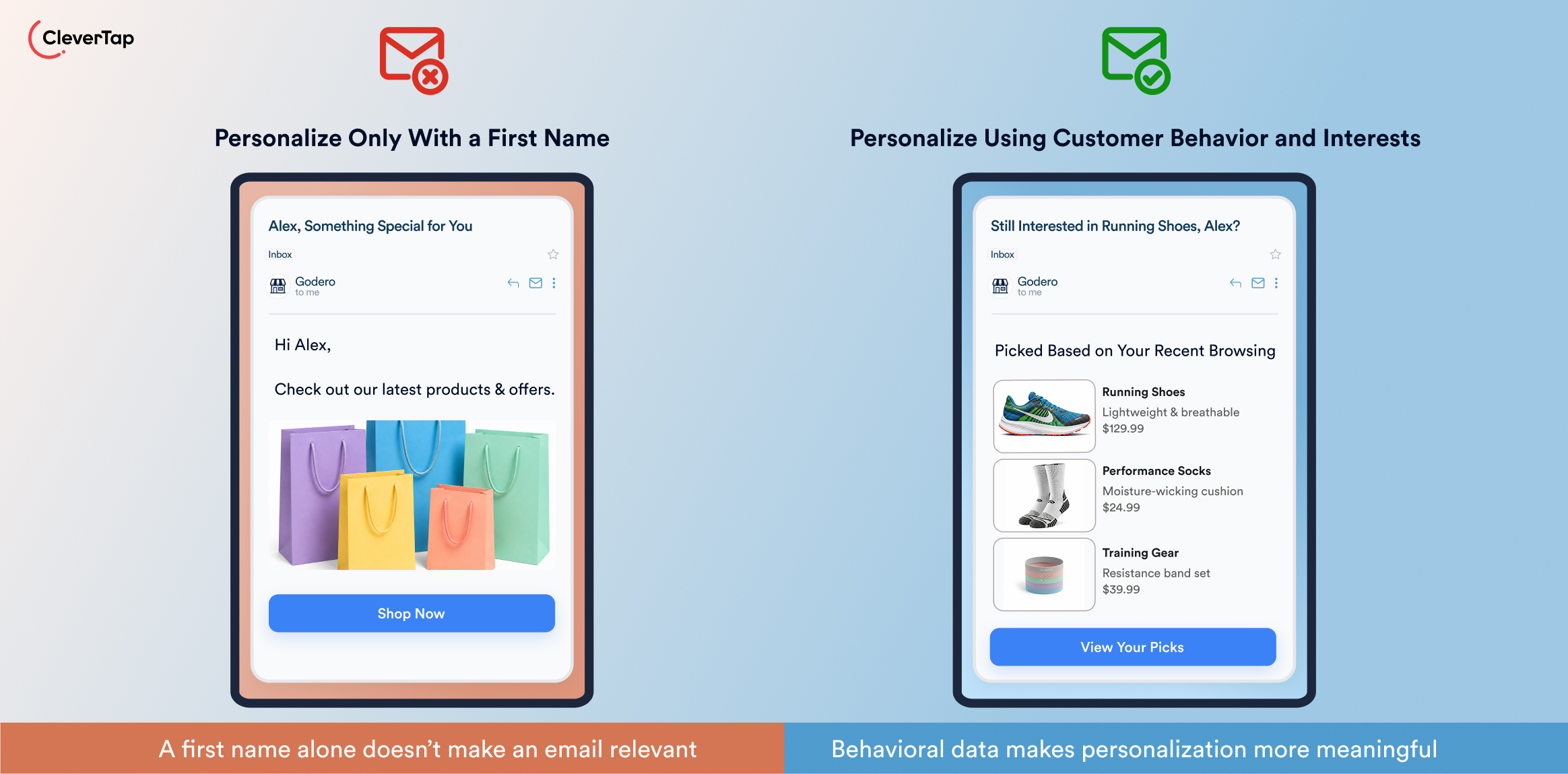
Mistake 10: Using Generic Content and Superficial Personalization
Adding a subscriber’s first name does not make an email meaningfully personalized. If everyone receives the same content after the greeting, the message can still feel generic and irrelevant. Effective email personalization uses information about a subscriber’s behavior, preferences, purchases, or lifecycle stage to make the message more useful.
Use customer data and behavior to tailor email content. For example, recommend products based on previous browsing or purchases, send new users onboarding content, or offer loyal customers relevant perks. Dynamic content can also change parts of an email based on subscriber attributes or actions.
Try now: The Best Email Marketing Personalization Platform With 1:1 Precision at Scale
Mistake 11: Making Emails Too Long or Unfocused
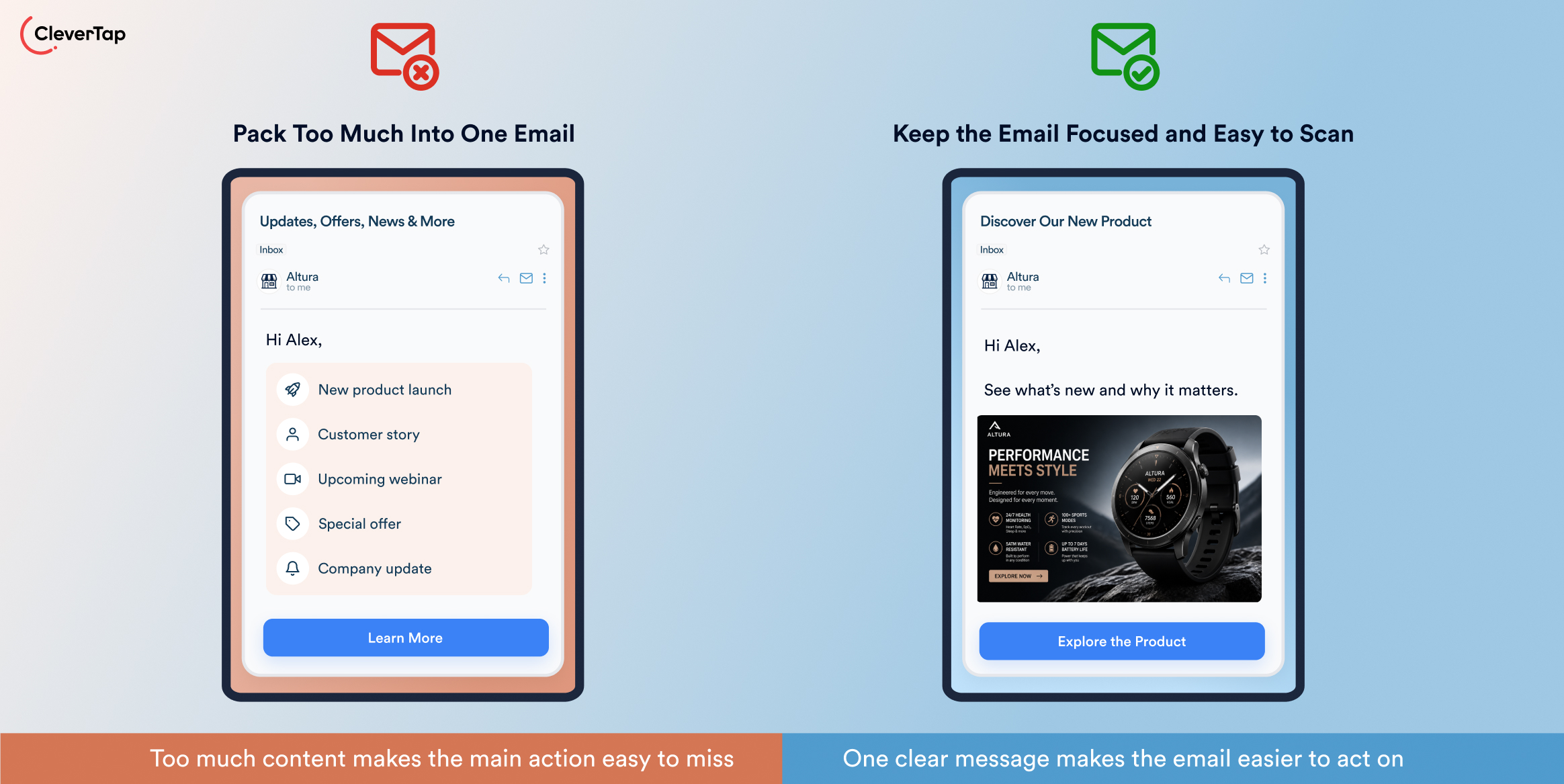
Long emails with multiple competing messages can overwhelm readers, particularly when they are scanning on a mobile device. When an email tries to promote a product, share company news, provide several articles, and include multiple offers at once, the main action can get lost.
Give each email one primary message and one main CTA. Keep paragraphs short and use headings, bullets, and visuals to make the content easy to scan. If you have several important topics, split them across multiple emails or create a structured roundup.
Mistake 12: Using Weak CTAs or Mismatched Landing Pages
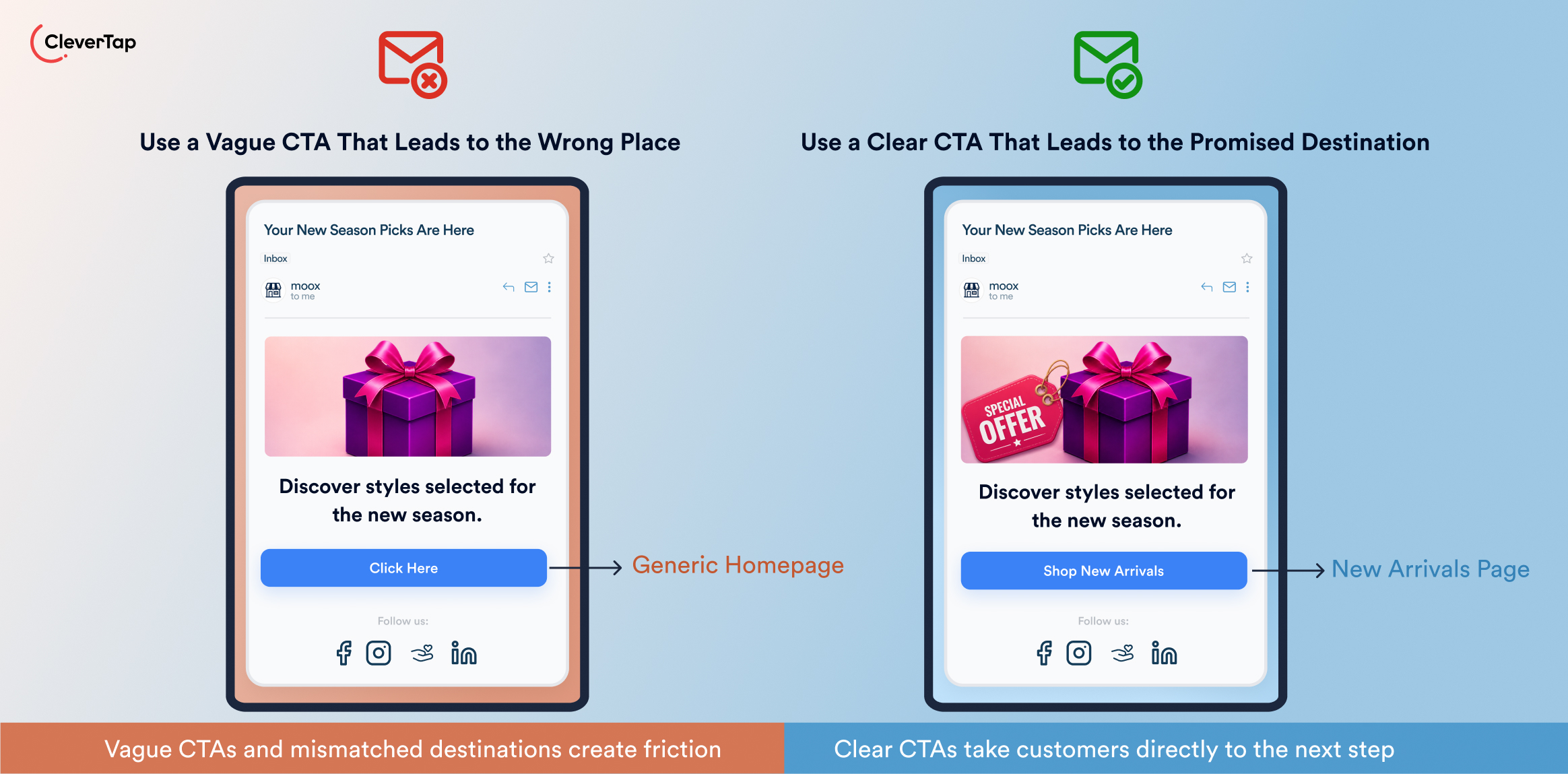
A strong email can still lose a conversion if the next step is unclear or does not match the message. Generic CTAs such as “Click Here,” competing actions, and broken links can create friction. Image-only CTAs are also risky because the button may disappear if images do not load. Sending subscribers to a generic page instead of the promised destination creates a similar mismatch.
Use one clear, action-oriented primary CTA that tells subscribers exactly what to do, such as “Download the Report” or “Start Your Free Trial.” Make the CTA accessible as text as well as a button, and test every link before sending. The landing page should deliver on the email’s promise and take subscribers directly to the relevant content or action.
Campaign Execution and Optimization Mistakes
Campaign quality depends on more than strategy and content. What happens before launch, from rendering and personalization checks to deliverability testing, can determine whether an email works as intended. After launch, performance data shows what to change, from send timing and frequency to audience targeting and conversion paths.
Mistake 13: Ignoring Mobile Design and Email Rendering
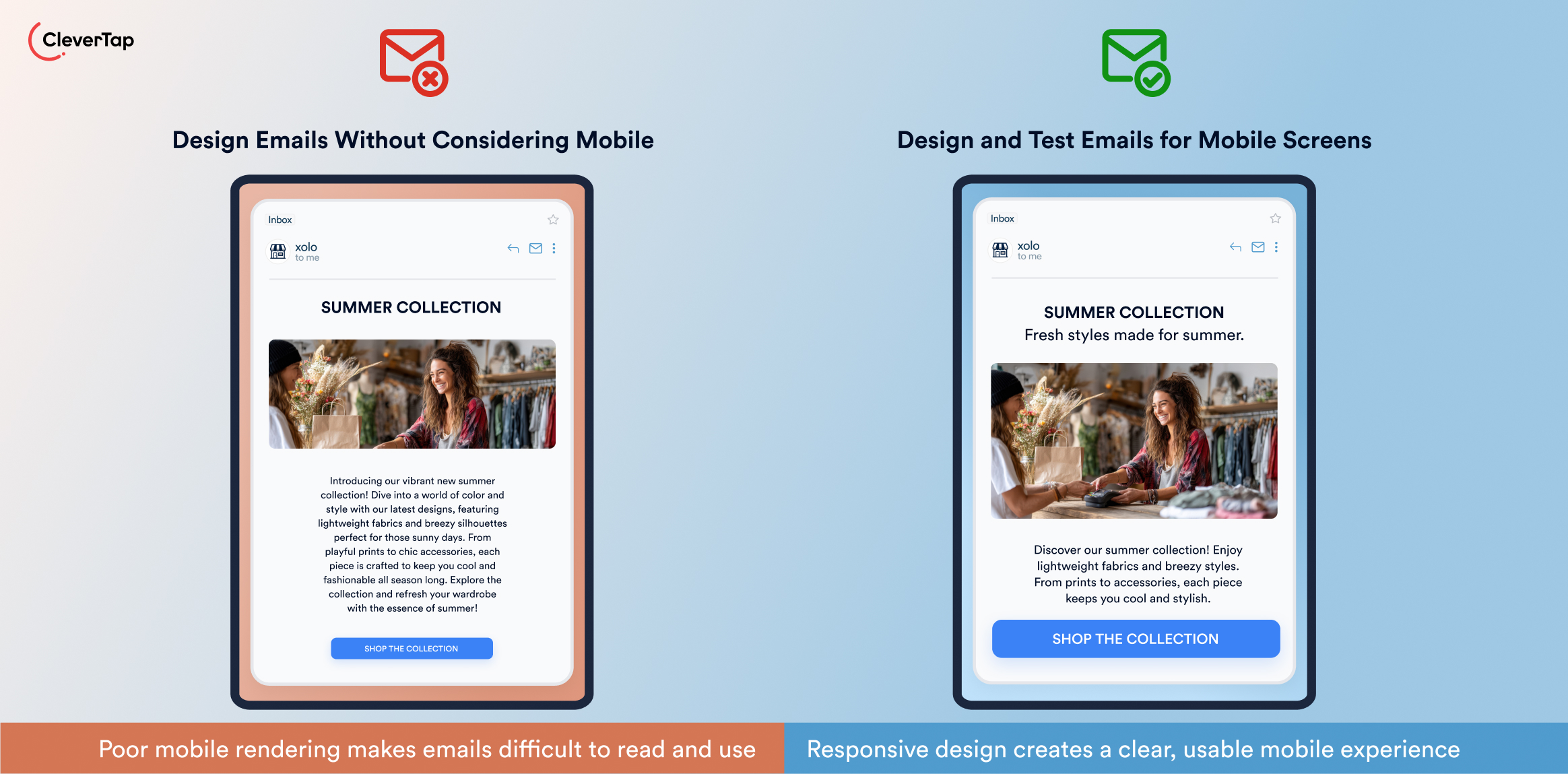
An email that looks good on a desktop can break on a phone or in a different email client. Small text, broken layouts, oversized images, or difficult-to-tap buttons can cause recipients to abandon the message before engaging with it. Mobile-responsive design delivers 15% higher click rates than emails that are not optimized for the cellular screen.
Use responsive templates and test emails across major email clients and devices. Keep text readable, buttons easy to tap, and layouts simple. Check image loading, alt text, and dark-mode readability. Compare mobile and desktop engagement to identify potential rendering or usability problems.
Mistake 14: Sending Without Proper Testing
Skipping pre-send testing can result in broken links, incorrect audience targeting, missing personalization, or dynamic content errors. Rendering problems and deliverability issues can also go unnoticed until after the email is sent.
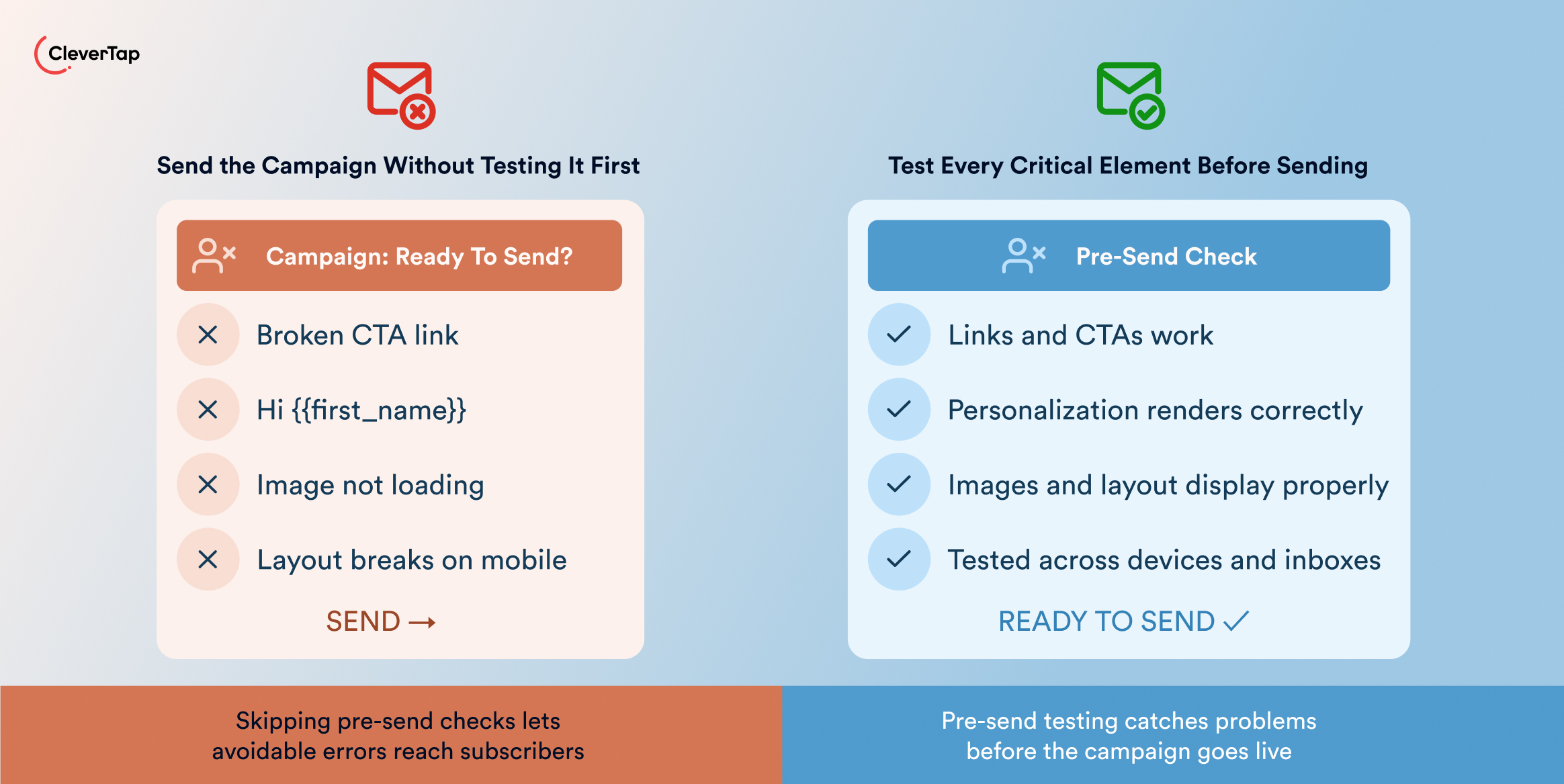
Use a pre-send checklist that covers audience rules, links, personalization, dynamic content, rendering, spam checks, and inbox placement. Send test emails across multiple providers and devices before launch.
| Email testing area | What to verify before sending |
| Rendering | Layout and visuals across major email clients |
| Links and CTAs | All links work and point to correct destinations |
| Subject lines | Length, truncation and alignment with content |
| Preview text | Visibility in inbox and consistency with subject |
| Dark mode | Readability and contrast for dark-background mode |
| Deliverability | Sender authentication (SPF/DKIM) and content spam checks |
| Accessibility | Alt text on images, color contrast, readable fonts |
| Load time | Total email size and individual image sizes (keep low) |
| Personalization | Dynamic fields render correctly (no missing names) |
| Compliance | Presence of footer, privacy links, and unsubscribe link |
Mistake 15: Failing to Measure and Improve Campaign Performance
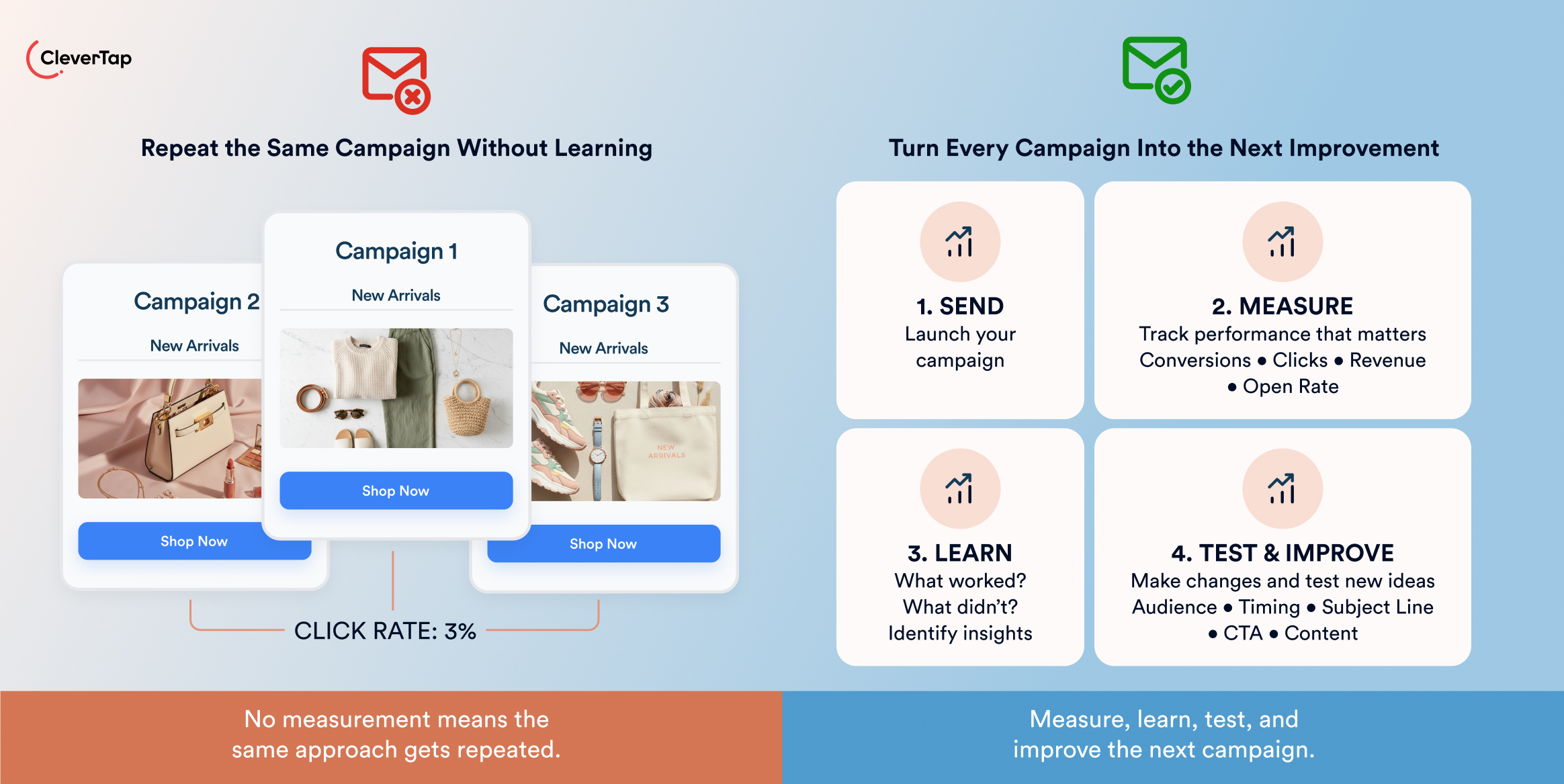
Sending an email without analyzing what happened afterward leaves marketers guessing. Performance can vary based on send timing, frequency, audience segment, and the action subscribers are expected to take. Opens and clicks alone also do not show whether an email contributed to revenue or other business outcomes.
Define KPIs before launch and track performance by audience segment, timing, and frequency. Use conversion tracking to connect email interactions with sign-ups, purchases, or other desired actions. Analyze downstream behavior to see what happens after a click, such as whether subscribers visit a website, complete a form, or make a purchase. Use A/B testing to improve subject lines, content, CTAs, timing, and frequency, then apply those insights to future campaigns.
How CleverTap Helps Marketers Avoid Email Marketing Mistakes
CleverTap’s email marketing platform helps marketers address email marketing mistakes across audience targeting, personalization, automation, deliverability, testing, and measurement.
Build More Relevant Audience Segments
CleverTap enables marketers to create dynamic segments using behavioral data, customer attributes, engagement, and lifecycle stages. Combine profile data, such as location or subscription status, with actions such as purchases, app activity, or page views. Real-time behavioral data can also update segments as customers interact with your brand, helping you target relevant audiences while excluding customers who no longer fit a campaign.
Personalize Email Content at Scale
It supports Liquid tags, event and profile data, product catalogs, and recommendations, allowing marketers to personalize emails beyond first-name insertion. Use browsing and purchase behavior to recommend relevant products, tailor messages to customer attributes, or adapt content based on lifecycle stage.
Automate Lifecycle Email Journeys
CleverTap’s Journey Builder helps marketers create automated lifecycle journeys using behavioral triggers, waits, conditional paths, goals, exclusions, and exit conditions. For example, a welcome journey can trigger after signup, wait for engagement, and branch based on whether a customer converts. Goals and exit conditions can remove customers from a journey after conversion, while exclusions help prevent irrelevant messages.
Protect Audience Quality and Deliverability
CleverTap provides tools to maintain list quality, protect sender reputation, and give subscribers control over their email preferences:
- Sender authentication: Set up SPF, DKIM, and DMARC to authenticate your sending domain and support deliverability.
- IP warm-up and sending controls: Gradually increase sending volume for new IPs and manage sending rates to maintain consistent sending practices.
- Email validation integrations: Connect validation tools to identify invalid or risky addresses and reduce avoidable bounces.
- Engagement-based segmentation: Identify engaged and inactive subscribers based on their email behavior and adjust sending accordingly.
- Re-engagement and sunsetting: Run win-back campaigns for inactive subscribers and suppress those who remain unresponsive.
- Preference centers and email groups: Let subscribers choose the types and frequency of emails they want to receive.
- One-click unsubscribe: Make opting out easy, helping reduce unwanted messages and spam complaints.
Create and Test Emails Before Launch
CleverTap provides responsive templates, drag-and-drop editing, and HTML editing to create emails for different devices and use cases. Marketers can preview campaigns, send test emails, check inbox placement, and run spam checks before launch. Seed testing can help identify potential delivery issues across mailbox providers, while experimentation tools allow marketers to test different campaign elements before scaling what works.
Measure the Full Campaign Impact
CleverTap’s email campaign analytics platform help marketers connect email activity with business outcomes. Track delivery errors, opens, clicks, and link engagement, then use conversion goals to measure actions such as purchases or sign-ups. Marketers can analyze results by audience segment, use control groups to measure campaign lift, and examine downstream behavior after a click. These insights help identify what worked, what did not, and what should change in the next campaign.
Use CleverTap to create more relevant email campaigns, protect deliverability, and continuously improve campaign performance
FAQ’s About Email Marketing Mistakes
What is the most common email marketing mistake?
Sending irrelevant emails is one of the most common mistakes. Poor segmentation, weak personalization, and unclear campaign goals can make emails feel disconnected from subscribers’ needs and reduce engagement.
Which email marketing mistakes hurt deliverability?
Sending to unengaged or low-quality lists, lacking SPF, DKIM, and DMARC authentication, generating spam complaints, and ignoring consent can all hurt deliverability. Inconsistent sending practices can also affect sender reputation.
How often should businesses send marketing emails?
There is no universal ideal frequency. It depends on your audience, industry and content. Focus on a consistent cadence that provides value without overwhelming subscribers, and use engagement and unsubscribe data to adjust frequency.
Should inactive email subscribers be removed?
Yes, after a re-engagement attempt. Allow inactive subscribers to confirm their interest or update their preferences. If they remain unresponsive, suppress or sunset them from regular campaigns to maintain list quality.
How can marketers avoid email campaign mistakes?
Set clear goals, segment your audience, use permission-based lists, and personalize content based on relevant data. Test emails before sending, monitor deliverability, and analyze campaign performance. Use these insights to continuously improve your strategy.
Elevate Your Seasonal Email Campaigns
Don’t let your holiday campaigns get lost in overcrowded inboxes. Explore our complete collection of email blogss for Q4:
Drive pre-holiday engagement with Halloween Email Marketing Ideas.
Craft grateful messages with Thanksgiving Email Marketing Examples.
Maximize peak shopping days using Black Friday Email Marketing & Cyber Monday Emails.
End the year strong with Christmas Email Marketing Ideas & fresh December Email Newsletter Ideas.

Sagar Hatekar 
Leads product managementExpert in Marketing Analytics & Engagement platforms.
Free Customer Engagement Guides
Join our newsletter for actionable tips and proven strategies to grow your business and engage your customers.