
















































Table of Contents
Categories
Most Popular

Sending an email does not guarantee it will land in the inbox. Mailbox providers like Gmail, Yahoo, and Outlook evaluate every sender’s trustworthiness based on factors such as authenticated identity, sending behavior, audience quality, and how recipients interact with emails.
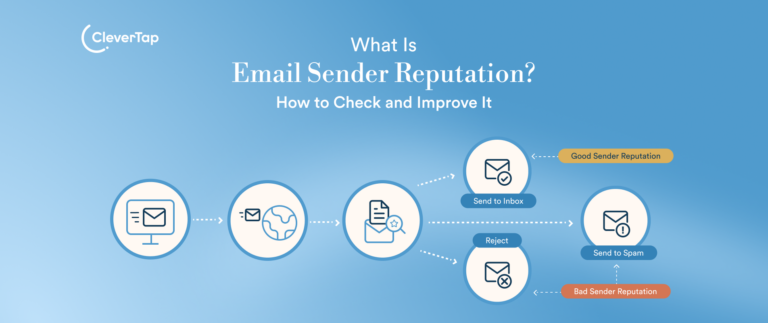
This overall trust is known as email sender reputation and plays a major role in determining inbox placement. A strong reputation improves deliverability, while a poor one can send emails to spam or block them altogether.
In this article, we’ll explain what sender reputation is, the signals that influence it, how to check and improve it, and the role CleverTap plays in maintaining a healthy sending reputation.
What Is Email Sender Reputation?
Email sender reputation is the level of trust mailbox providers assign to a sender based on their past and current email activity. This reputation helps determine whether an email reaches the inbox, lands in the spam folder, or is rejected altogether. It is built over time and reflects how consistently a sender follows email best practices. Industry data shows the average inbox placement rate is just 83.1%, meaning nearly 1 in 6 marketing emails never reaches the inbox despite being sent.
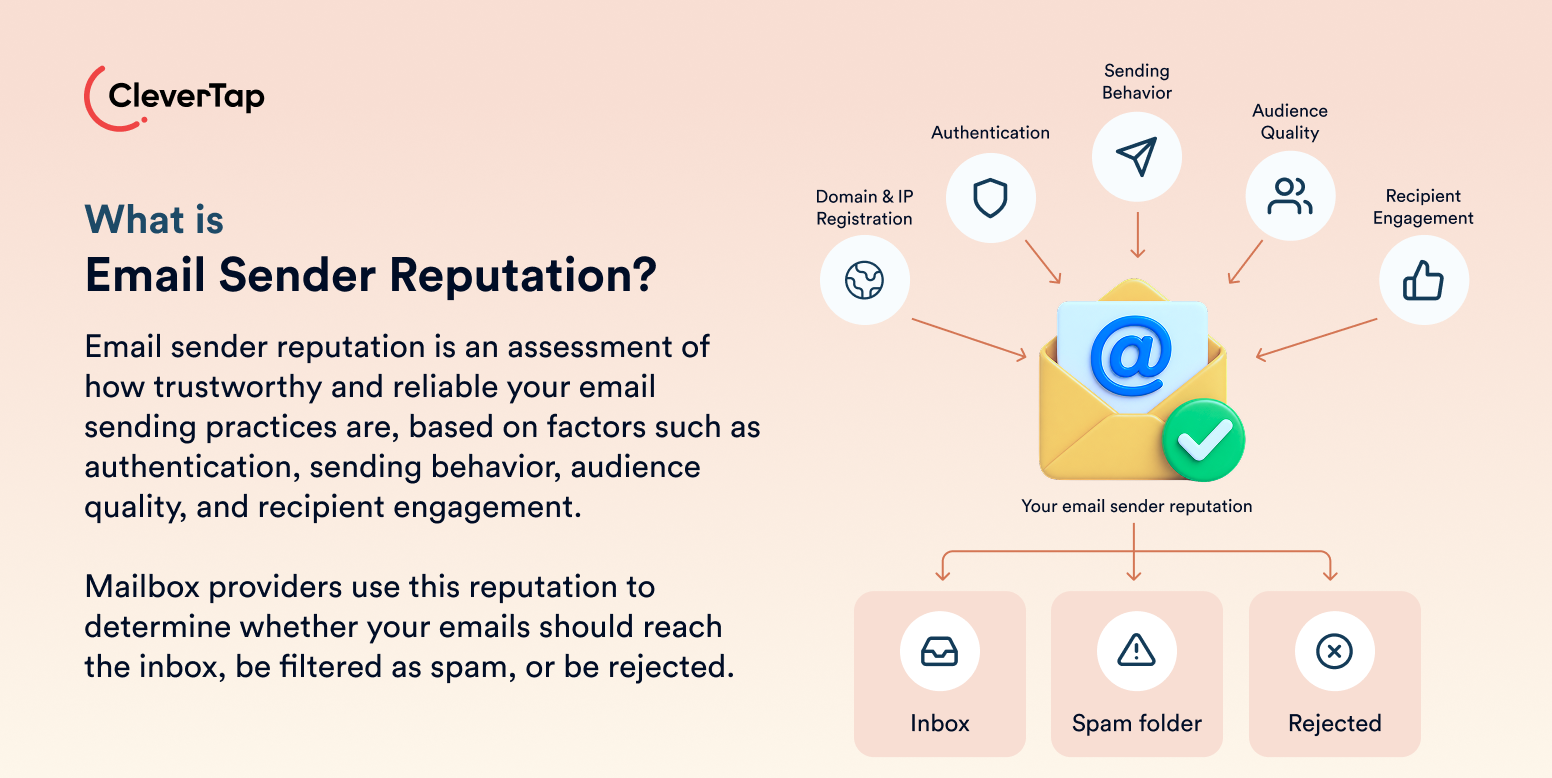
There is no single universal sender reputation score. Mailbox providers such as Gmail, Yahoo, and Outlook each use their own algorithms, signals, and criteria to evaluate senders. They consider factors such as domain reputation, IP reputation, email authentication (SPF, DKIM, and DMARC), sending behavior, mailing list quality, spam complaints, bounce rates, and recipient engagement, including opens, clicks, and replies.
A strong sender reputation improves the likelihood of consistent inbox placement and better email deliverability. In contrast, a poor reputation can lead to delivery delays, spam filtering, throttling, or even message rejection.
Third-party tools can help you monitor your reputation. However, these scores are only indicators and should not be treated as the definitive assessment used by mailbox providers.
Why Does Email Sender Reputation Matter?
Email sending reputation influences every stage of email deliverability, from whether mailbox providers accept your message to whether recipients ever see it.
- Email acceptance and delivery speed: Mailbox providers are more likely to accept and process emails quickly from trusted senders. A poor reputation can lead to throttling, delays, or outright rejection.
- Inbox versus spam placement: A strong sender reputation increases the likelihood of inbox placement, while a poor reputation causes more emails to be filtered into spam, even if the content is relevant.
- Campaign reach and visibility: Emails that don’t reach the inbox can’t be seen by subscribers, limiting the audience your campaigns can actually reach.
- Opens, clicks, conversions, and revenue: Lower inbox placement results in fewer opens and clicks, reducing conversions and the overall return on your email marketing efforts.
- Future campaign performance: Poor inbox placement leads to lower engagement, which mailbox providers treat as another negative reputation signal. This creates a downward cycle where declining engagement further damages sender reputation, making future campaigns even less likely to reach the inbox.
What Factors Affect Email Sender Reputation?
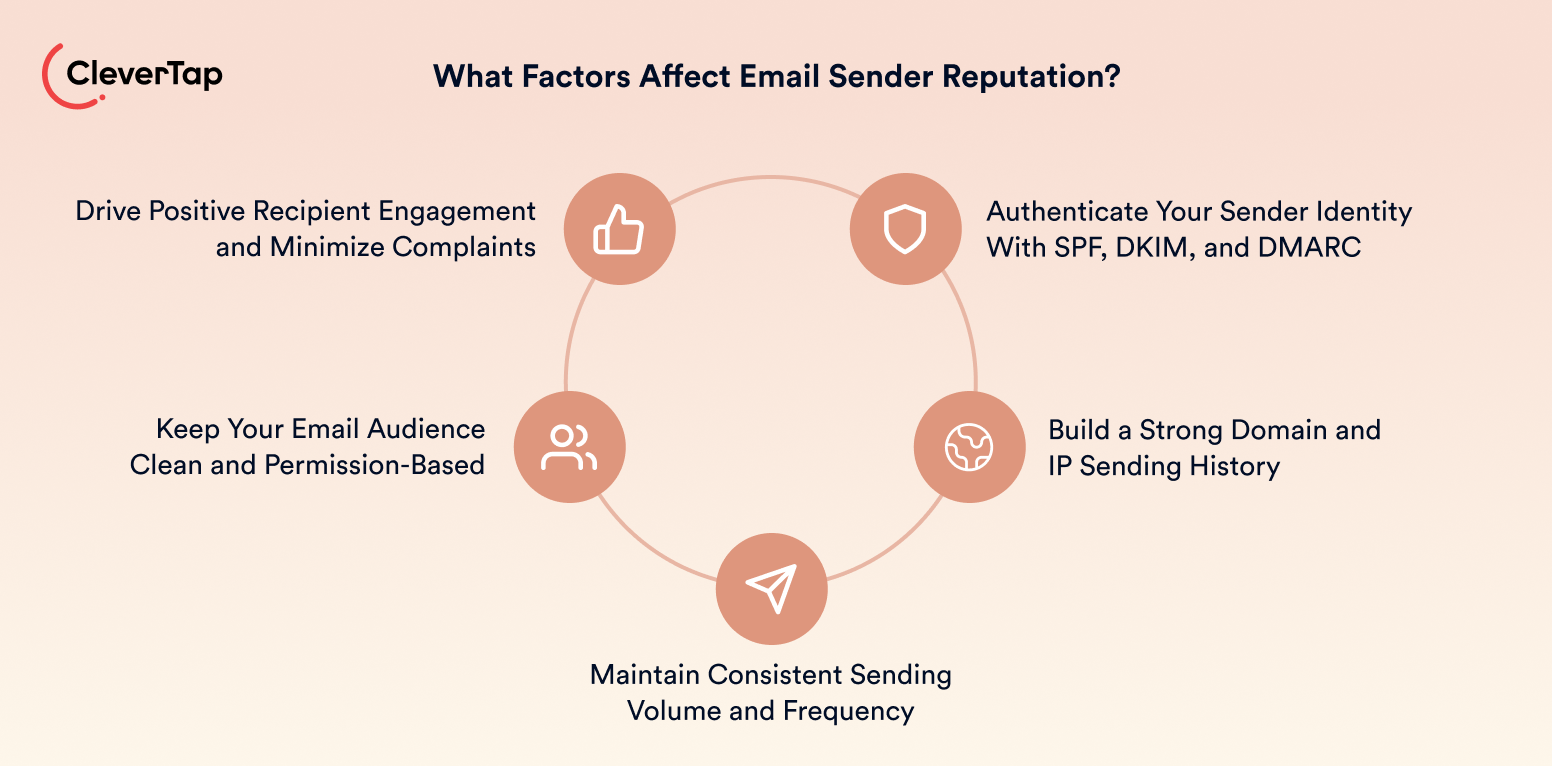
Mailbox providers don’t rely on a single metric to evaluate sender reputation. Instead, they combine multiple technical and behavioral signals to determine whether your emails are trustworthy and deserve a place in the inbox.
Sender Authentication and Identity
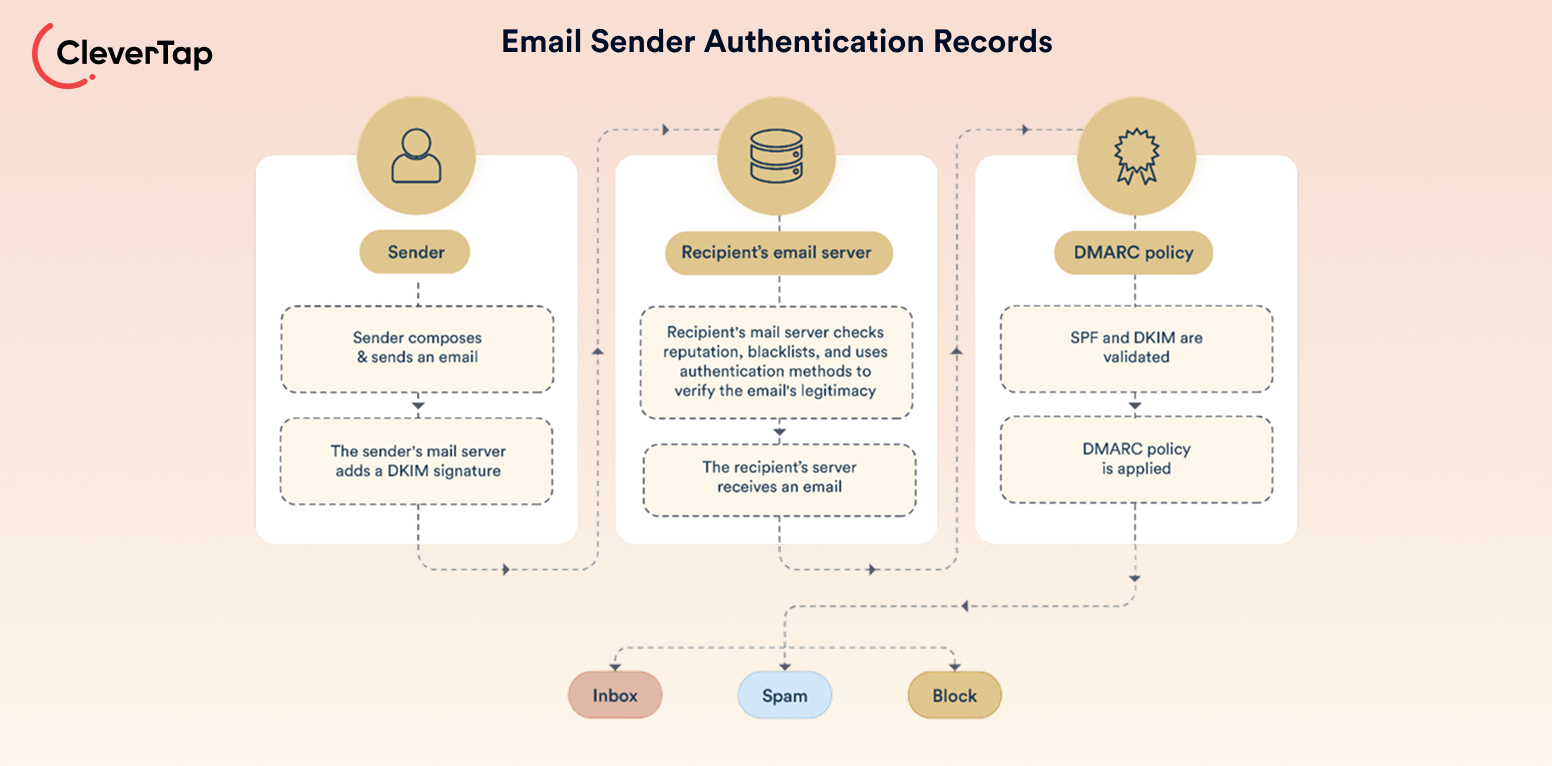
Authentication verifies that you are authorized to send email on behalf of your domain. Mailbox providers check SPF, DKIM, and DMARC records to confirm your identity and look for alignment between your sending domain, From address, and tracking links. Although authentication alone doesn’t guarantee inbox placement, it establishes trust and protects against spoofing. Only 33.4% of the world’s top one million domains have a valid DMARC record, highlighting that many organizations still lack complete authentication.
Domain and IP Reputation
Both your sending domain and IP address develop reputations over time based on previous email activity. Mailbox providers consider factors such as sending history, whether you use shared or dedicated infrastructure, and whether your domain or IP has appeared on blocklists. A strong history builds trust, while repeated deliverability issues can damage future performance.
Sending Behaviour
Consistent sending patterns are another important trust signal. Mailbox providers monitor email volume, sending frequency, regularity, sudden spikes in activity, prolonged inactivity, and whether new IP addresses are properly warmed up before sending at scale.
Audience Quality
The quality of your recipient list directly affects sender reputation. Permission-based subscribers, valid email addresses, and regularly maintained lists indicate responsible sending. In contrast, purchased lists, spam traps, hard bounces, and large numbers of inactive recipients increase the risk of poor deliverability.
Recipient Engagement
Mailbox providers also measure how recipients interact with your emails. Positive signals include opens, clicks, replies, and forwards. Negative signals include unsubscribes, spam complaints, sender blocks, and repeatedly deleting emails without reading them. These engagement patterns help providers determine whether recipients want to receive future emails from your domain.
Email Sender Reputation vs. Domain and IP Reputation
Sender reputation is the overall level of trust mailbox providers assign to your email program. It is primarily built from domain reputation and IP reputation, along with other signals such as authentication, sending behavior, audience quality, and recipient engagement. Although these terms are often used interchangeably, they measure different aspects of your email infrastructure.
| Reputation Type | What It Represents | Main Influences |
| Sender reputation | Overall trust in your email program | Domain reputation, IP reputation, authentication, sending practices, audience quality, recipient engagement |
| Domain reputation | Trust associated with your sending domain | Domain history, SPF/DKIM/DMARC, spam complaints, recipient engagement |
| IP reputation | Trust associated with the sending infrastructure | Sending volume, bounce rates, spam complaints, blocklists, IP traffic |
Domain reputation is tied to your sending domain and generally follows your brand even if you change email service providers. IP reputation, on the other hand, is associated with the sending infrastructure. If you use a shared IP, the sending behavior of other organizations on the same IP can also affect its reputation, whereas a dedicated IP reflects only your own sending practices.
Positive and Negative Sender Reputation Signals
Mailbox providers evaluate sender reputation by looking at patterns across multiple campaigns rather than judging a sender based on a single email or metric. Consistent positive signals build trust over time, while repeated negative signals reduce the likelihood of future emails reaching the inbox.
The table below gives an overview of the positive and negative sender reputation signals:
| Positive Signals | Negative Signals |
| Consistent sending volume | Sudden volume spikes |
| High delivery and engagement | High bounce rates and low engagement |
| Replies, forwards, and saved emails | Spam complaints and sender blocks |
| Permission-based audiences | Purchased or unverified email lists |
| Low unsubscribe rates | Frequent unsubscribes |
| Valid SPF, DKIM, and DMARC authentication | Authentication failures |
| Active subscriber segments | Spam traps and inactive contacts |
No single signal determines sender reputation. Instead, mailbox providers evaluate how these indicators trend over time. Consistent sending practices, domain authentication, and engagement from permission-based subscribers help build trust, while recurring complaints, poor list quality, and declining engagement gradually weaken your reputation and reduce inbox placement.
How to Check Your Email Sender Reputation
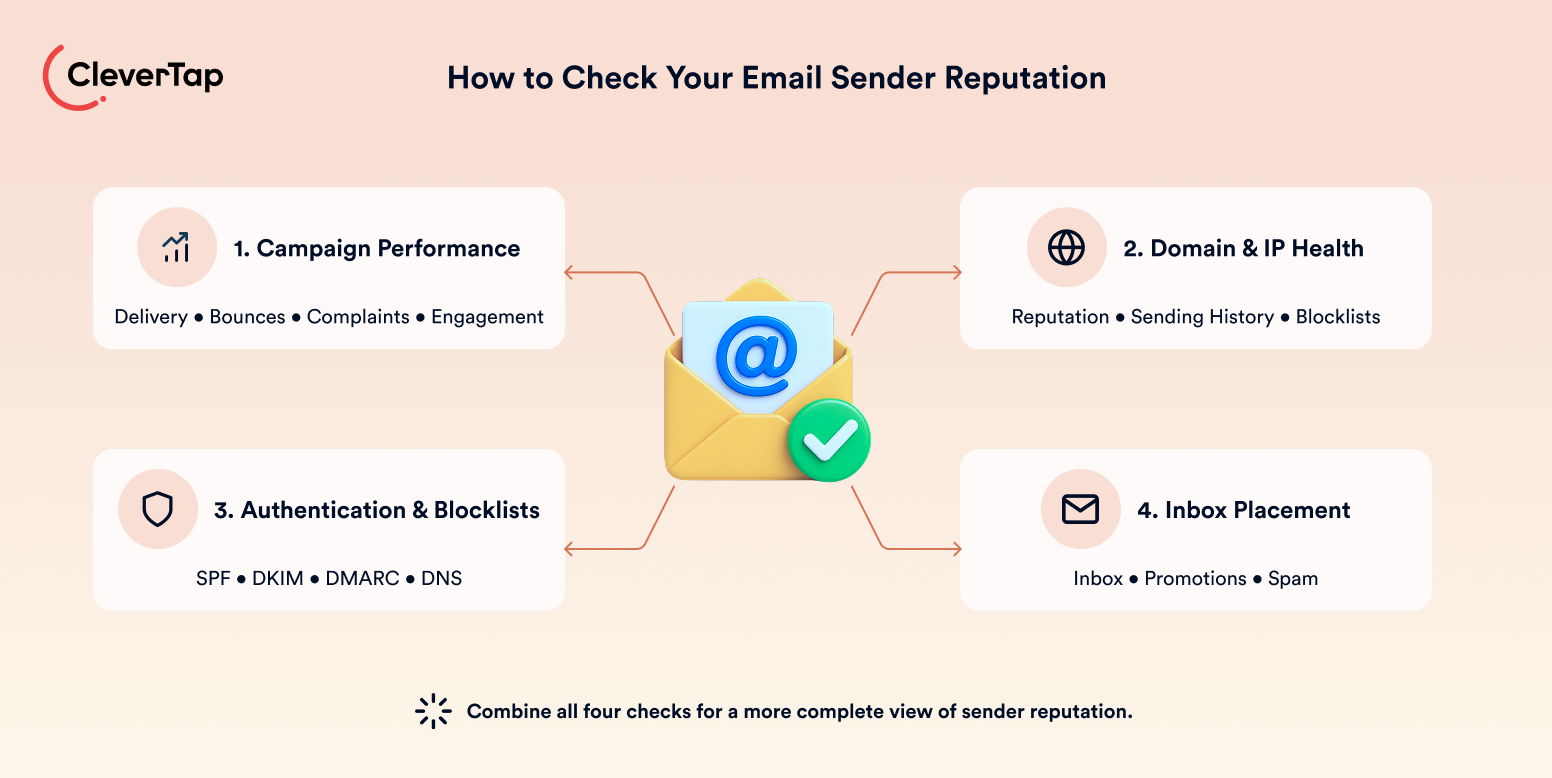
No single tool provides a complete picture of sender reputation. Mailbox providers evaluate different signals, so the most accurate email reputation check comes from combining campaign performance, provider-specific reputation tools, technical checks, and inbox placement testing.
Review Campaign Performance
Start by monitoring your email campaign metrics. Track delivery rate, hard and soft bounces, opens, clicks, spam complaints, unsubscribes, delivery errors, and performance across different mailbox providers such as Gmail, Yahoo, and Outlook. Rather than focusing on a single campaign, look for trends over time. Consistent declines in engagement or increases in bounces and complaints often indicate a developing reputation issue.
Check Domain and IP Health
Use email reputation check tools to understand how mailbox providers and security services evaluate different aspects of your sender health. Since no single platform provides a complete picture, it’s important to use multiple tools together.
- Google Postmaster Tools: Shows Gmail’s assessment of your domain reputation, spam rate, authentication, and delivery performance.
- Microsoft SNDS: Provides IP reputation and traffic data for emails sent to Outlook and Microsoft mailboxes.
- Sender Score: Estimates your sending IP’s reputation using a 0–100 score based on historical sending behavior.
- Barracuda Central: Checks whether your sending IP is listed on Barracuda’s reputation blocklist.
- MXToolbox: Scans your domain and IP against multiple blocklists and identifies common DNS and deliverability issues.
Because each tool measures a different aspect of sender health, reviewing them together provides a more complete understanding of your email reputation.
Verify Authentication and Blocklists
Regularly confirm that SPF, DKIM, and DMARC are correctly configured and that your authenticated domain aligns with your From address. Also review your DNS records and check major domain and IP blocklists. However, the absence of blocklist entries does not necessarily indicate a strong sender reputation.
Test Inbox Placement
A delivered email is not always an inboxed email. While delivery rate measures whether a receiving server accepted the message, inbox placement shows whether it reached the inbox, promotions tab, or spam folder. Use seed testing across major mailbox providers to measure actual inbox placement and identify deliverability issues that campaign metrics alone cannot reveal.
What Damages Email Sender Reputation?
Mailbox providers continuously evaluate sender behavior to determine whether emails deserve inbox placement. While no single mistake is likely to damage sender reputation overnight, repeated negative signals can gradually reduce trust and affect future deliverability.
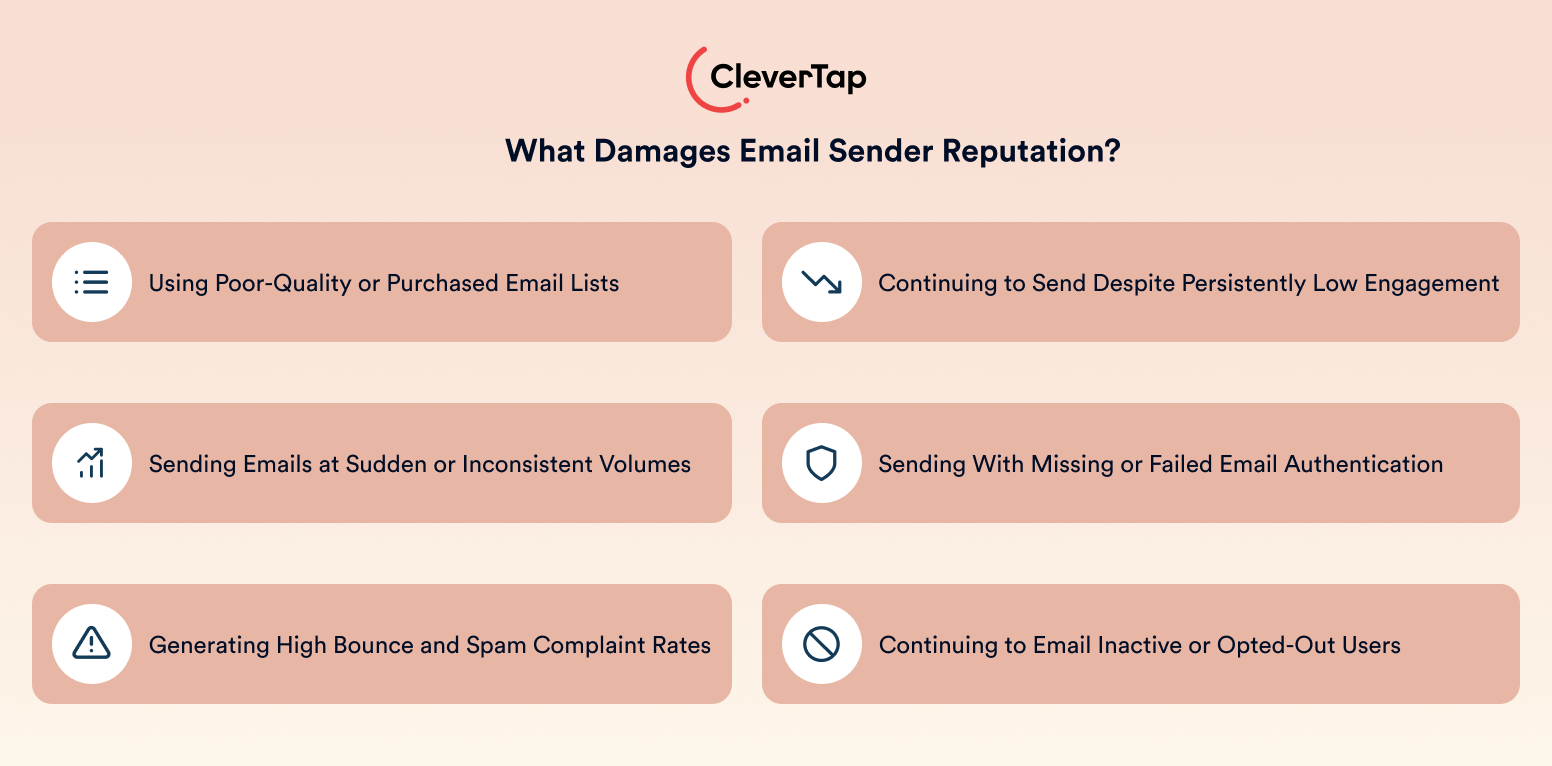
Poor-Quality or Purchased Lists
Purchased, rented, or poorly maintained email lists often contain invalid addresses, spam traps, and recipients who never consented to receive emails. These lists typically generate higher bounce rates, spam complaints, and weak engagement, all of which signal poor sending practices.
Sudden or Inconsistent Sending
Unexpected spikes in email volume, long periods of inactivity followed by large campaigns, rapid audience expansion, or sending from a new IP address without proper warm-up can appear suspicious to mailbox providers. These irregular patterns make it difficult to establish a trustworthy sending history.
High Bounces and Complaints
Repeatedly sending emails to invalid addresses increases bounce rates, while spam reports and sender blocks indicate that recipients do not want future emails. Mailbox providers treat these as strong negative reputation signals because they reflect poor list quality and an unsatisfactory recipient experience.
Persistently Low Engagement
Continuing to send emails to subscribers who rarely open, click, reply, or otherwise interact with campaigns signals declining relevance. Over time, consistently low engagement can reduce sender reputation and make future emails less likely to reach the inbox.
Authentication Problems
Missing SPF, DKIM, or DMARC records, failed authentication checks, domain misalignment, and inconsistent sender identities make it harder for mailbox providers to verify that emails are legitimate. These issues reduce trust and increase the likelihood of filtering.
Ignoring Inactive or Opted-Out Users
Continuing to email inactive subscribers, bounced addresses, users who have marked emails as spam, or recipients who have unsubscribed indicates poor list management. These behaviors increase negative engagement signals and can significantly damage sender reputation over time.
How to Improve Email Sender Reputation
Improving sender reputation requires consistent sending practices rather than one-time fixes. The following framework helps build long-term trust with mailbox providers and improve inbox placement.
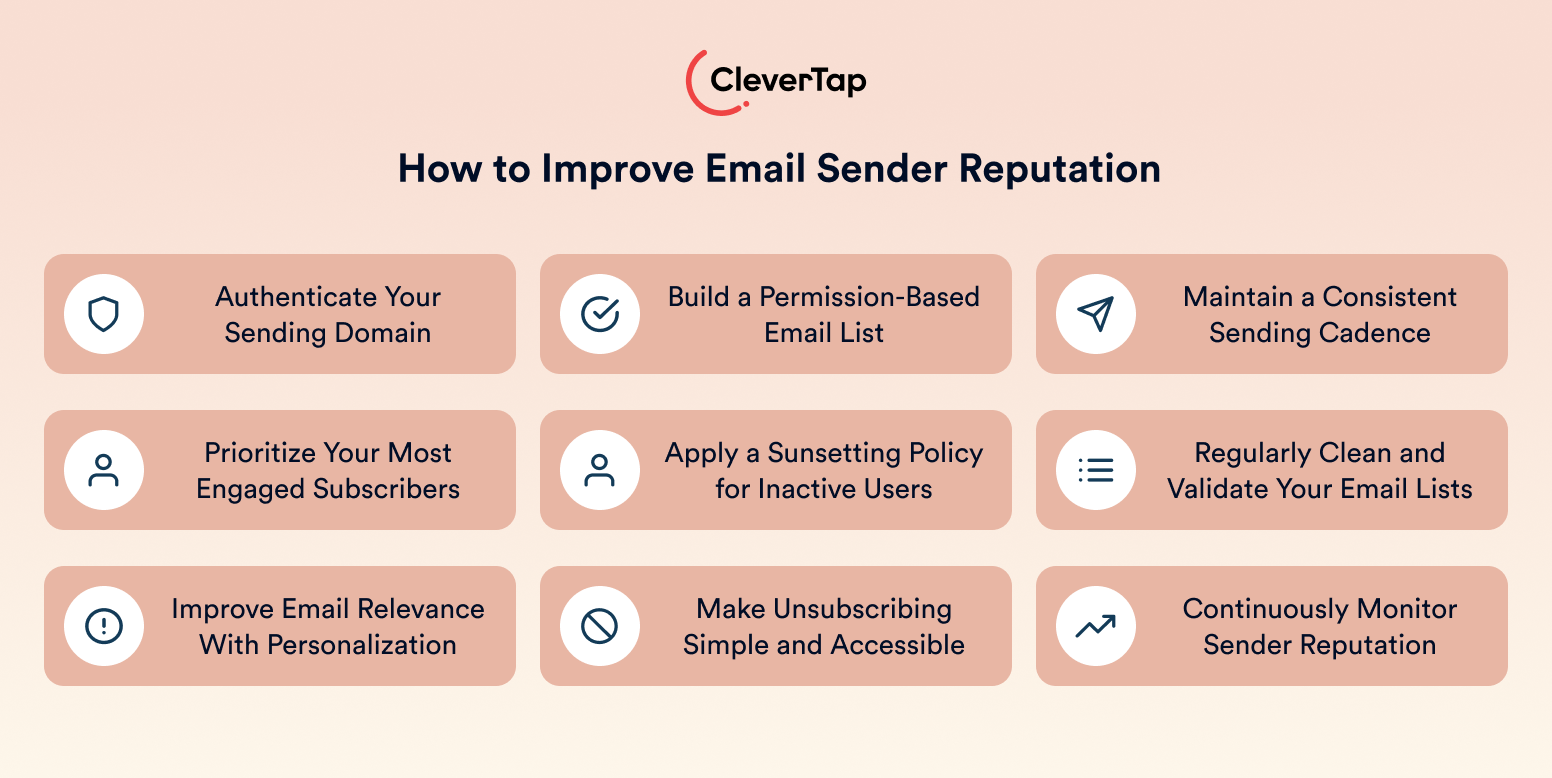
Authenticate the Sending Domain
Configure SPF, DKIM, and DMARC, and ensure your sending domain aligns with your From address and tracking links. Use a branded From address and maintain a consistent sender identity so mailbox providers can easily verify your emails.
Build a Permission-Based List
Grow your audience through explicit opt-ins and use double opt-in where appropriate to verify new subscribers. Clearly communicate what subscribers will receive and how often. Never purchase or rent email lists, and validate imported or older contacts before sending.
Maintain a Consistent Sending Cadence
Send emails at a predictable frequency and avoid sudden spikes in volume. When increasing email volume or using a new IP address, follow a gradual warm-up process. Likewise, avoid long periods of inactivity followed by large campaigns.
Prioritize Engaged Subscribers
Segment subscribers based on engagement, such as active, occasionally engaged, new, and inactive users. Send more frequently to highly engaged audiences and reduce volume to contacts showing declining engagement.
Apply a Sunsetting Policy
Identify subscribers who have stopped engaging, reduce sending frequency, and run a controlled re-engagement campaign. Suppress contacts who remain inactive to protect your sender reputation.
Clean and Validate Lists
Regularly remove or suppress invalid email addresses, hard bounces, risky contacts, known spam complainers, and long-term inactive subscribers to improve list quality and reduce deliverability risks.
Improve Email Relevance
Use behavioral segmentation and personalization to deliver timely, relevant content. Match sending frequency to subscriber expectations and test subject lines, content, and send times to encourage positive engagement. Emails that are personalized increase open rates by 26%, according to Forbes.
Make Unsubscribing Easy
Provide a clear and easy-to-find unsubscribe link along with a preference center in every email, allowing subscribers to manage how often they hear from you or the types of emails they receive. Giving recipients a simple way to opt out is far better for sender reputation than encouraging them to mark your emails as spam, which sends a much stronger negative signal to mailbox providers.
Monitor Reputation Continuously
Track campaign trends, authentication status, blocklists, mailbox-provider insights, and inbox placement on an ongoing basis. Identifying problems early makes it easier to maintain a healthy sender reputation.
How Long Does It Take to Repair Email Sender Reputation?
There is no fixed timeline for repairing sender reputation. Recovery depends on factors such as the severity and duration of the issue, the history of your domain and IP address, complaint and bounce rates, audience quality, and whether the underlying cause has been resolved.
Improving list quality, authentication, and sending practices gradually rebuilds trust with mailbox providers over time. Simply switching to a new domain or IP address without fixing poor list hygiene or inconsistent sending behavior is unlikely to improve deliverability, as the same underlying issues will continue to affect future campaigns.
How CleverTap Helps Protect Email Sender Reputation
Maintaining a strong sender reputation requires more than authenticating your domain. Teams must consistently manage audience quality, sending behavior, campaign performance, and deliverability signals to maintain a strong email sender reputation.
CleverTap brings these capabilities together in a single customer engagement platform, making it easier to build and maintain healthy email sending practices.
Set Up Sender Authentication
CleverTap supports sender authentication during email onboarding, including SPF, DKIM, DMARC, sender-domain configuration, and domain alignment. Rather than manually configuring every DNS record, teams can follow the Email Sender Authentication documentation to configure authentication correctly and the Email Setup Guide for sender-domain configuration and email setup before launching campaigns.
Maintain a Consistent Sender Identity
CleverTap helps maintain a consistent sender identity by supporting branded sending domains, From addresses, Reply-To addresses, and branded tracking domains. Keeping these elements aligned reinforces your brand identity while helping mailbox providers verify that your emails originate from a trusted source. A consistent sender identity also creates a familiar experience for recipients, improving recognition, encouraging engagement, and supporting stronger sender reputation over time.
Build Healthier Audience Segments
CleverTap’s customer segmentation and journey capabilities help marketers send emails to the right audience at the right time. Teams can target opted-in subscribers, prioritize recently engaged users, separate inactive audiences, launch re-engagement campaigns, apply sunsetting rules for persistently inactive users, and automatically exclude bounced, unsubscribed, or consistently unresponsive contacts to protect sender reputation and improve engagement.
Control Sending Volume
Campaign scheduling, audience segmentation, gradual volume increases, IP warm-up support, and throttled sending help teams maintain a predictable sending cadence while avoiding sudden spikes that can damage sender reputation. CleverTap also enables marketers to optimize email send times and control campaign volume across audience segments, helping distribute email traffic more evenly and reducing the risk of deliverability issues as campaigns scale.
Monitor Reputation Signals
Email Campaign Stats provides visibility into delivery, opens, clicks, bounces, delivery errors, unsubscribes, spam complaints, and conversions. Monitoring trends across these metrics helps identify potential reputation issues before they become widespread deliverability problems.
Validate Email Addresses
CleverTap integrates with email validation providers to identify invalid, inactive, disposable, or risky email addresses before campaigns are sent. By validating contacts before they enter your email audience, teams can improve list quality, reduce bounce rates, minimize deliverability risks, and protect their sender reputation over time.
Test Inbox Placement
Teams can upload seed email addresses, create dedicated test segments, send test campaigns, and use third-party inbox placement tools to verify whether emails reach the inbox, promotions tab, or spam folder across major mailbox providers.
By combining audience intelligence, email authentication, campaign controls, and performance monitoring within a single platform, CleverTap helps marketing teams build stronger sender reputations and achieve more consistent inbox placement.
Use CleverTap to build healthier email audiences, monitor sender reputation signals, and improve inbox delivery at every stage
FAQ’s About Email Sender Reputation
What is a good email sender reputation?
A good email sender reputation means mailbox providers generally trust your emails and are more likely to deliver them to the inbox. This trust is built through strong authentication, consistent sending behavior, high-quality subscriber lists, and positive recipient engagement. Because each mailbox provider uses its own evaluation criteria, there is no single universal reputation score.
Is sender reputation the same as Sender Score?
No. Sender reputation is the overall trust mailbox providers assign to your email program based on multiple technical and behavioral signals. Sender Score is a third-party metric that primarily measures the reputation of a sending IP address and should be treated as one indicator rather than a definitive assessment.
Does email authentication improve sender reputation?
Yes, but only as part of a broader deliverability strategy. SPF, DKIM, and DMARC help mailbox providers verify your identity and establish trust. However, authentication alone cannot overcome poor list quality, inconsistent sending, or low recipient engagement.
Can email sender reputation be repaired?
Yes. Sender reputation can improve once the underlying causes, such as poor list hygiene, high complaint rates, inconsistent sending, or authentication issues, are addressed. Consistently following healthy sending practices allows mailbox providers to gradually rebuild trust over time.
Elevate Your Seasonal Email Campaigns
Don’t let your holiday campaigns get lost in overcrowded inboxes. Explore our complete collection of email blogss for Q4:
Drive pre-holiday engagement with Halloween Email Marketing Ideas.
Craft grateful messages with Thanksgiving Email Marketing Examples.
Maximize peak shopping days using Black Friday Email Marketing & Cyber Monday Emails.
End the year strong with Christmas Email Marketing Ideas & fresh December Email Newsletter Ideas.
Elevate Your Seasonal Email Campaigns
Don’t let your holiday campaigns get lost in overcrowded inboxes. Explore our complete collection of email blogs for Q4:
- Drive pre-holiday engagement with Halloween Email Marketing Ideas.
- Craft grateful messages with Thanksgiving Email Marketing Examples.
- Maximize peak shopping days using Black Friday Email Marketing & Cyber Monday Emails.
- End the year strong with Christmas Email Marketing Ideas & fresh December Email Newsletter Ideas.

Sagar Hatekar 
Leads product managementExpert in Marketing Analytics & Engagement platforms.
Free Customer Engagement Guides
Join our newsletter for actionable tips and proven strategies to grow your business and engage your customers.