







































Table of Contents
Categories
Most Popular

Effective retail email marketing goes beyond promotional blasts to support customers throughout their buying journey. From welcoming new subscribers and recovering abandoned carts to encouraging repeat purchases and re-engaging inactive shoppers, email helps retailers build lasting customer relationships.
A strong strategy uses customer behavior, purchase history, browsing activity, and product availability to deliver relevant, personalized messages. Automation ensures these emails reach customers at the right time, while segmentation helps retailers tailor content and offers to different audiences. Measurement is equally important.
Tracking metrics such as click-through rates, conversion rates, revenue per email, and repeat purchases helps marketers understand campaign performance and refine their approach. Together, personalization, automation, and measurement make retail email a valuable lifecycle marketing channel.
What Is Retail Email Marketing?
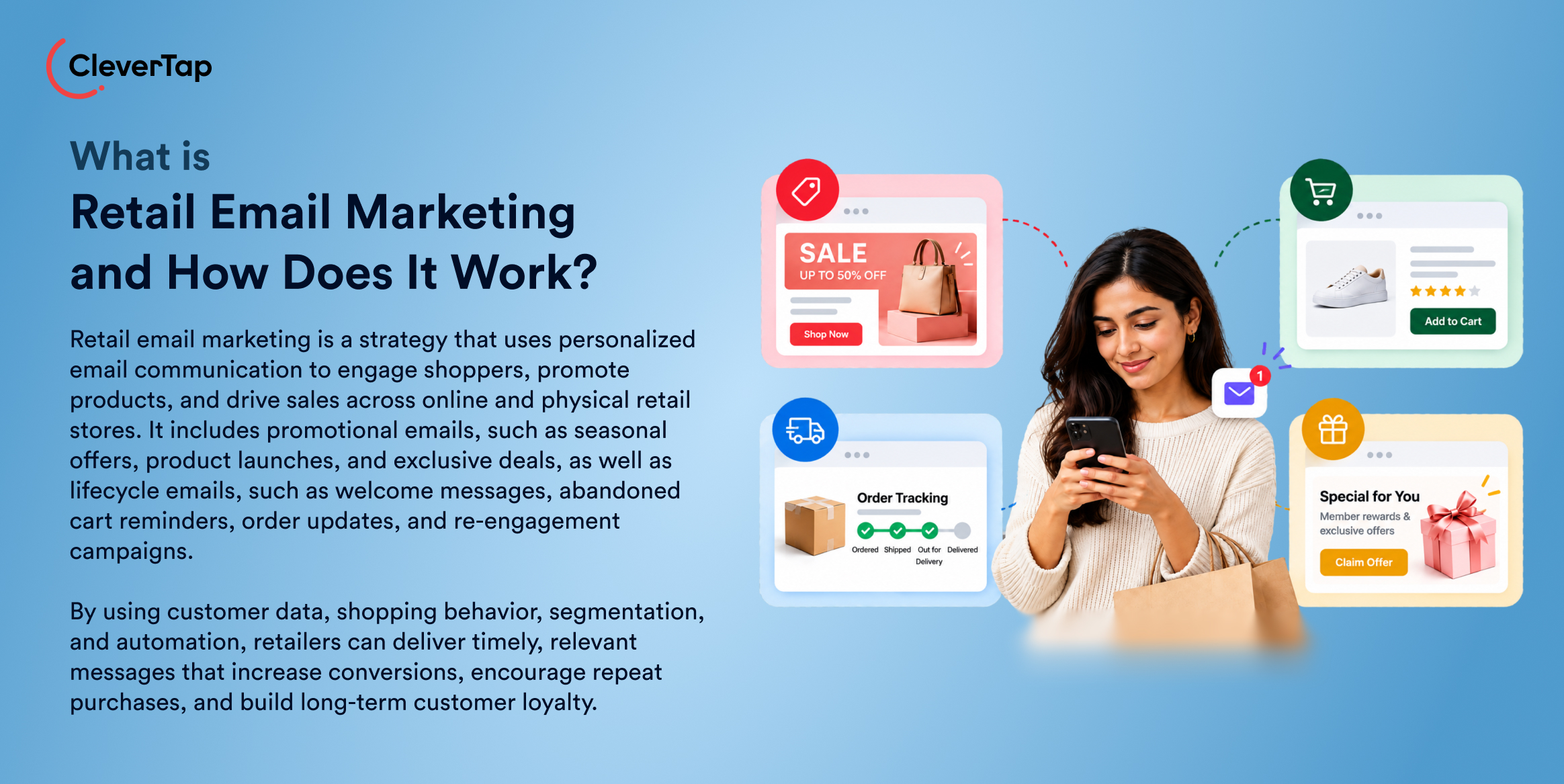
Retail email marketing is the use of email communications to engage customers, promote products, and drive sales across online and offline retail businesses. It helps retailers build relationships with subscribers and customers through relevant, timely messages tailored to their interests and shopping behavior.
Retail email marketing includes two main categories.
- Promotional emails feature newsletters, seasonal sales, discount offers, new product announcements, and exclusive deals designed to encourage purchases.
- Lifecycle emails support customers at different stages of their journey, from welcome messages and abandoned cart reminders to order confirmations, post-purchase follow-ups, replenishment reminders, and re-engagement campaigns.
These emails serve both e-commerce businesses and brick-and-mortar retailers. Online stores can use browsing activity and purchase history to recommend products, while physical retailers can send store-specific offers, event invitations, and loyalty program updates. By combining customer data, segmentation, and automation, retailers can deliver more relevant communications than generic email blasts, encouraging conversions, repeat purchases, and long-term customer loyalty.
Why Email Marketing Matters for Retailers
Email remains a valuable channel for retailers because it supports direct customer communication, repeat purchases, personalized promotions, and engagement across online and physical stores.
- Direct customer communication: Email gives retailers a direct way to reach subscribers with product launches, seasonal offers, and order updates. The projected global growth of email usage reinforces its potential reach, although retailers must build permission-based subscriber lists to engage relevant audiences.
- Repeat purchases and CLV: Post-purchase recommendations, replenishment reminders and loyalty offers encourage customers to return. Bain & Company found that apparel customers spent 67% more in months 31–36 of their relationship with an online retailer than in months zero to six.
- First-party behavioral data: With consent, retailers can use browsing activity, purchase history and product preferences to personalize campaigns. The Federal Trade Commission identifies product recommendations based on previous purchases and browsing as examples of first-party data use.
- Automation at scale: Welcome sequences, cart reminders and post-purchase emails can run automatically. Salesforce’s 2026 research found that 84% of marketers still run generic campaigns, highlighting the opportunity to improve personalization at scale.
- Omnichannel engagement: Email works alongside SMS, apps, and physical stores. A Harvard Business Review study found that 73% of 46,000 shoppers used multiple channels during their shopping journey.
How to Build a Retail Email Marketing Strategy
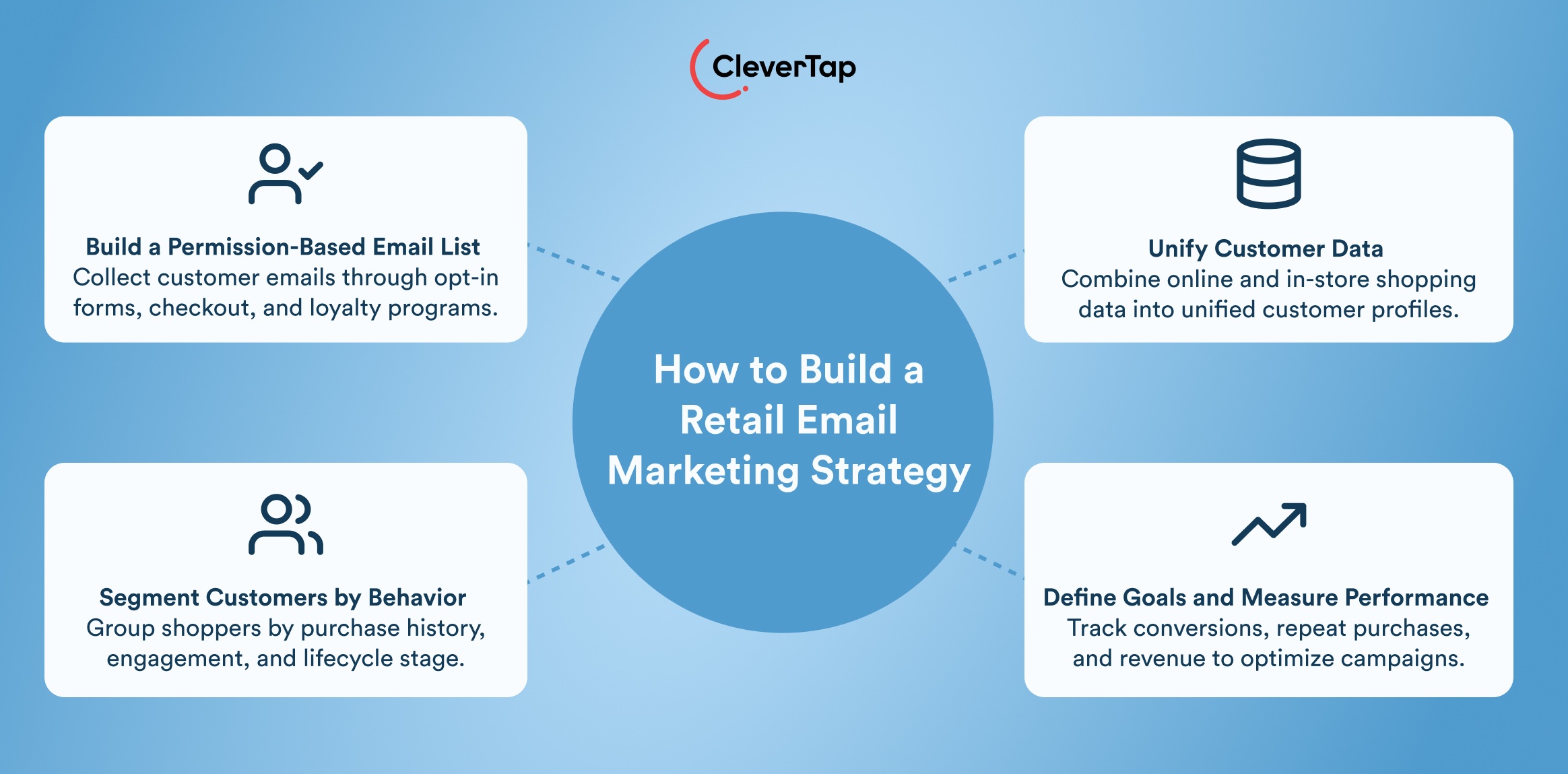
A successful retail email marketing strategy connects customer data, relevant messaging, and measurable business goals. Instead of sending the same promotion to everyone, retailers can use the following four steps to build personalized campaigns that support the entire customer lifecycle.
1. Build a Permission-Based Customer List
Start by collecting email addresses from customers who have explicitly agreed to receive marketing communications. Add signup forms to your website, newsletter pop-ups, checkout pages, and loyalty program registrations. Your mobile app can prompt users to subscribe to product updates, personalized recommendations, or exclusive offers.
For physical stores, collect email addresses through loyalty program enrollment, digital receipts and in-store signup stations. Incentives, such as a first-purchase discount or early access to new collections, can encourage subscriptions. Explain what subscribers can expect, obtain appropriate consent, and provide an easy way to unsubscribe. Use double opt-in where appropriate to verify addresses and maintain list quality.
2. Bring Customer Data Together
Connect your e-commerce platform, customer relationship management (CRM) system, point-of-sale (POS) system, and loyalty platform to create unified customer profiles. These profiles should combine browsing activity, purchase history, cart contents, loyalty status, and email engagement data.
For example, a customer who browses running shoes online and purchases sportswear in-store could receive recommendations for complementary products. Connecting these data sources also helps retailers avoid irrelevant messages, such as promoting an item a customer has already purchased. Keep data accurate, respect consent preferences, and update profiles as customer behavior changes.
For omnichannel retailers, connecting POS transactions with online customer profiles also enables store-specific campaigns. Retailers can identify customers who regularly purchase from a particular outlet, send local event invitations, or recommend products based on previous in-store purchases. Linking these interactions helps create a more consistent experience across physical and digital shopping.
3. Segment Customers by Behavior and Lifecycle Stage
Divide subscribers into meaningful groups based on their relationship with your brand and their shopping activity. Common segments include new subscribers who have not purchased, first-time buyers, repeat customers, high-value VIPs, cart abandoners, at-risk customers, and dormant subscribers.
Recency, Frequency, and Monetary (RFM) analysis helps identify customers based on how recently they purchased, how often they buy, and how much they spend. Retailers can use these scores to identify loyal customers for exclusive rewards and customers whose purchase frequency is declining for targeted re-engagement campaigns.
For example, new subscribers might receive a welcome series, cart abandoners could receive a reminder featuring their selected products, and dormant customers could receive a personalized win-back offer.
4. Define Goals and KPIs
Assign each campaign a measurable business objective. A welcome series might aim to increase first purchases, while abandoned-cart emails should recover otherwise-lost orders. Post-purchase recommendations can encourage repeat purchases, and loyalty campaigns can improve retention and customer lifetime value (CLV).
Choose KPIs that reflect these goals. Track first-purchase conversion rates, cart recovery rates, repeat purchase rates, customer retention, revenue per recipient, and CLV. Monitor click-through rates and unsubscribe rates to assess engagement and list health, but avoid relying on open rates alone.
Finally, use A/B tests to compare subject lines, offers, timing, and creative formats. Where possible, use holdout groups to measure incremental revenue attributable to email rather than purchases that would have happened anyway. Reviewing these results regularly helps retailers refine campaigns and allocate resources to the strategies that deliver measurable business outcomes.
10 Retail Email Campaigns to Use Across the Customer Lifecycle
Retail email campaigns work best when they respond to customer needs at different stages, from discovering a brand to making repeat purchases. These 10 campaign types help retailers turn customer behavior, purchase signals, and important moments into relevant communications.
1. Welcome Emails
A welcome email introduces your brand and gives new subscribers a reason to explore your products. Trigger it immediately after someone signs up for a newsletter, creates an account, or joins a loyalty program. Include a welcome offer, a short brand introduction, or a curated selection of bestsellers.
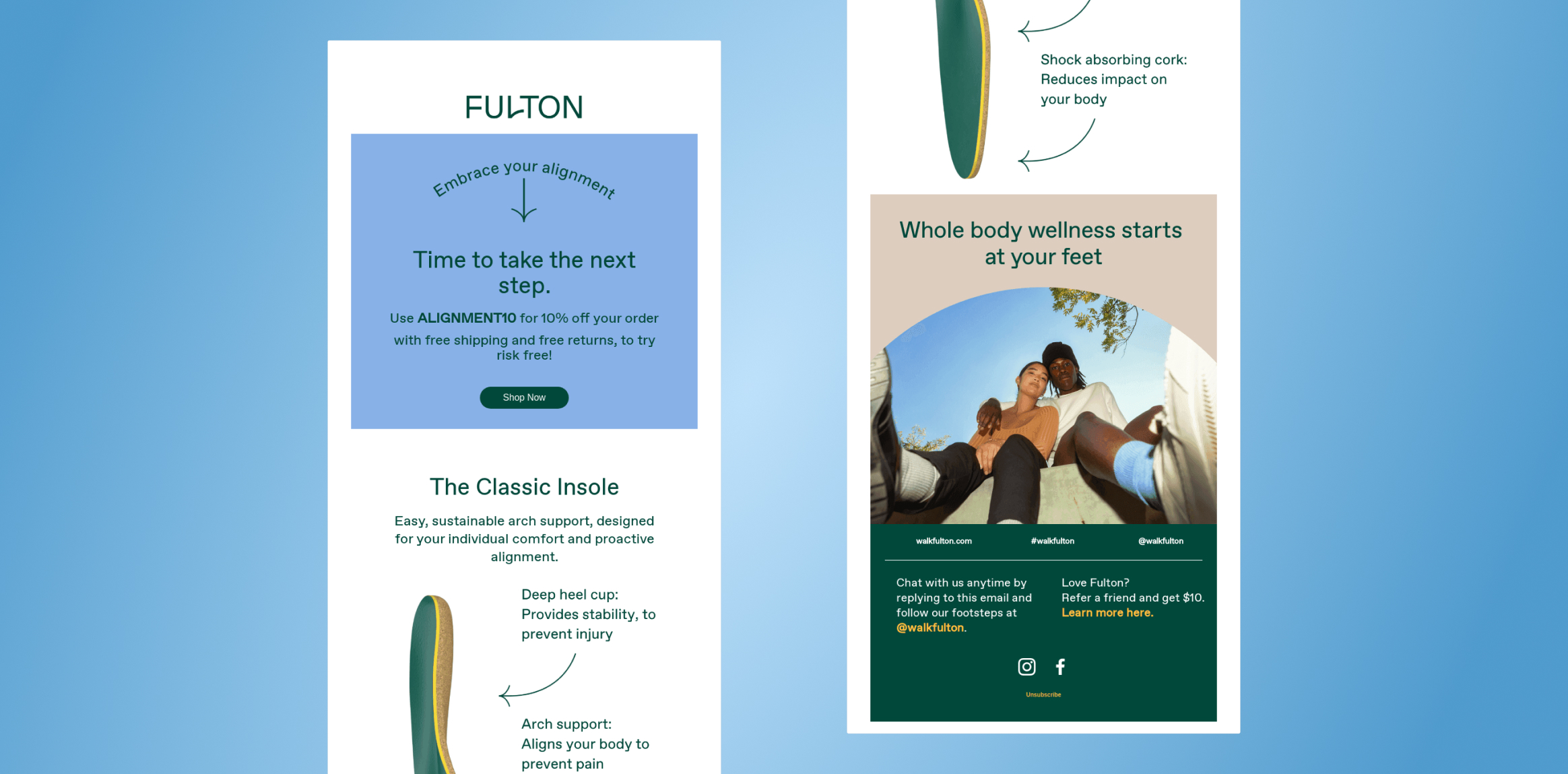
Fulton’s welcome-code email uses the subject line “Open This Email for Your Welcome Code” to highlight an incentive for new subscribers. This approach gives customers a clear reason to engage with the brand immediately after signing up. Retailers can personalize similar emails using signup preferences, product interests, or first-purchase incentives.
2. Browse Abandonment Emails
Not every shopper who views a product is ready to buy. When a subscriber browses a product or category but leaves without purchasing, a browse-abandonment email can bring them back.
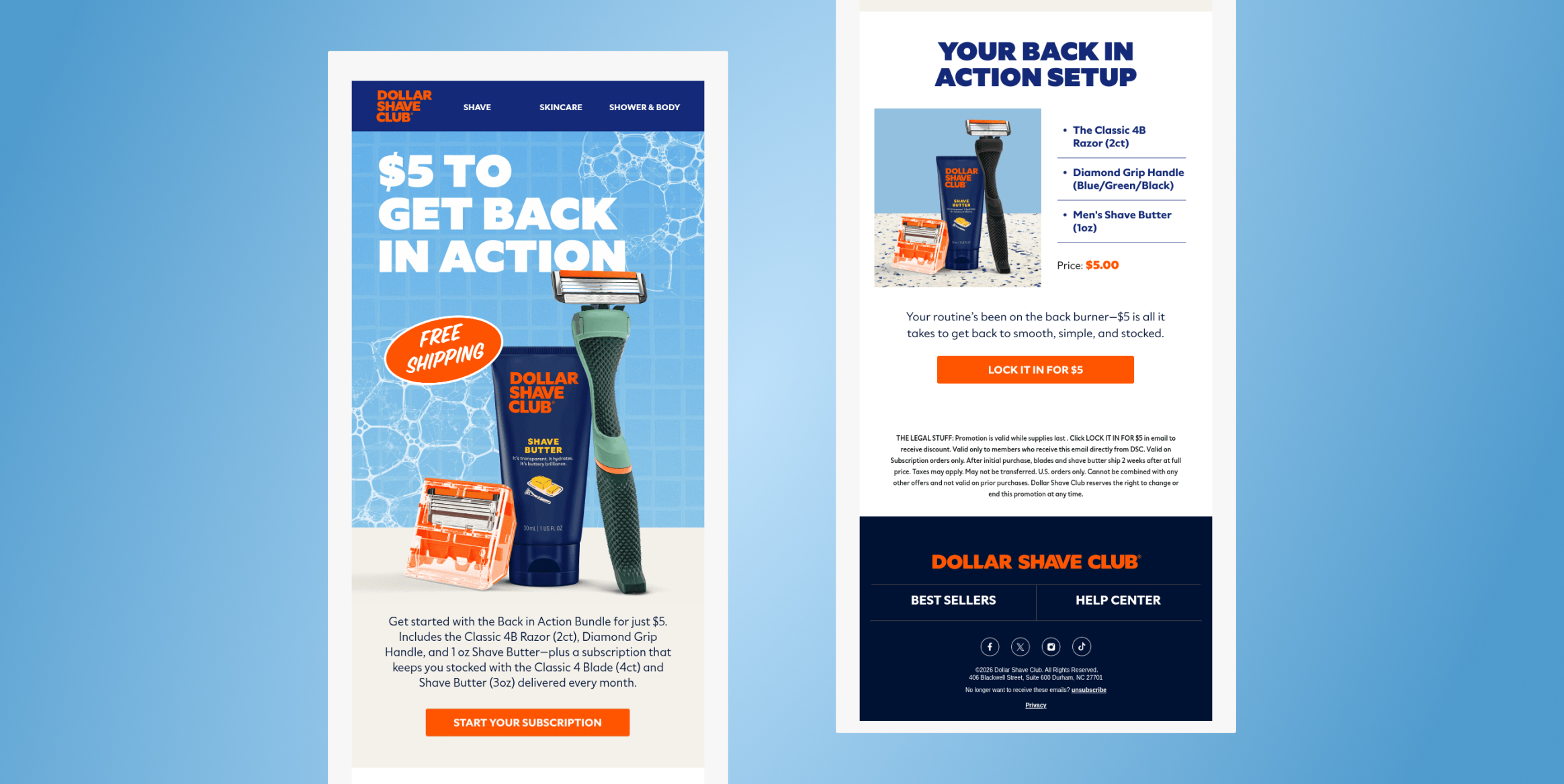
Dollar Shave Club’s “$5 to Pick Up Where You Left Off” email provides an example of re-engaging shoppers after an incomplete shopping journey. Browse abandonment emails should feature recently viewed products and relevant alternatives, using browsing history and category preferences to encourage customers to return.
3. Cart Abandonment Emails
Cart abandonment emails target shoppers who add products to their carts but leave before completing checkout. Send a reminder after a suitable delay, while the purchase is still relevant.
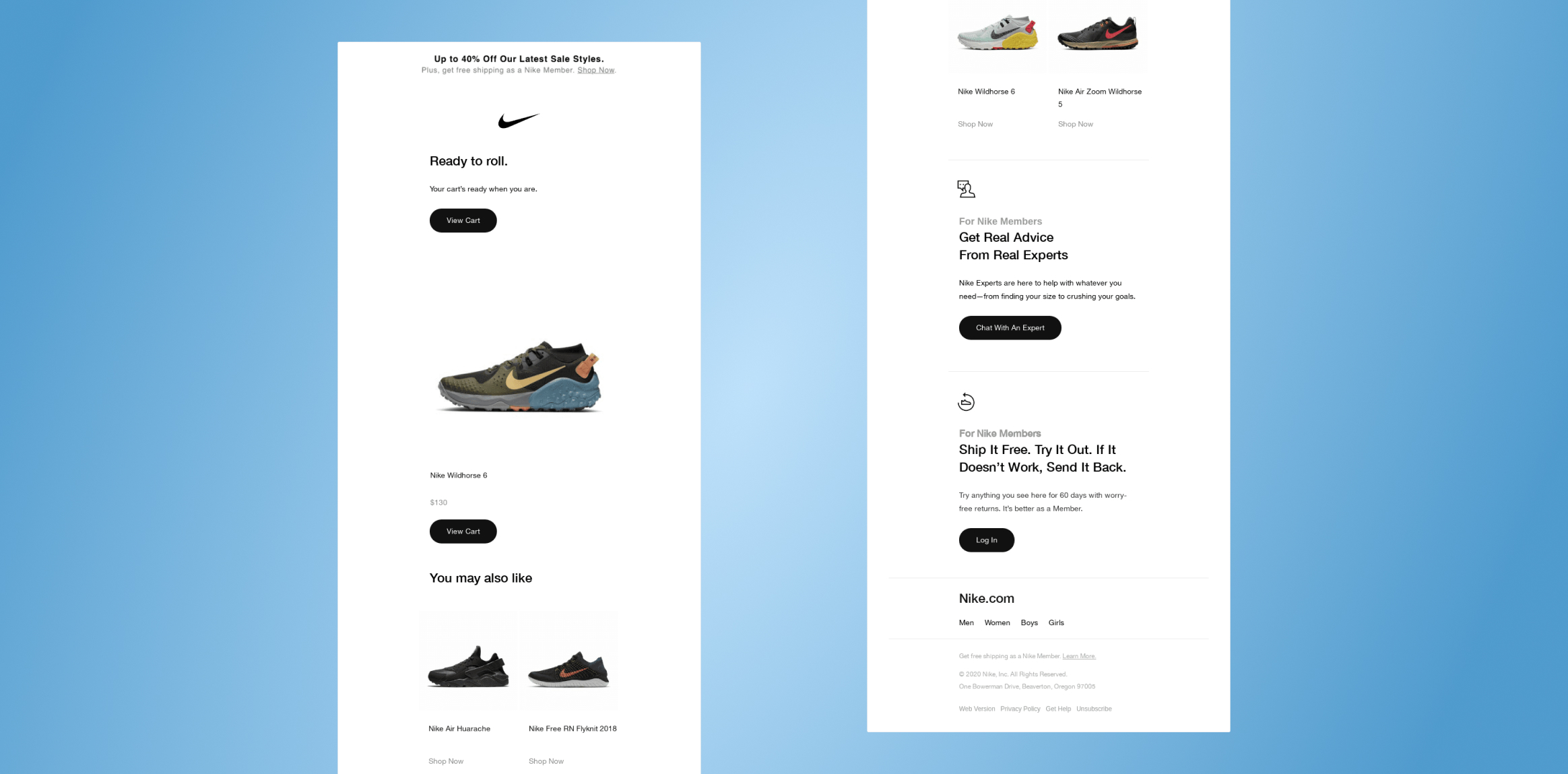
Nike’s “Good Stuff Is in Your Cart” email provides a creative reference for this campaign. Show the abandoned items, prices, and a direct checkout link. If a shopper does not convert, a later follow-up might address shipping costs or offer assistance. Reserve discounts for situations where they make business sense.
4. Product Recommendation Emails
Use recommendation emails to help customers discover products they might otherwise overlook. These can follow a purchase, a browsing session, or a pattern of category engagement.
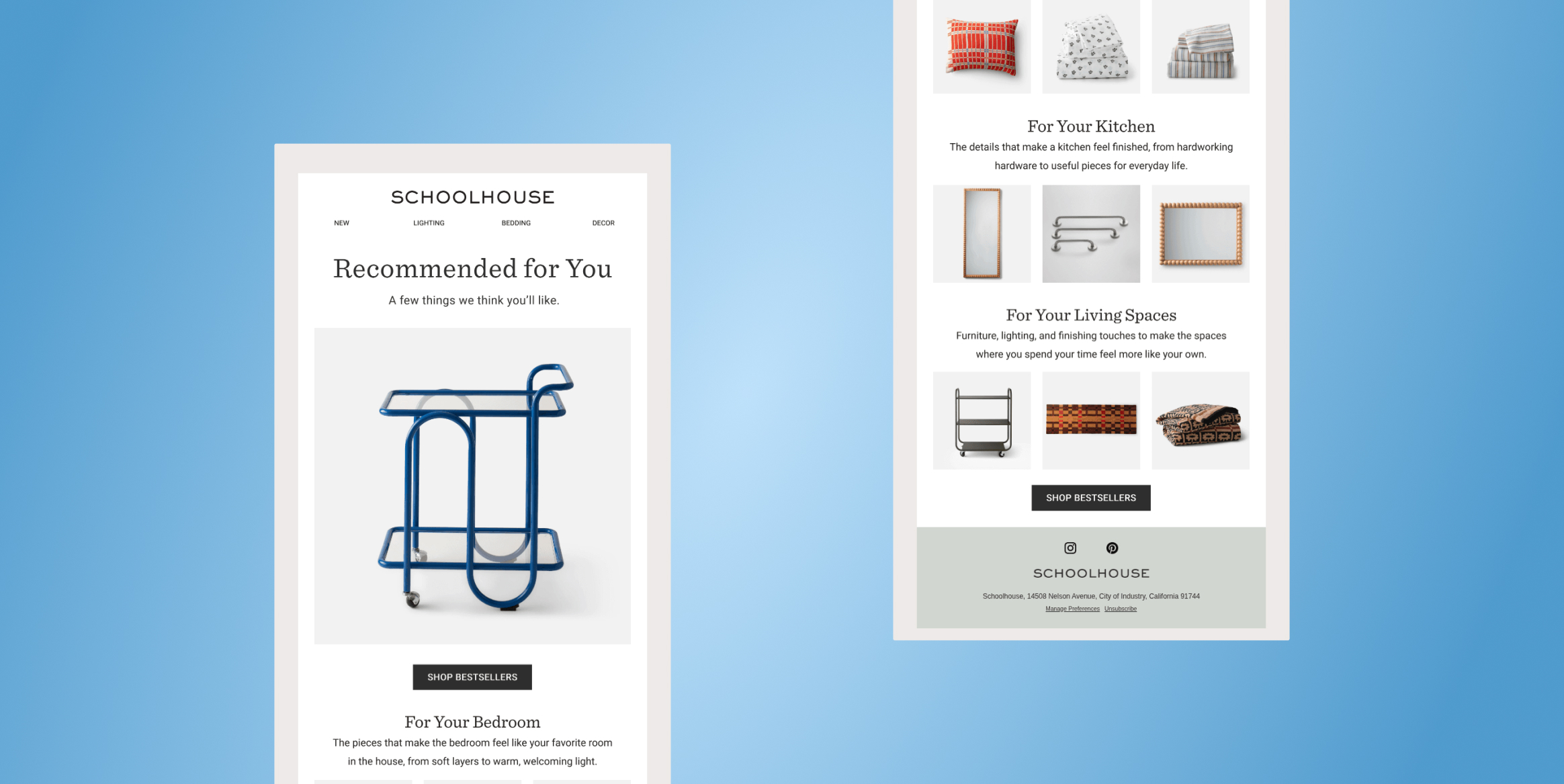
Schoolhouse’s recommended-products email demonstrates how a recommendation-focused subject line can introduce customers to relevant products. Retailers can build on this approach by selecting recommendations based on previous purchases, browsing history, and category preferences rather than promoting the same products to every subscriber.
5. Back-in-Stock and Price-Drop Emails
These campaigns turn specific product signals into timely purchase opportunities. A back-in-stock email is triggered when an unavailable item returns, while a price-drop email alerts interested shoppers when its price decreases. Algae Cooking Club’s “Back in Stock: Chili Infused Oil” email highlights the return of a specific product, giving interested customers a reason to revisit it.
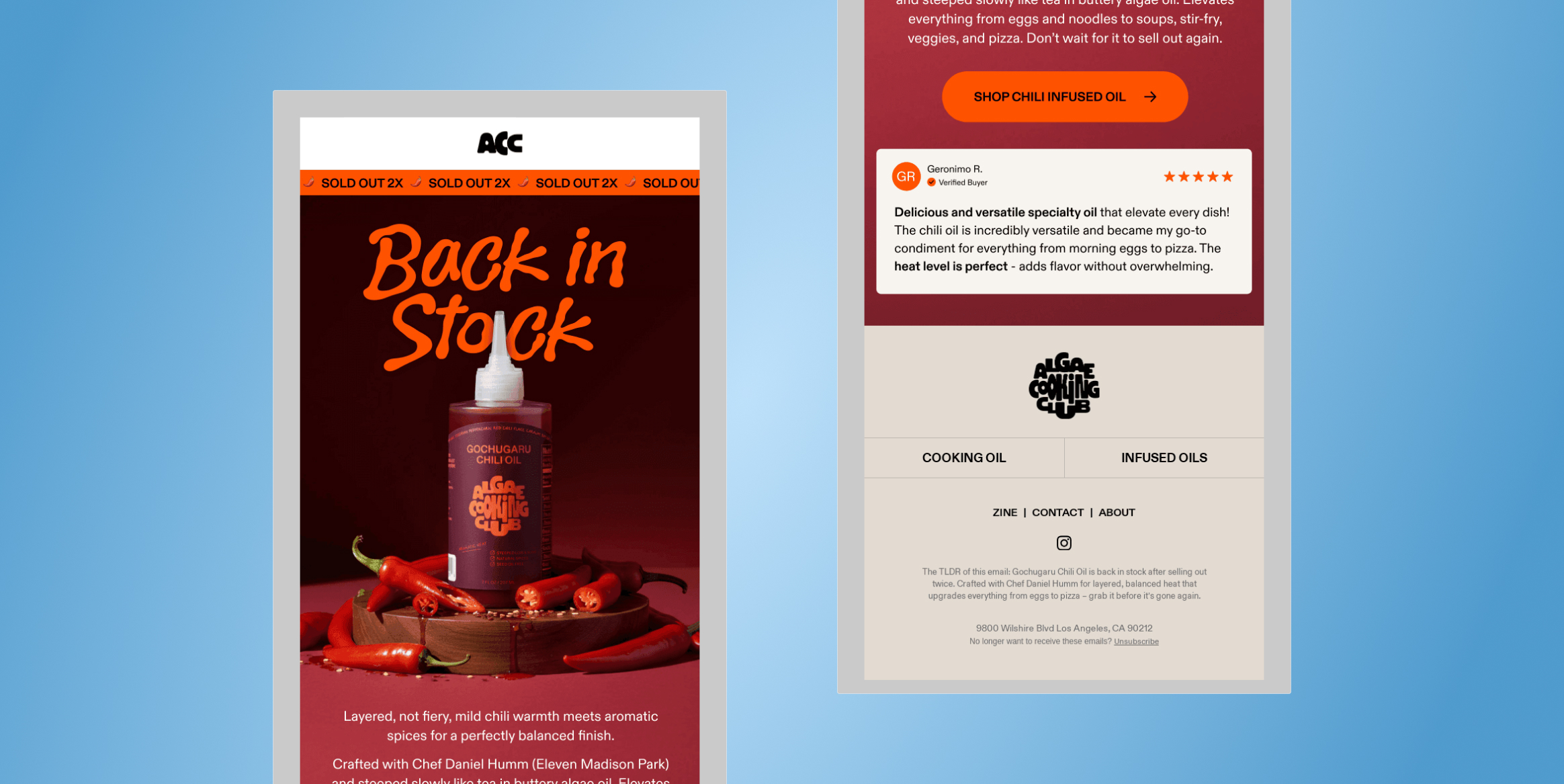
Retailers can make these notifications more relevant by targeting shoppers who previously viewed or wishlisted the product and linking directly to its product page. Price-drop emails can follow a similar approach by highlighting changes in the prices of products customers have expressed interest in.
6. New Arrival and Product Launch Emails
When a retailer introduces a new collection or product, launch emails help generate awareness and initial demand. Send them when products become available, or offer subscribers early access before the public launch.
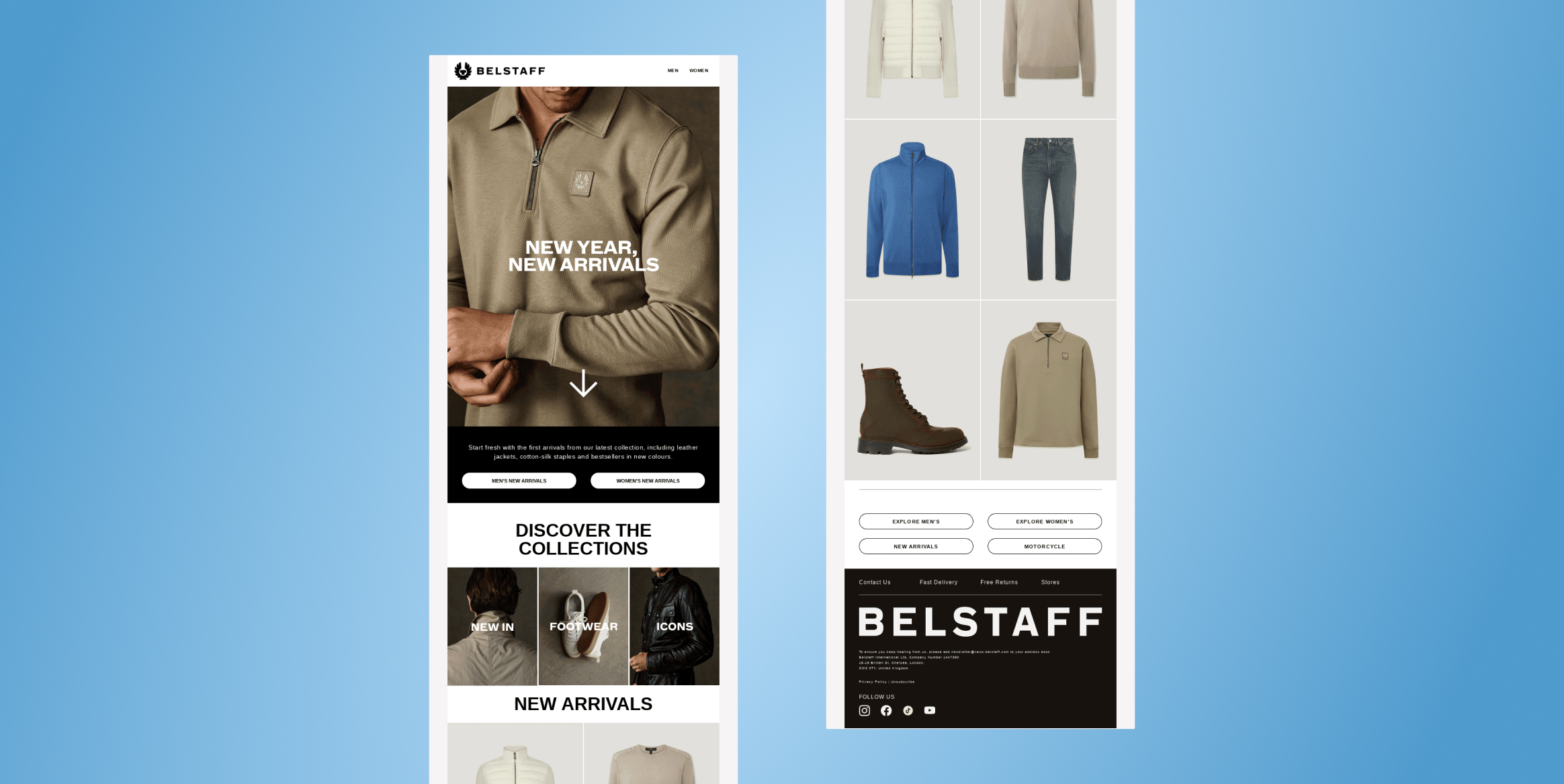
Belstaff’s “New Year, New Arrivals” email connects the start of a new year with the introduction of new products. Retailers can use similar campaigns to generate interest in new collections, tailoring featured products to customer preferences and purchase history. For major launches, teaser emails followed by product announcements can help build anticipation.
7. Seasonal and Promotional Emails
Seasonal campaigns connect shopping occasions, holidays, and limited-time offers with relevant products. Trigger them around events such as holiday sales, back-to-school shopping or changes in season. Rayban’s Fourth of July member-exclusive sale email combines a seasonal occasion with a deadline.
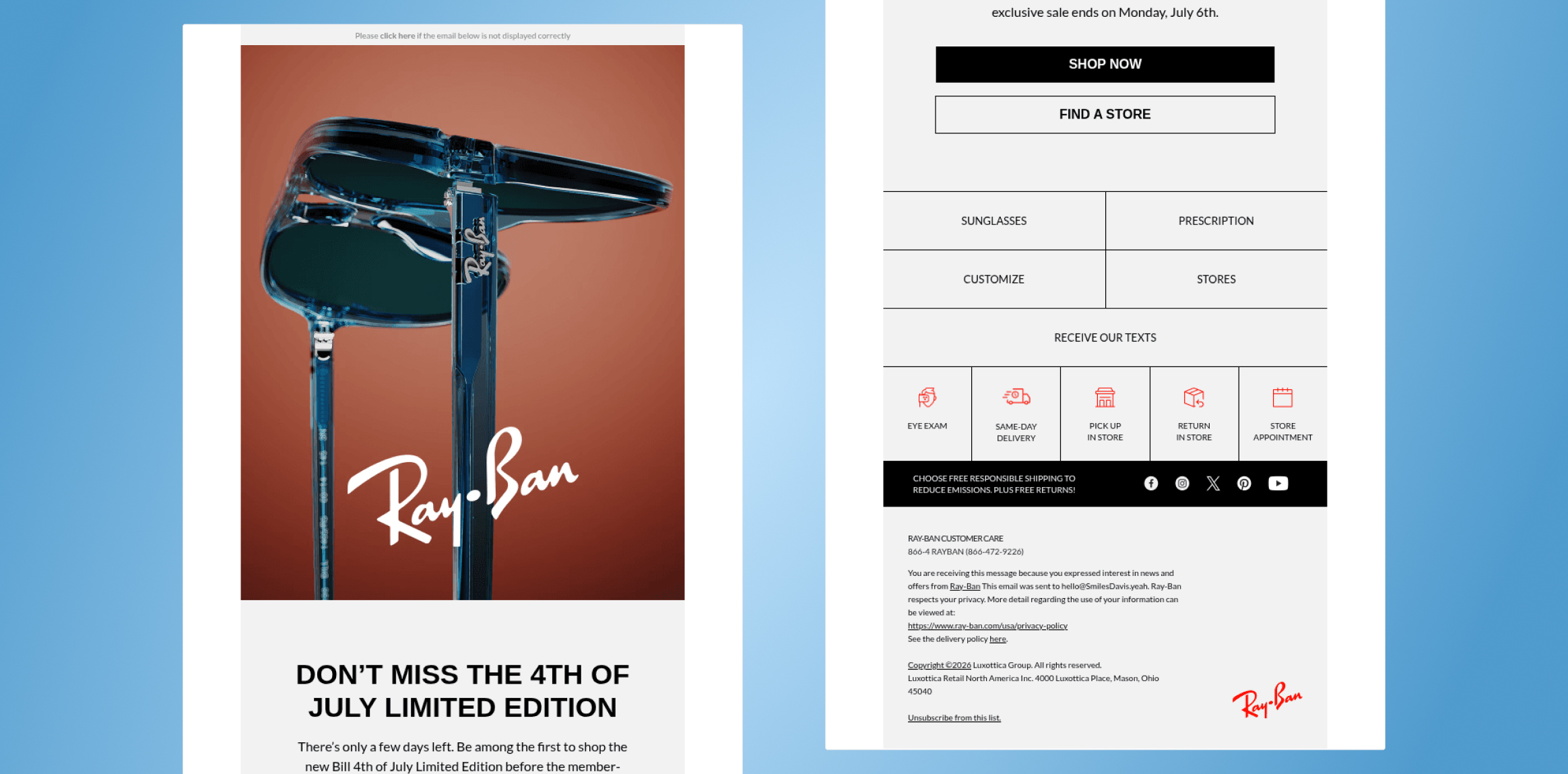
Personalize the offer based on loyalty status, location and product interests. Segmenting by customer preferences helps retailers avoid sending irrelevant seasonal promotions to their entire list.
8. Post-Purchase Emails
The relationship should not end when a customer checks out. Trigger post-purchase emails after an order is placed, shipped, or delivered, depending on the message. This purchase thank-you email provides an example of acknowledging a completed transaction.
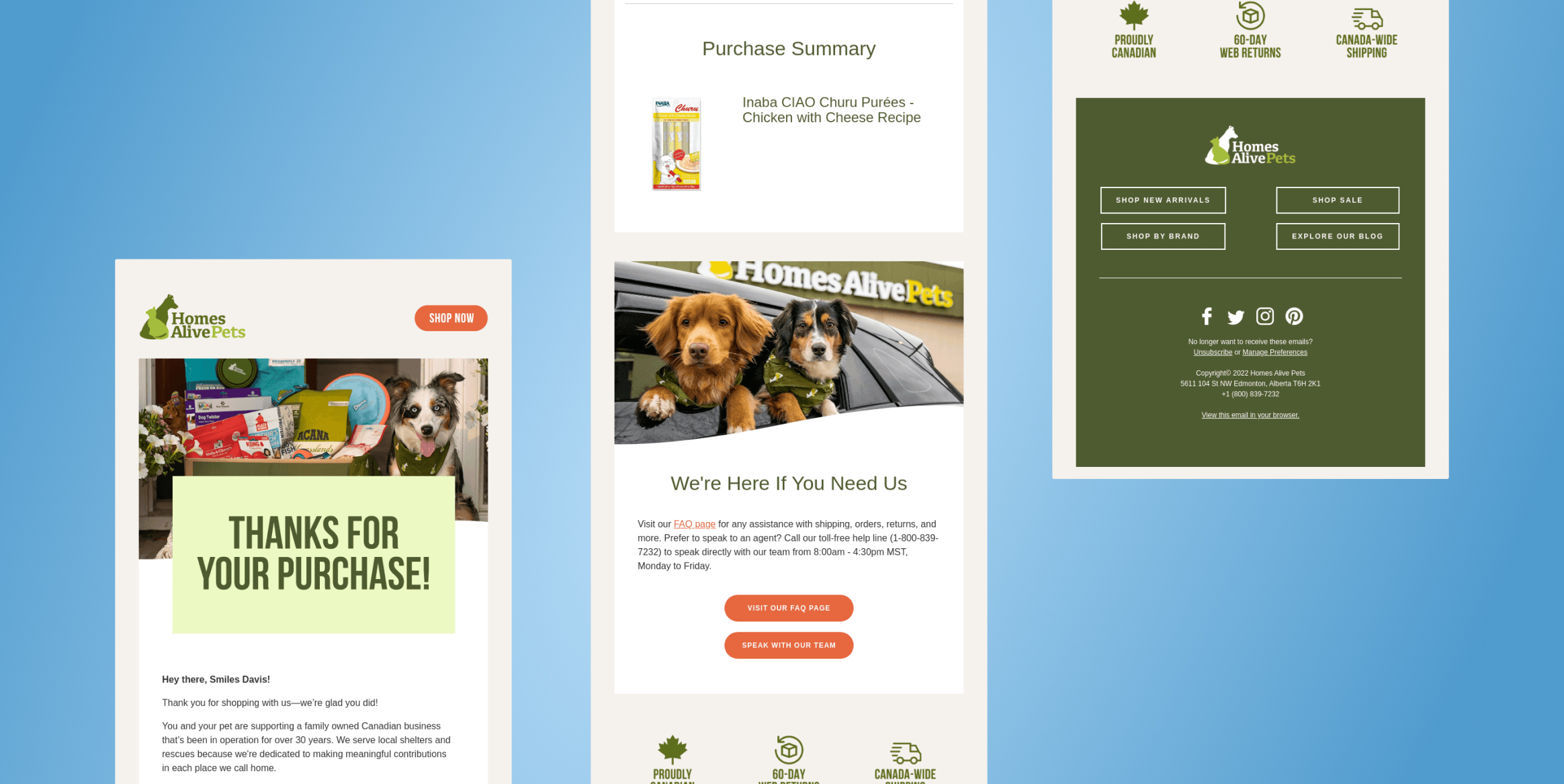
Beyond expressing appreciation, retailers can share product-care instructions, delivery updates or review requests at appropriate times. Once the customer has received the product, complementary recommendations can introduce useful next purchases.
9. Replenishment Emails
For consumable products, replenishment emails remind customers to restock before they run out. Trigger them using the typical usage cycle or time elapsed since a purchase. Aesop’s replenishment email for its Parsley Seed skin care range is a good example.
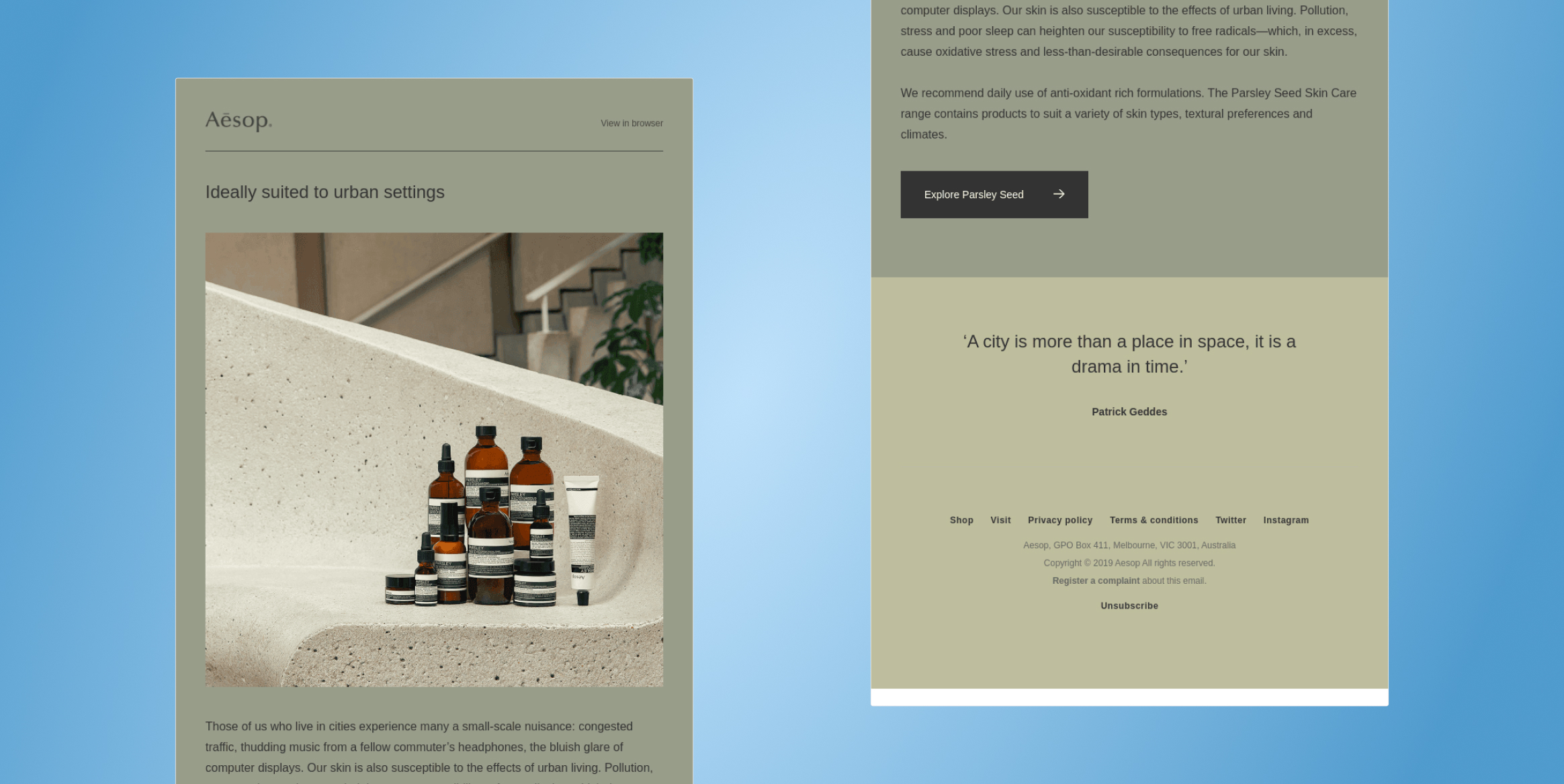
Recommend the previously purchased product, provide a convenient reorder link, and suggest a relevant refill or bundle. Timing should reflect expected consumption rather than a fixed schedule for every customer.
10. Loyalty, VIP and Win-Back Emails
These emails serve two distinct goals: rewarding valuable customers and re-engaging those who have stopped buying. Trigger loyalty messages when customers reach a milestone or qualify for a reward. Start a win-back journey when purchase activity declines beyond the expected buying cycle. This exclusive-offer email offers inspiration for reward-focused messaging.
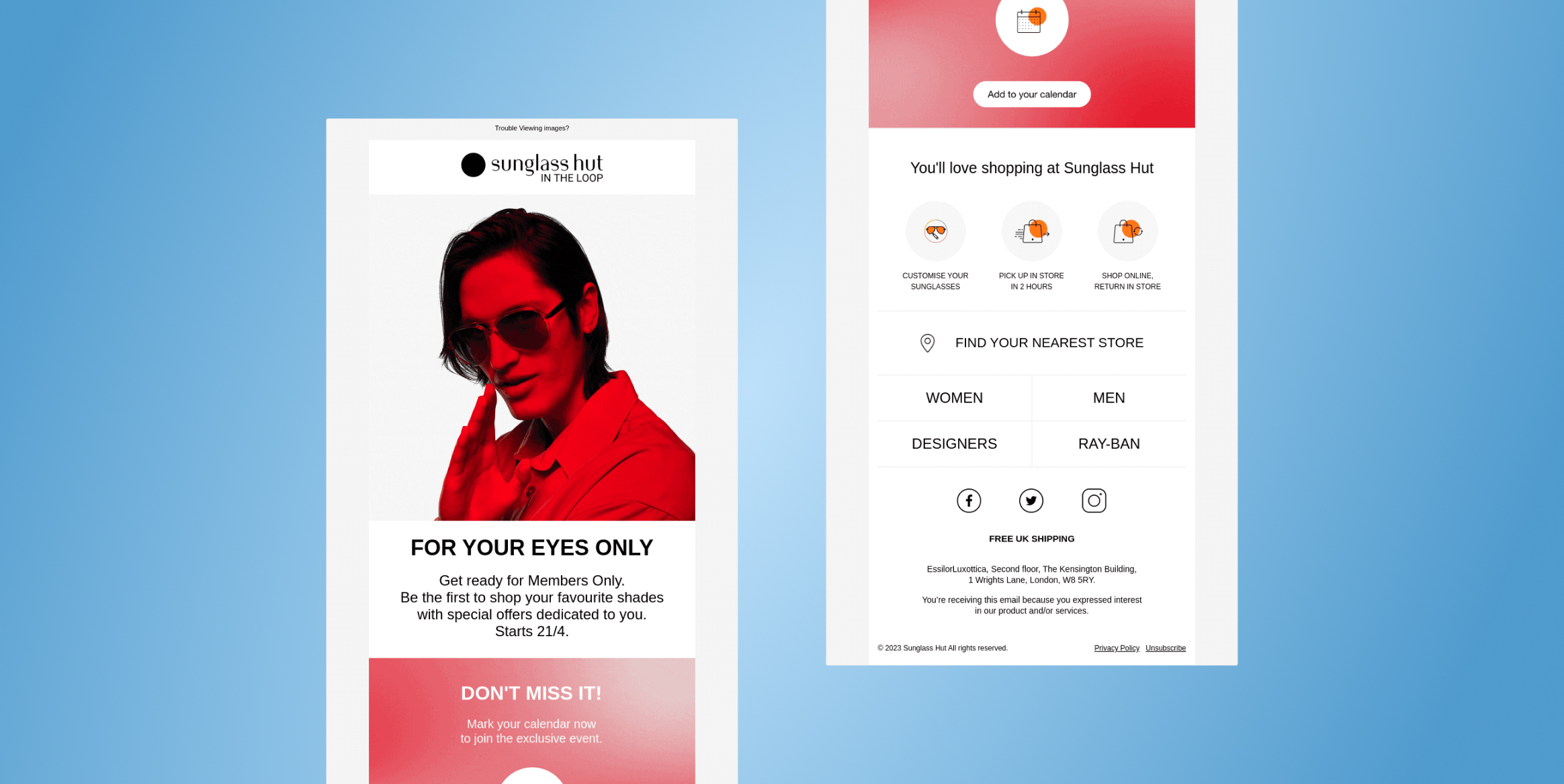
Personalize VIP communications with relevant perks and early access, while lapsed customers may respond better to product recommendations based on past purchases or a carefully targeted incentive.
How to Personalize Retail Emails
Retail email personalization goes beyond using a customer’s name. Retailers can leverage product preferences, shopping behavior, purchase history, and contextual signals to make messages more relevant.
1. Use Product and Category Affinity
Recommend products based on categories customers browse or purchase. A sports retailer could feature running shoes for subscribers interested in athletic footwear and yoga accessories for fitness enthusiasts. Relevant recommendations make emails more useful.
2. Use Customer Behavior
Trigger emails based on browsing activity, cart abandonment, and engagement. If a shopper views a jacket without purchasing, send a reminder featuring that product or similar alternatives. Coordinate emails with push notifications to maintain consistent messaging across channels.
3. Use Purchase History and Customer Value
Recommend complementary products based on previous orders. A camera buyer might receive suggestions for camera bags or memory cards. Recency, Frequency, and Monetary (RFM) analysis helps identify high-value customers for VIP rewards and occasional buyers for targeted incentives.
4. Consider Context and Timing
Use location, birthdays, and local holidays to make offers more relevant. Retailers can also optimize send times based on engagement patterns. For example, a rainwear retailer might promote umbrellas during rainy weather in relevant locations.
5. Use Dynamic Email Content
Dynamic content displays different products, images, and offers within one email template. A sports retailer could show running gear to runners and training accessories to gym enthusiasts. Conditional content blocks enable personalization at scale without creating separate campaigns for every segment.
How to Automate Retail Email Journeys
Automated retail email journeys coordinate messages based on customer actions, predefined conditions, and lifecycle stages. Unlike standalone email campaigns, journeys can contain multiple communication steps, delays, and conditional paths that adapt to customer behavior.
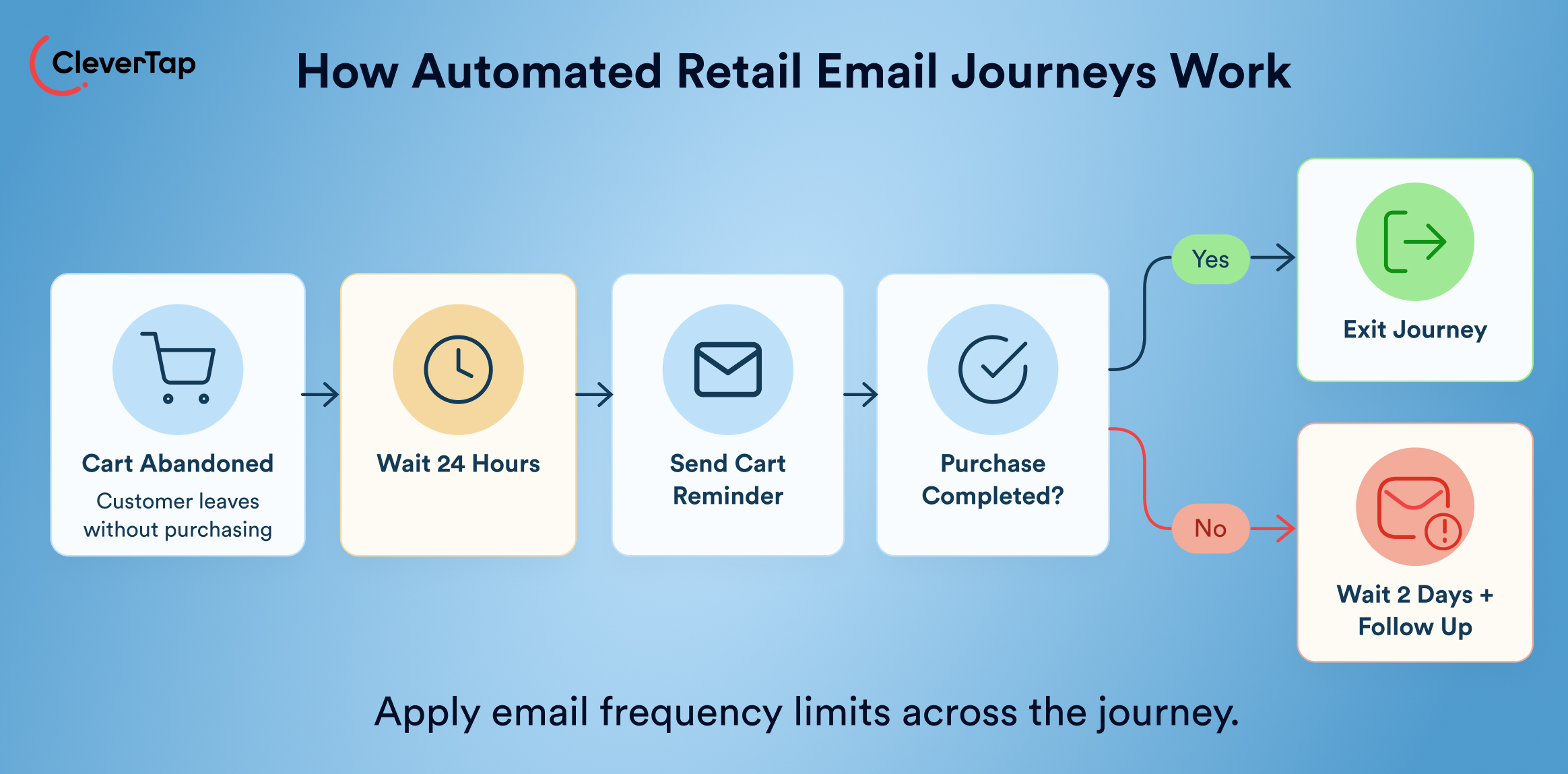
A retail email automation workflow typically includes these components:
- Entry conditions: Define what starts the journey, such as a newsletter signup, completed purchase, abandoned cart, or entry into a customer segment.
- Wait steps: Add delays between messages to space out communications. For example, wait 24 hours after cart abandonment before sending a reminder.
- Email steps: Send relevant messages featuring personalized recommendations, order information, exclusive offers, or product reminders.
- Condition splits: Branch the journey based on customer actions, such as clicking an email, making a purchase, or remaining inactive. Engaged customers can move forward while others receive a different follow-up.
- Goals and exits: Define conversion goals, such as completing a purchase, and automatically remove customers from the journey once they meet those goals.
- Frequency controls: Set sending limits and prevent overlapping workflows from overwhelming customers with too many emails.
Example: Abandoned-Cart Journey
When a customer abandons running shoes in their cart, send a reminder after 24 hours. If they don’t purchase, follow up two days later with a relevant offer. End the journey after purchase or the final email. Track cart recovery, conversion rates, and revenue per recipient to optimize performance.
Retail Email Marketing Best Practices
Effective retail email marketing combines relevant messaging, appropriate timing, mobile-friendly design and reliable deliverability. These six best practices help retailers improve engagement and drive conversions.
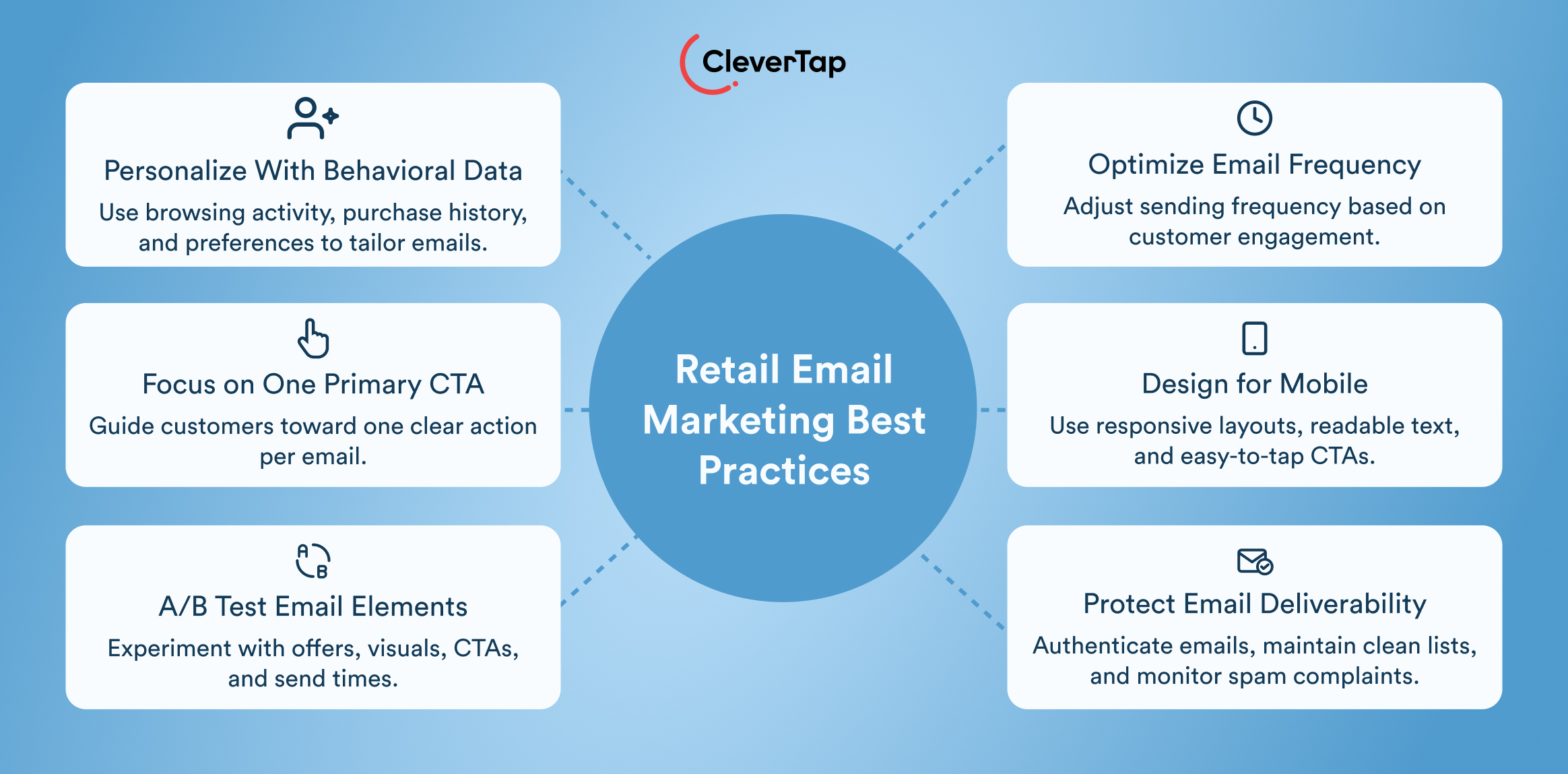
1. Use Behavioral Data, Not Just Static Attributes
Go beyond demographics by using browsing activity, cart additions, purchase history and product preferences to personalize campaigns. Send browse-abandonment emails featuring viewed products or recommend accessories related to previous purchases. Behavioral triggers and dynamic content make messages more relevant to individual shopping journeys.
2. Match Email Frequency to Customer Engagement
Avoid sending every subscriber the same volume of emails. Engaged customers may appreciate regular updates, while inactive subscribers may need fewer messages or a re-engagement campaign. Set frequency caps across automated journeys, monitor unsubscribes and spam complaints, and adjust schedules based on customer behavior and preferences.
3. Design Emails for Mobile
Use responsive templates, concise copy, readable fonts, and single-column layouts. Make CTA buttons easy to tap and optimize images for faster loading. Include descriptive alt text and useful preheader text. Test emails across devices and email clients to ensure that product details, offers, and links remain accessible.
4. Keep One Primary Action Clear
Give each email a specific objective, such as completing a purchase or exploring a new collection. Use a prominent CTA with a clear copy, such as “Shop the Collection.” Organize headlines, images, and supporting text around this goal, avoiding competing messages that distract recipients.
5. Test More Than Subject Lines
A/B test product recommendations, offers, images, CTA copy, layouts, and send times. Define a primary success metric, such as conversion rate or revenue per recipient, before testing. Use consistent testing conditions and apply the findings to future campaigns. Avoid assuming one version will work equally well for every audience segment.
6. Protect Email Deliverability
Maintain a permission-based list, remove hard bounces, and suppress unsubscribed contacts. Authenticate your sending domain using SPF, DKIM and DMARC, and honor unsubscribe requests promptly. Regularly review inactive subscribers and use targeted re-engagement campaigns before suppressing contacts who remain unresponsive.
Monitor spam complaints, bounce rates, and engagement trends to identify deliverability issues. For high-volume senders, maintain appropriate domain authentication, unsubscribe functionality, and list hygiene to protect sender reputation.
How to Measure Retail Email Marketing Performance
Measuring retail email marketing performance requires tracking engagement, conversions, and long-term customer value. These eight metrics help retailers understand retail email campaign performance.
| Metric | What it measures and formula |
| Click rate | Percentage of delivered emails that generate a unique recipient click. Formula: Unique clicks ÷ delivered emails × 100. |
| Conversion rate | Percentage of delivered emails associated with a recipient completing the desired action within the attribution window. Formula: Attributed purchases ÷ delivered emails × 100. |
| Revenue per recipient | Average attributed revenue generated per email recipient. Formula: Attributed revenue ÷ delivered emails. |
| Cart recovery rate | Percentage of abandoned carts recovered through email. Formula: Recovered carts ÷ total abandoned carts × 100. Define a consistent attribution window. |
| Repeat purchase rate | Percentage of customers who purchase more than once during a defined period. Formula: Customers with multiple purchases ÷ total purchasing customers × 100. |
| Customer lifetime value (CLV) | Estimated or actual value generated by a customer throughout their relationship with the retailer. Estimate using average purchase value × purchase frequency × customer lifespan, adjusted for margin where appropriate. |
| Unsubscribe rate | Percentage of delivered emails resulting in unsubscribes. Formula: Unsubscribes ÷ delivered emails × 100. |
| Incremental lift | Additional performance attributable to email compared with a control group. Formula: (Treatment conversion rate − control conversion rate) ÷ control conversion rate × 100. |
How CleverTap Helps Retailers Improve Email Marketing
CleverTap helps retailers deliver personalized email campaigns by combining unified customer data, behavioral segmentation, email automation, and AI-powered optimization. From abandoned-cart recovery to loyalty campaigns, marketers can engage shoppers with relevant messages based on their activity, preferences, and lifecycle stage.
1. Build Unified Customer Profiles
CleverTap brings customer data together to help retailers understand shoppers across digital touchpoints. By combining profile attributes, browsing activity, purchase history and campaign engagement, retailers can build more complete customer profiles. For example, a retailer can identify customers who browse products frequently but rarely purchase and develop campaigns to address their hesitation. These unified profiles also help teams maintain consistent messaging across customer touchpoints.
2. Create Behavioral and Predictive Audiences
Retailers can segment customers based on shopping behavior, purchase frequency, spending patterns, and engagement. For example, they can create audiences for frequent cart abandoners, high-value customers, and shoppers who have not purchased recently. CleverAI™ Predictions supports predictive segmentation for outcomes such as conversion and churn, helping marketers identify customers who may be more likely to purchase or disengage. These insights allow retailers to prioritize relevant campaigns instead of relying solely on broad demographic segments.
3. Automate Lifecycle Email Journeys
CleverTap’s Campaign Orchestration capabilities help marketers build automated, multistep customer journeys. Retailers can trigger welcome emails after signup, cart reminders following abandonment, and follow-up messages after purchases. Conditional paths let journeys adapt to customer actions. For instance, customers who complete a purchase can exit an abandoned-cart sequence, while those who do not convert can receive another reminder. This approach reduces manual campaign management and keeps messages aligned with each shopper’s progress.
4. Personalize Email Content and Recommendations
Retailers can use behavioral data and AI-driven decisioning to tailor product recommendations, offers, and messaging to individual interests. A customer who purchases running shoes, for example, could receive recommendations for sportswear, running accessories or complementary products. Personalized content helps retailers make product discovery more relevant while creating opportunities for cross-selling and increasing average order value.
5. Optimize Engagement With CleverAI™
CleverAI™ helps marketers optimize customer engagement using behavioral insights. Its Send Time Optimizer Agent learns individual engagement patterns to determine when messages are more likely to receive attention. Retailers can use this capability to move beyond fixed campaign schedules and deliver communications at more relevant times, while evaluating engagement data to refine their messaging strategy.
6. Test and Measure Business Impact
CleverTap provides analytics and experimentation capabilities to evaluate campaign performance. Marketers can test subject lines, creative variations and offers, then analyze conversions, revenue and retention across customer segments. Comparing results helps identify which campaigns contribute to business goals and where improvements are needed. Retailers can use these insights to refine their email strategy and focus resources on journeys that support sustainable revenue growth and customer lifetime value.
Turn Retail Email Into a Lifecycle Growth Channel
Retail email marketing drives growth when it supports the customer lifecycle, from signup and first purchase to loyalty and reactivation. Behavioral data, personalization and automation help retailers deliver relevant messages, while tracking conversions, revenue and customer lifetime value reveals campaign impact.
CleverTap helps retailers unify customer data, automate journeys, personalize communications and measure performance.
Request a CleverTap demo to explore personalized retail email journeys.
Frequently Asked Questions (FAQs)
1. What is retail email marketing?
Retail email marketing uses email to promote products, engage customers and encourage sales for online and physical stores. It includes newsletters, promotional offers, transactional updates and automated lifecycle messages.
2. What types of emails should retailers send?
Retailers can send welcome emails, promotional newsletters, abandoned-cart reminders, product announcements, back-in-stock alerts, post-purchase recommendations, loyalty rewards and win-back campaigns. Choose messages based on customer behavior and lifecycle stage.
3. How often should retailers send marketing emails?
There is no universal frequency. Consider subscriber preferences, engagement and purchase behavior. Monitor unsubscribes and spam complaints, and adjust your schedule to avoid overwhelming customers.
4. How can retailers personalize retail emails?
Use browsing activity, purchase history, product preferences, and lifecycle stage to tailor recommendations, offers, and messaging. Dynamic content and behavioral triggers can make emails more relevant to individual shoppers.
5. What are the most important retail email marketing metrics?
Track click rate, conversion rate, revenue per recipient, cart recovery rate, repeat purchase rate, customer lifetime value (CLV), unsubscribe rate, and incremental lift. Choose metrics that align with each campaign’s objective.
6. How is retail email marketing different from ecommerce email marketing?
Both use similar tactics, but retail email marketing can incorporate online and physical-store interactions. Retailers may use in-store purchases, loyalty registrations, and local promotions to personalize campaigns, while ecommerce-only businesses primarily rely on digital shopping data.
Elevate Your Seasonal Email Campaigns
Don’t let your holiday campaigns get lost in overcrowded inboxes. Explore our complete collection of email blogs for Q4:
- Drive pre-holiday engagement with Halloween Email Marketing Ideas.
- Craft grateful messages with Thanksgiving Email Marketing Examples.
- Maximize peak shopping days using Black Friday Email Marketing & Cyber Monday Emails.
- End the year strong with Christmas Email Marketing Ideas & fresh December Email Newsletter Ideas.

Sagar Hatekar 
Leads product managementExpert in Marketing Analytics & Engagement platforms.
Free Customer Engagement Guides
Join our newsletter for actionable tips and proven strategies to grow your business and engage your customers.