






























Table of Contents
Categories
Most Popular


Imagine you get a message saying, “Your streak ends tonight,” from a learning app, and another push notification with a promo for a ride-hailing app. How would you respond?
I’d personally like to finish a quick lesson to preserve my streak, and in the other situation, I might simply turn notifications off because it’s not relevant for me when I’m about to go to bed. Both apps used a similar technology and the same channel; however, they got different responses.
The difference was the context and the timing at which that context was relevant.
Push notification automation platform takes context into account, rather than just automating notifications.
What Is Push Notification Automation?
Push notification automation means delivering mobile and web push messages when a predefined customer action, audience condition, schedule, or external event occurs. The system watches for the trigger and acts on its own.
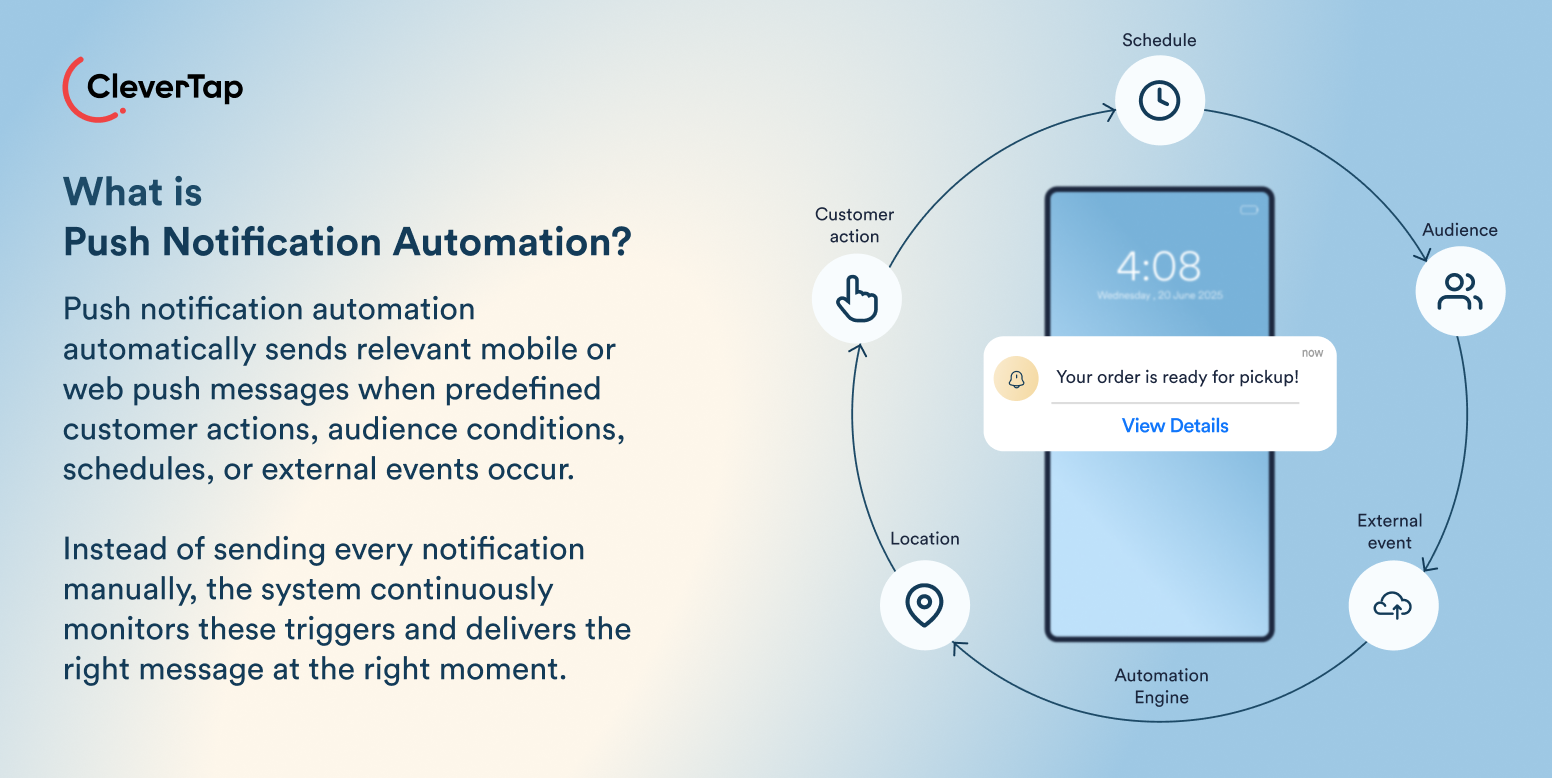
There are six decisions welded together that represent real automation:
- A trigger that starts it
- An audience that qualifies for it
- A message shaped by the moment
- Delivery rules that govern timing and volume
- A deep-linked destination
- A conversion goal that defines success
If your system leaves any one of the above decisions out, it’s not a push notification automation system you can trust. However, when a system does that decisioning at scale, it produces a significant impact.
For example, CleverTap’s fintech push data shows highly segmented campaigns average a 16.3% open rate against a 4.7% for untargeted blasts.
How Does a Push Notification Automation System Work? (+ Example)
Let’s watch the system run and understand what goes on in the background with an example.
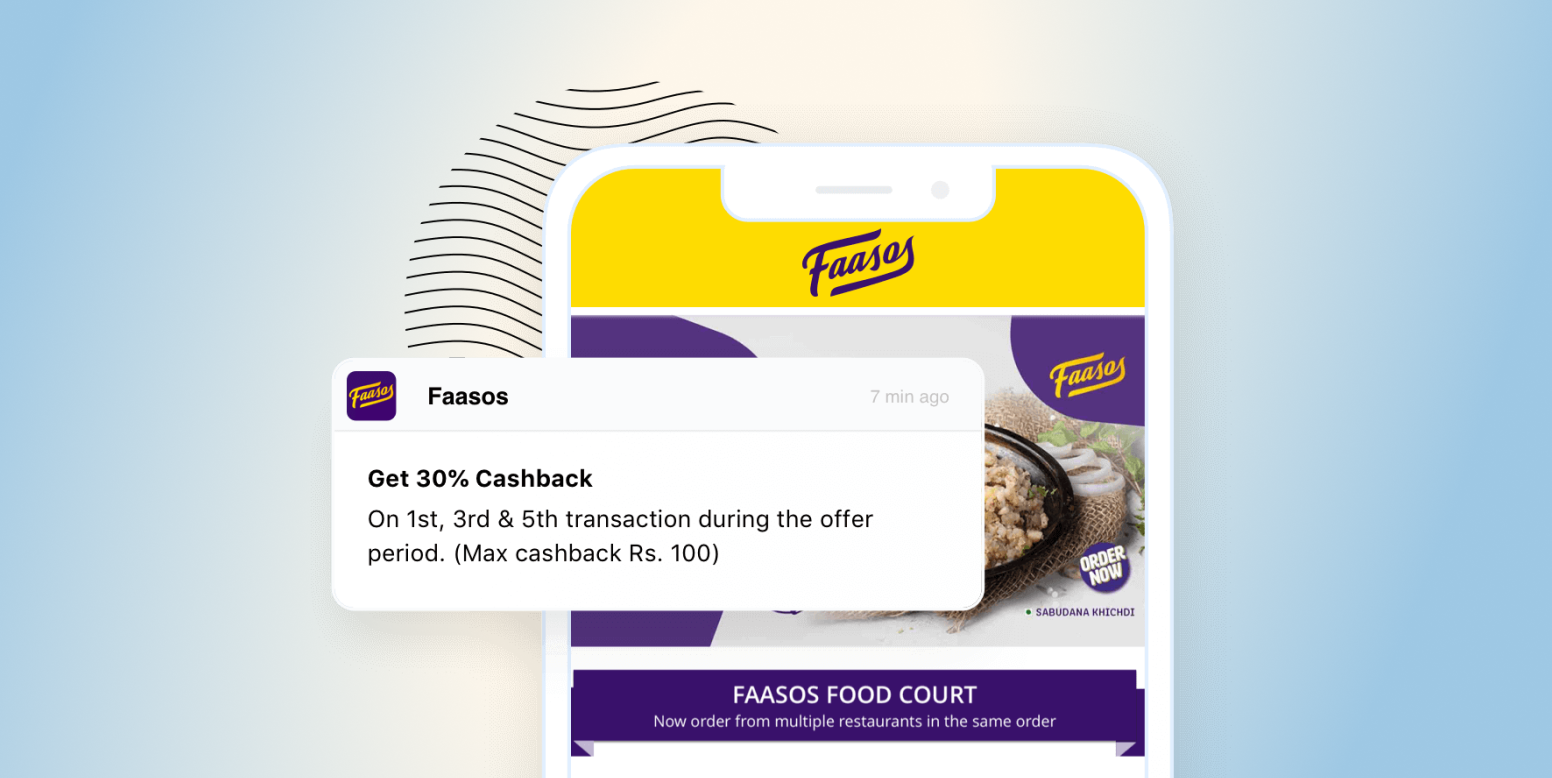
Faasos, an Indian food-on-demand brand operating across 15 cities in India and 200+ locations, wanted to solve cart abandonment. For Faasos, the window of opportunity is during lunch and dinner times, mainly. And converting users in such a short time will require multiple touchpoints.
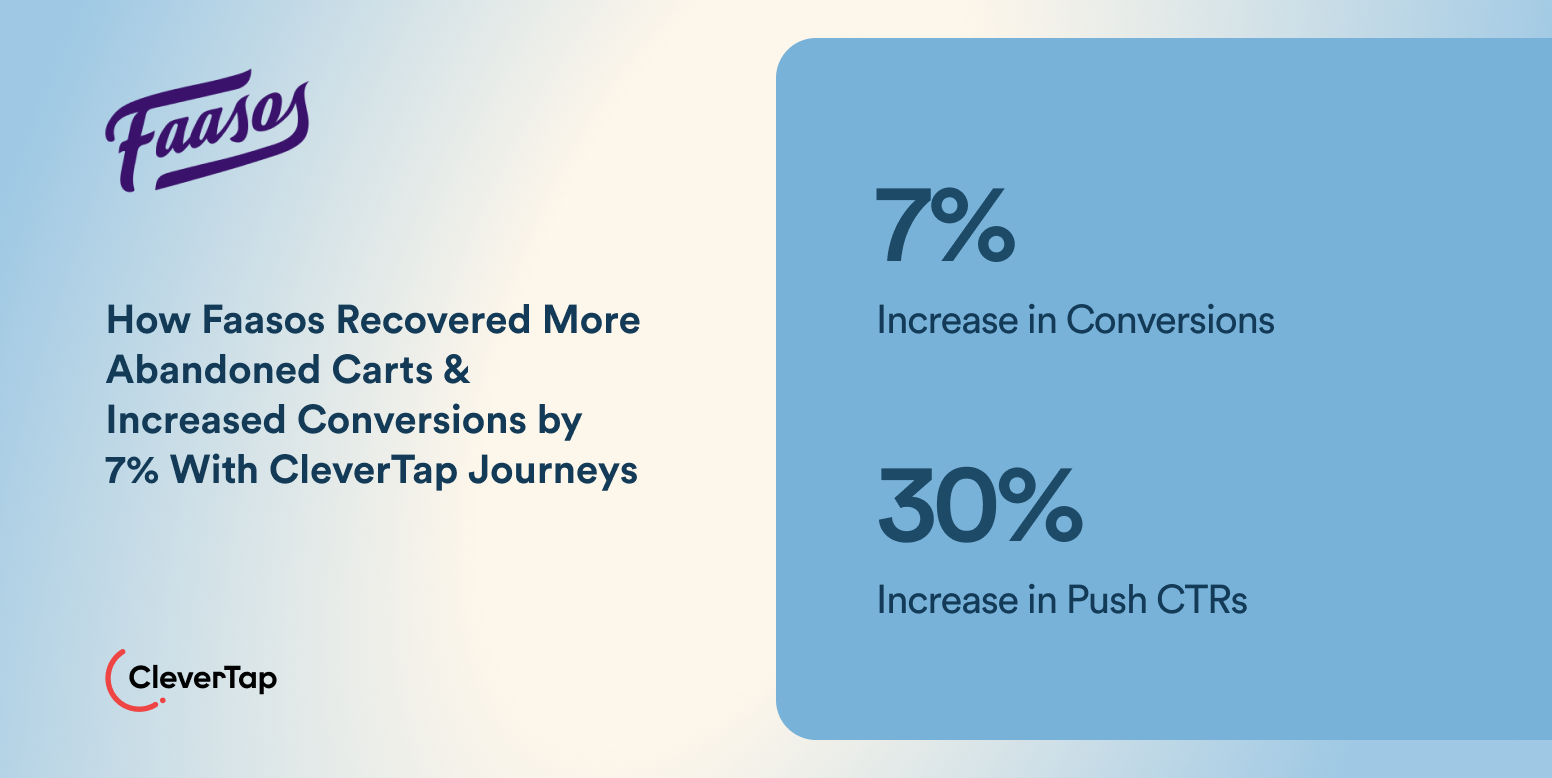
With CleverTap, Faasos got an end-to-end solution to reach out to their users without the campaigns overlapping. CleverTap Journeys helped them add multiple campaigns to a single flow while trying various permutations of actions a user might take. And push campaigns helped bring users back to the app to place the order.
Here’s what the system did:
- The Trigger Fires: If there’s an add-to-cart event and no order, a push notification is triggered 15 minutes later. The timing was inside the mealtime window where hunger and intent overlapped.
- The Audience Gets Checked: Is this customer opted in, with a valid device token? Did they already order from another device? Anyone who converted, opted out, or hit a frequency limit drops out of the send silently.
- The Message Assembles Itself: The push names the items waiting in the cart and deep links straight back to it. It’s a template where the system fills in what’s relevant with each customer’s moment.
- Delivery Runs on the System’s Clock: The send respects the customer’s time zone, the campaign’s priority, and every cap set above it.
- The Results Get Measured. Faasos reported a 7% lift in conversions and 30% higher push CTRs from this one workflow.
These stages can differ based on your users’ journey on the app. A lot more can go into context to identify the right trigger and craft relevant messaging with perfect timing.
Types of Push Notification Automation
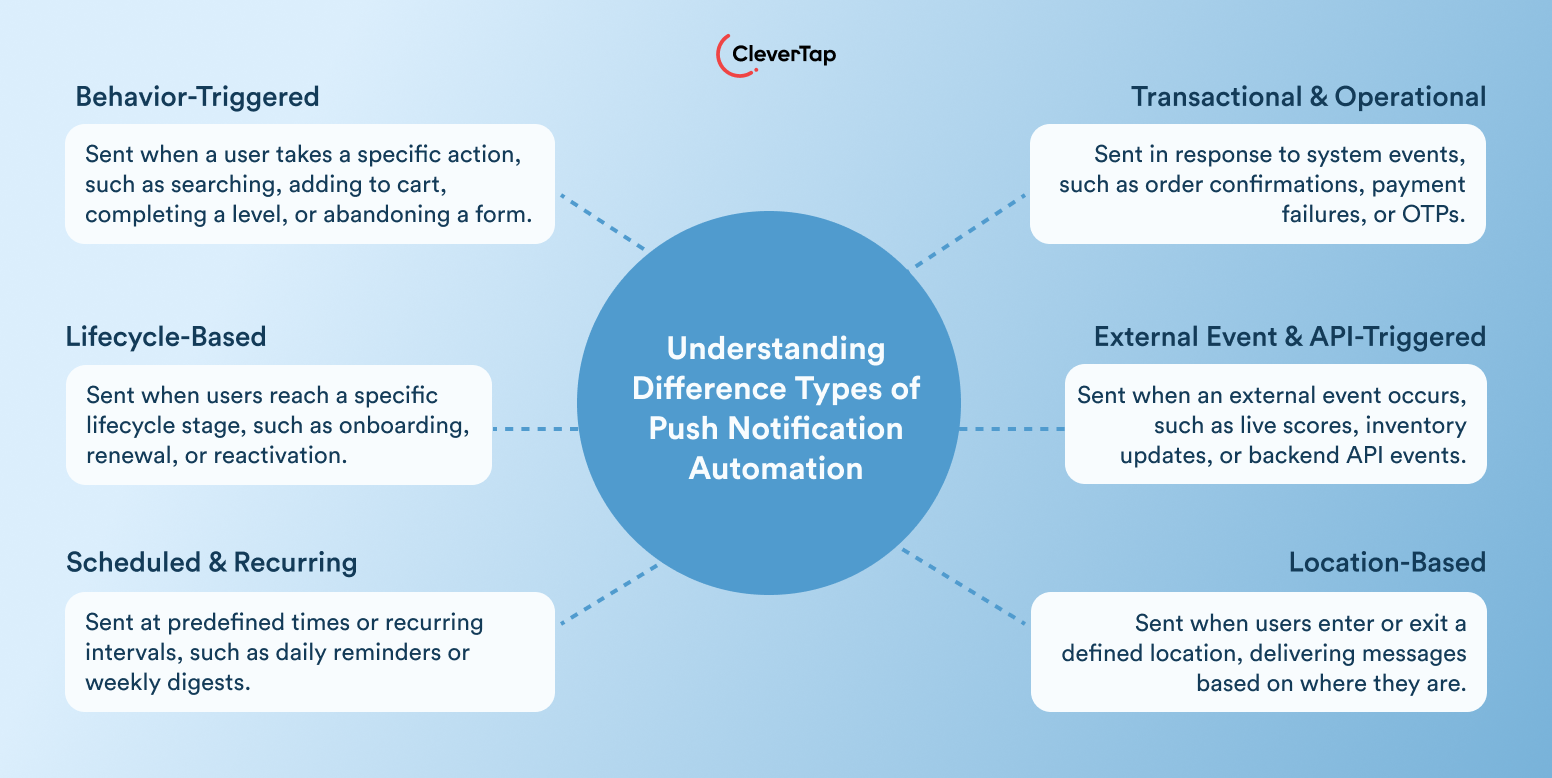
There are different types of push notification automation, for example:
Behavior-Triggered Push Notifications
These notifications fire on something a customer just did. It might be a search, an add-to-cart, a finished level, or a form (filled but not submitted). They carry reasonable intent, because it’s the customer who opened the conversation, and push is a response to it.
To automate push notifications at this trigger, your system must closely monitor users’ journey across the app. The effectiveness comes from this.
Lifecycle-Based Push Notifications
These push notifications fire based on where a customer currently stands in their relationship with you. It can be day 3 of onboarding or the first renewal window.
When a customer fits certain criteria, they automatically come into the scope of lifecycle-based push notifications.
Scheduled and Recurring Push Notifications
These are time-based and fire according to the schedule set. For example, take the Monday digest, or a daily streak reminder, or a weekly price roundup. These are legitimate automation, and they’re the closest cousin to manual message blasts.
These notifications make sense when a customer comes to expect them. For example, a travel app reminding users at 10 AM when the emergency ticket reservation process opens for the next day’s travel.
Also read: What is the Best Time to Send Push Notifications?
Transactional and Operational Push Notifications
These push notifications fire based on system events, such as order confirmation, payment failure, or OTP issuance. Customers expect them as a priority, and the automation systems should respect that.
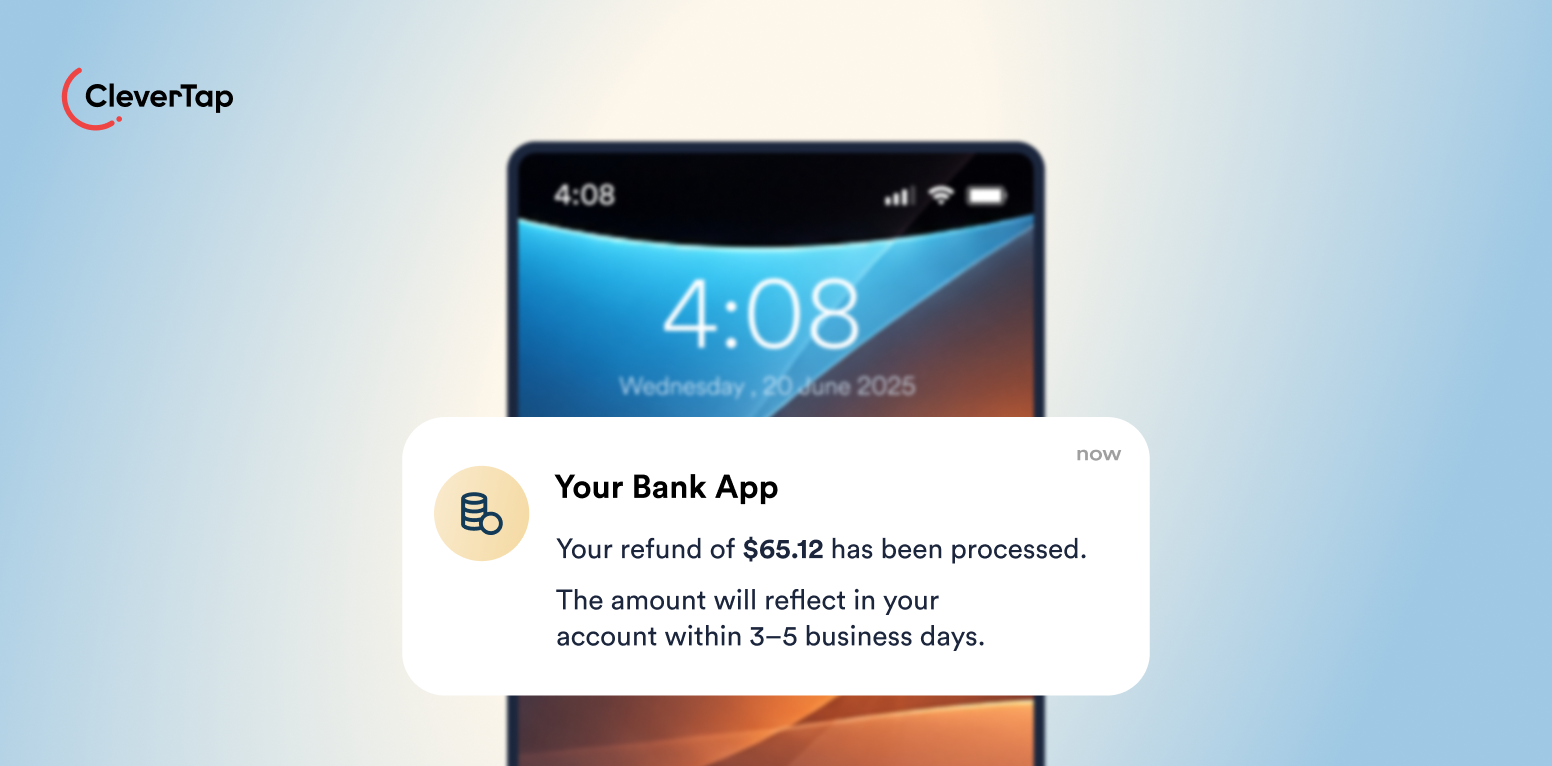
These transactional push notifications build trust that marketing pushes later spend.
External Event and API-Triggered Push Notifications
When something changes outside the app and is delivered through an API call, these push notifications are fired. Consider events like a match going live or a stock returning to inventory.
Backend systems and third-party data start these conversations that no marketers could time manually.
Location-Based Push Notifications
These fire based on where the customer physically stands. Location-based push notification triggers use tight targeting to add relevance effectively. It can improve your push notification CTR drastically, and might be something worth trying if you’re a local business.
These are not standalone types. Often, push notifications fall into the overlap of more than one type. For example, a win-back journey is lifecycle plus a schedule.
How to Automate Push Notifications
You’d need a push notification automation platform to set up a strategic flow of messaging targeted at your users. Feel free to compare these best options of push notification platforms on the market.
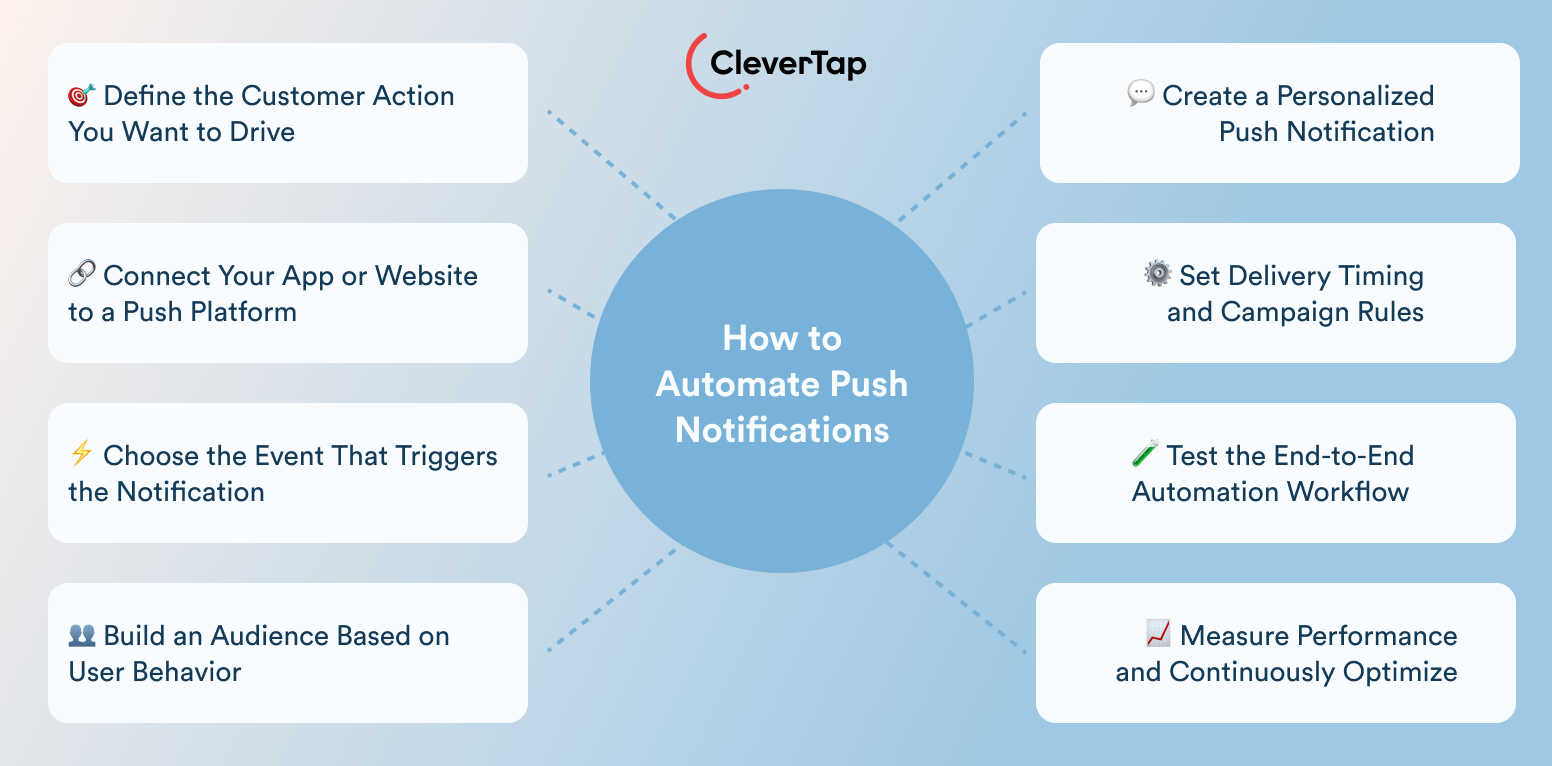
Once you have identified the best fit, here’s what to do next:
Set a Clear Automation Goal
Define the customer action the automation exists to drive. It can be a completed order, a renewed plan, a reactivated account. If you’re leading with “more engagement,” let me remind you that it’s a hope, not actually a goal.
You’d need an actual goal. Because with a set goal in mind, you’d be able to reverse-engineer the trigger, audience, and metrics. A set goal will prevent the rest from drifting away.
Integrate the Push Platform
Start tracking events and customer profiles through the Push platform. Devices register tokens, the addresses your push travels to. For web push, the browser requests permission and a service worker receives messages even when the site is closed.
Define the Trigger
Specify the exact action, inaction, schedule, profile change, or external event that starts the automation. Then add the guardrails that separate a system from a script.
For example, Faasos sends a push notification after 15 minutes of cart abandonment. It’s more of a delay decision (than a trigger decision) that allows a customer to get clarity over what they want. You must aim for that level of specificity.
Build the Audience
Combine behavioral and profile conditions to find relevant, reachable users, and then shrink the audience without mercy. Exclude converters, opt-outs, and anyone past frequency limits. Retention strategist Nikki Tooman puts the counterintuitive math simply: reaching more people does not mean making more revenue, so “work backward” from who actually buys and build cohorts from there.
Create and Personalize the Message
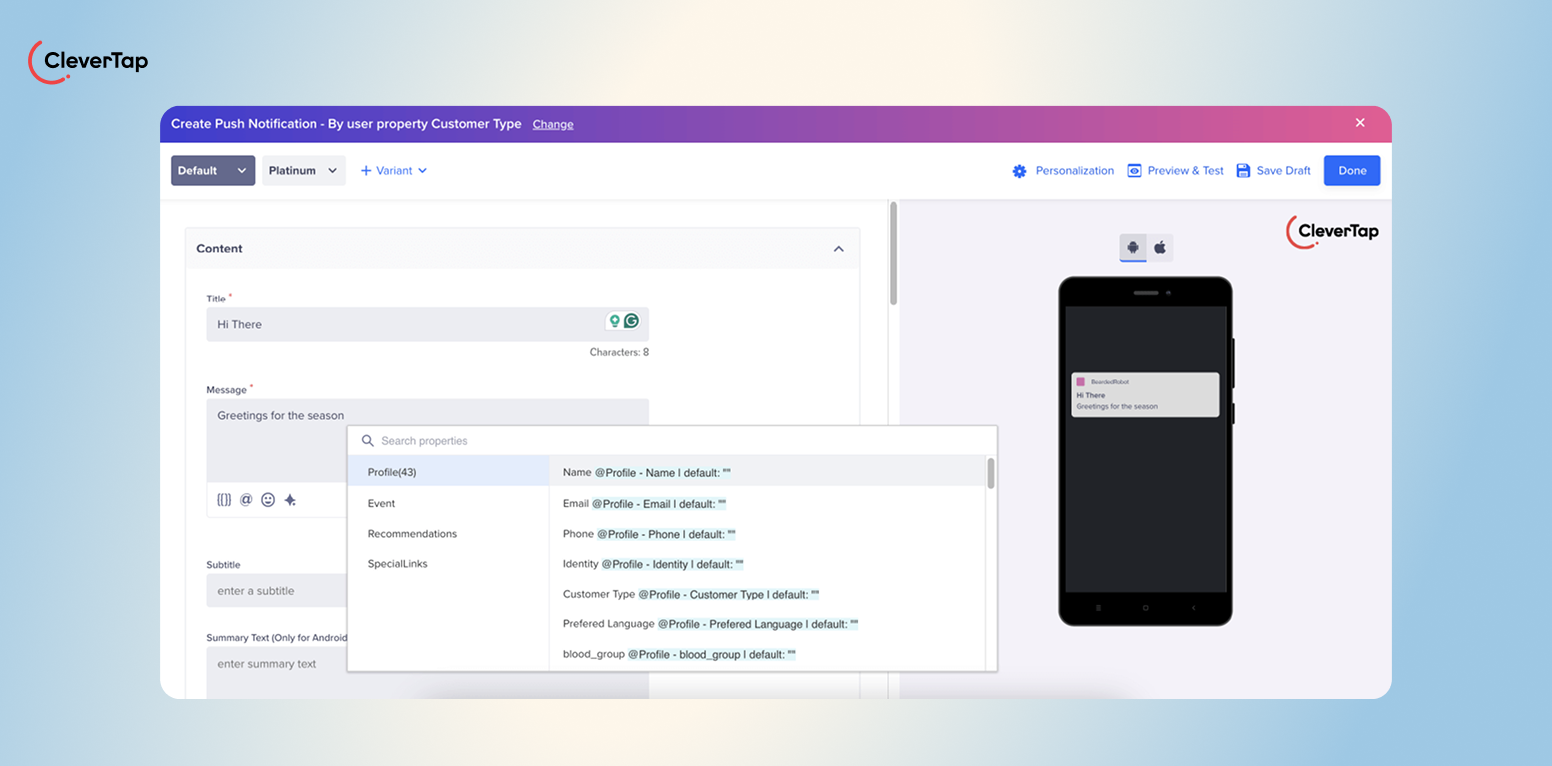
Tie the copy to the trigger, pull in customer and event data, and deep link to the exact screen the message promises. It can be a cart, bookings page, or an offer. CleverAI™ helps you craft messaging that respects the context behind what prompted the system to send a push notification.
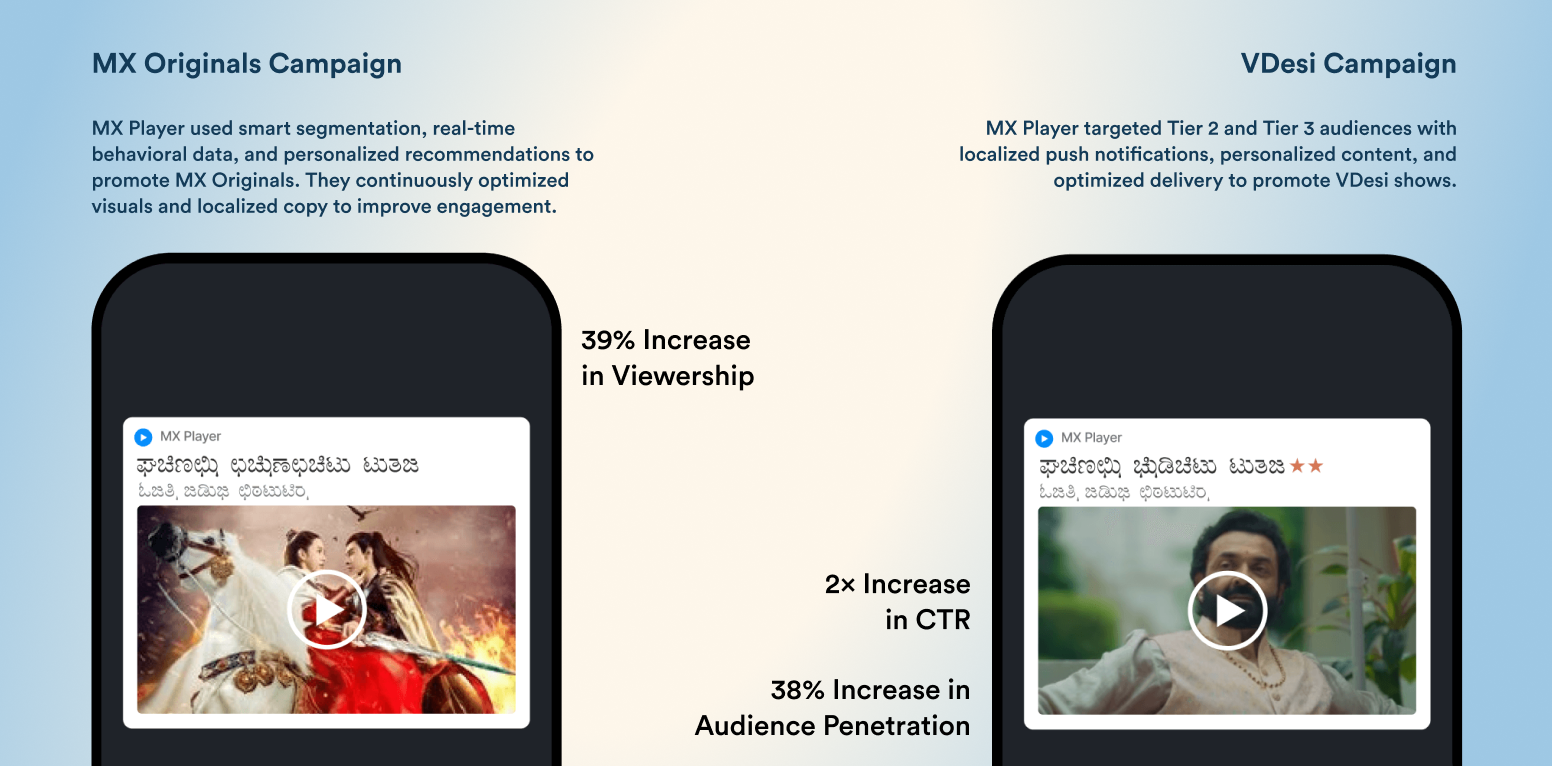
It’s personalized for the audience segment, timing, relevance, and various other parameters configured to make messaging contextual.
Set Delivery Rules
Choose immediate, delayed, or scheduled delivery, and respect customer time zones. Then set the controls that operate across campaigns: frequency caps, campaign limits, priority, throttling, and exit conditions.
These rules rarely get discussed because no single campaign needs them. The portfolio does, and this is where automated programs quietly succeed or fail.
Read more: Why Push Notifications Go Undelivered On Android Devices & What to Do About It
Test Before Launch
Test the trigger, audience, personalization, rendering, permissions, deep links, and the full conversion path on real devices across platforms. The habit keeps paying after launch, too.
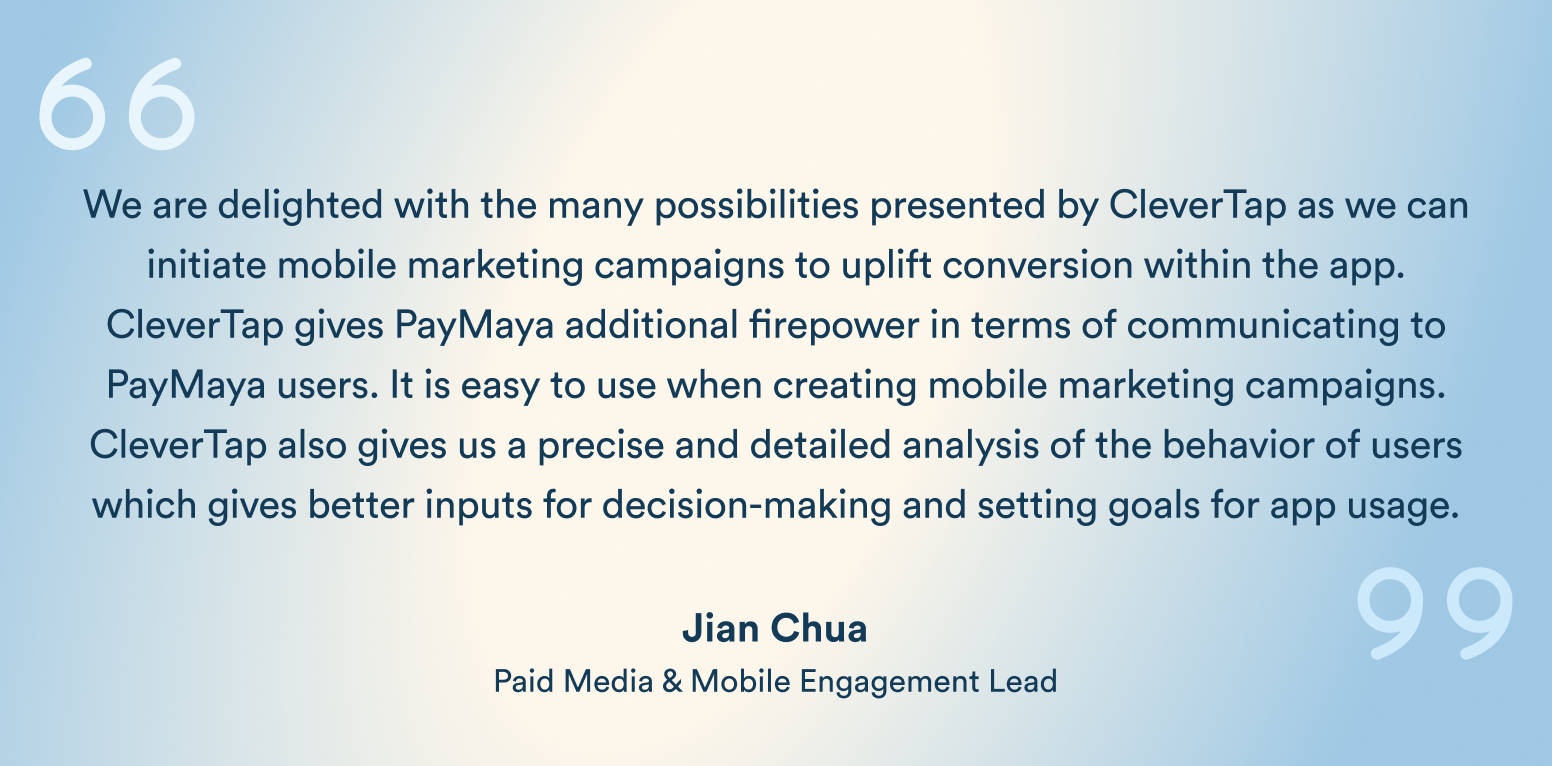
PayMaya, a Philippine e-wallet and CleverTap customer, lifted reactivations 18% month over month through systematic A/B testing of its push campaigns.
See the full story of PayMaya.
Measure and Improve
Measure clicks and deliveries as directional signals, then measure the business action against the goal set in step one. Retention operator Feras Khouri frames the discipline the way paid teams already think: measure the customer lifetime value (CLV) of customers on each channel and double down on what works, “just like you do in paid.”
When results stall, fix the trigger, delay, audience, or delivery rules first. Copy is usually the last problem, not the first. A working automation is not yet a good one. These practices are what keep it good over time.
Push Notification Automation Best Practices
Adopt these best practices to ensure your push notification automation strategy works:
- Use High-Intent Triggers: Prioritize actions and conditions that signal genuine need. It can be a search, an abandoned checkout, an expiring streak, or a lifecycle milestone.
- Avoid Over-Automation: Map every workflow that can reach one customer in the same week, because customers experience your automations as a total, not a list.
- Personalize Beyond the Customer’s Name: Real personalization draws on behavior, preferences, lifecycle stage, transaction details, location, and product interest.
- Apply Frequency and Campaign Limits: Raphael Faccarello, global e-commerce director at Yon-Ka Paris, caps push at “once a week, not more”, treating SMS and push as one budget because both land on the same device, and preferring to “send less but with better results” than risk the channel.
- Coordinate Push With Other Channels: Use Journeys and channel rules to decide when push, email, SMS, WhatsApp, in-app messages, or App Inbox fits the moment best. Channels reinforce a message instead of stacking on it.
- Use Relevant Deep Links: Land customers on the exact product, cart, booking, or screen the message promised. A push that opens a homepage wastes its own click, and it teaches customers that your notifications lead nowhere specific.
- Test Across Devices and Platforms: Push renders differently everywhere. Check message length, media, action buttons, permissions, rendering, and deep-link behavior across Android, iOS, and the major browsers.
- Review Automations Regularly: Pause or rebuild workflows with sliding engagement, rising opt-outs, weak conversions, or triggers the product has outgrown.
Running all of this by hand, across mobile and web, becomes its own manual workload. CleverTap helps turn these practices into defaults.
Related reads: 35 Push Notification Best Practices to Increase CTR & Customer Retention
CleverTap Automates Push Notifications Intelligently
CleverTap runs the whole system described above in one place: behavioral segmentation, real-time triggers, Journeys, personalization, testing, delivery controls, and analytics, across both mobile and web push.
- Audiences are built on past behavior, live actions, user properties, geography, device data, lifecycle stage, and reachability.
- Campaigns trigger the moment a customer acts, goes quiet, changes, or moves between segments.
- Journey Builder chains those triggers into multi-step flows with waits, conditional paths, goals, and exit conditions across channels.
- Personalization pulls in customer attributes, event properties, product data, recommendations, rich media, and deep links, and CleverAI™ drafts and refines message variants during campaign creation so the work scales without added headcount.
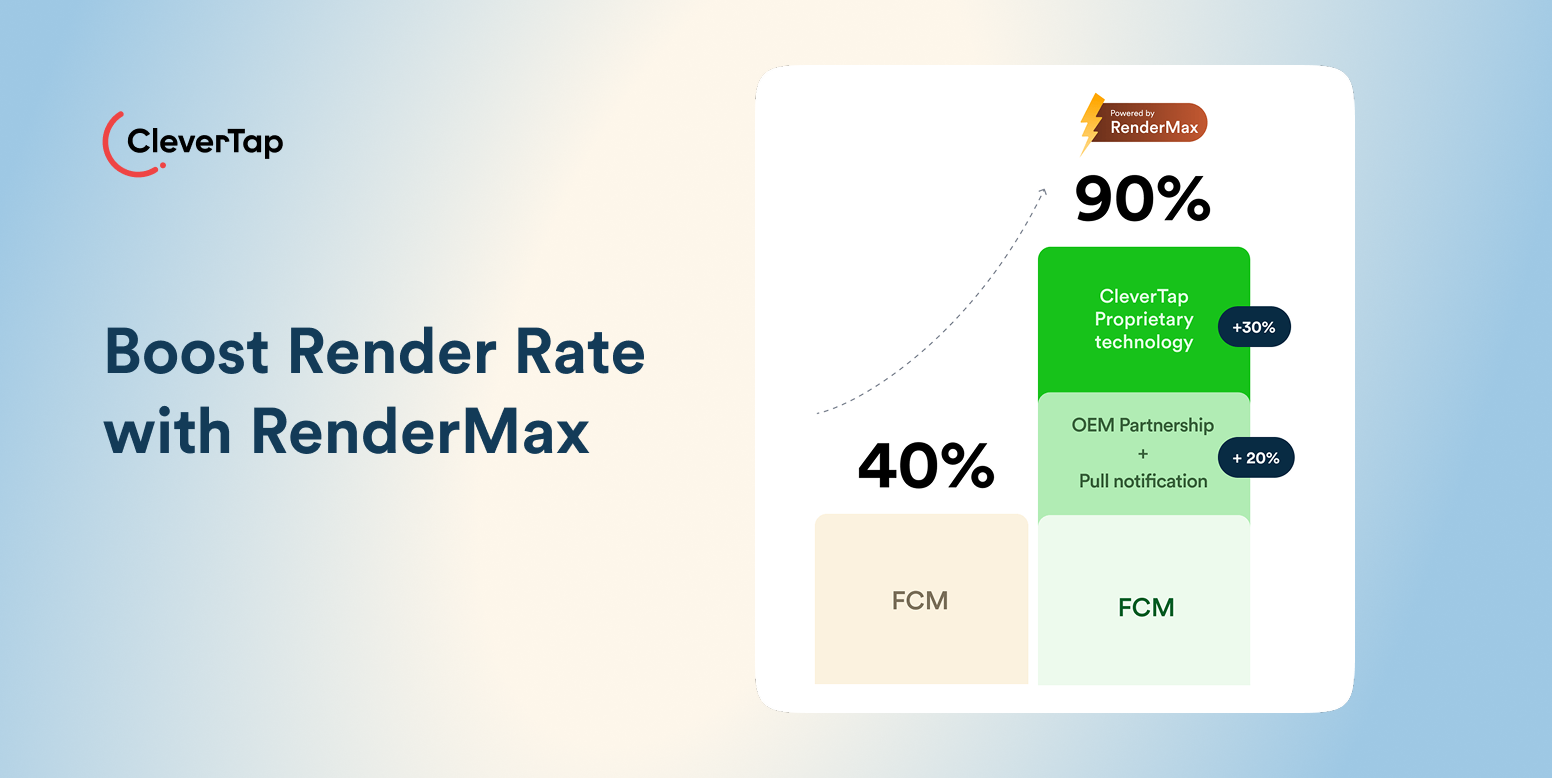
Once the message is ready, RenderMax™ helps ensure it reaches customers as intended. It intelligently optimizes how push notifications are rendered across Android devices and OEMs, improving the consistency of rich media, layouts, and message elements without requiring separate campaigns for different device ecosystems.
Web push automation runs on the same engine as app push.
Before launch, campaigns go to test profiles and devices, with message previews, personalization, Liquid-tag checks, and deep-link validation. After launch, delivery controls operate as one system that manages scheduling, frequency caps, campaign limits, throttling, priority, and Journey exit conditions.
Analytics close the loop with sends, deliveries, clicks, conversions, errors, Journey progression, and opt-outs. It gives you an overview of how your campaign performs.
Automate every push notification with the right message, timing, and audience using CleverTap
FAQ’s About Push Notification Automation
1. What Can Trigger an Automated Push Notification?
Customer actions, inactivity, schedules, profile changes, lifecycle milestones, locations, and external events sent through an API, such as price drops, live scores, or inventory changes. Most production campaigns combine two or more of these.
2. Can Mobile and Web Push Notifications Both Be Automated?
Yes. App push uses the mobile SDK and device tokens, while web push uses a browser permission and a service worker that receives messages even when the site is closed. Platforms like CleverTap automate both from one campaign engine, so a customer’s app and browser experiences stay coordinated.
3. How Do You Avoid Sending Too Many Automated Push Notifications?
Set frequency caps and campaign limits across all workflows, add exit conditions, exclude recent converters, and review overlapping automations on a schedule. The risk is rarely one bad campaign; it is five reasonable ones reaching the same person in the same week.
4. What Is the Difference Between Scheduled and Triggered Push Notifications?
Scheduled push goes to a list at a set time. Triggered push fires per customer, the moment they meet a condition.
5. How Should Automated Push Campaigns Be Measured?
Treat clicks and deliveries as directional signals, then measure the business action the automation exists to drive: orders, renewals, and reactivations, ideally against a control group so the lift is proven rather than assumed.

Sagar Hatekar 
Leads product managementExpert in Marketing Analytics & Engagement platforms.
Free Customer Engagement Guides
Join our newsletter for actionable tips and proven strategies to grow your business and engage your customers.