


































Table of Contents
Categories
Most Popular


Email marketing delivers an average return of $36 for every $1 spent, making it one of the most effective customer engagement channels available. Success isn’t measured by how many emails you send. It depends on how customers interact with them. Opens, clicks, replies, and conversions reveal whether your campaigns are actually driving action.
In this blog, we’ll break down what email engagement means, the metrics that matter most, and the common reasons engagement declines over time. We’ll also explore practical ways to improve performance through segmentation, personalization, automation, and smarter timing strategies. Finally, we’ll look at how email becomes even more effective when combined with push notifications and in-app messaging as part of an omnichannel engagement strategy.
What Is Email Engagement?
Email engagement measures how recipients interact with your emails rather than simply counting how many subscribers you have. Email marketing metrics such as open rates, click-through rates, replies, forwards, and conversions help marketers understand whether their content is resonating with customers.
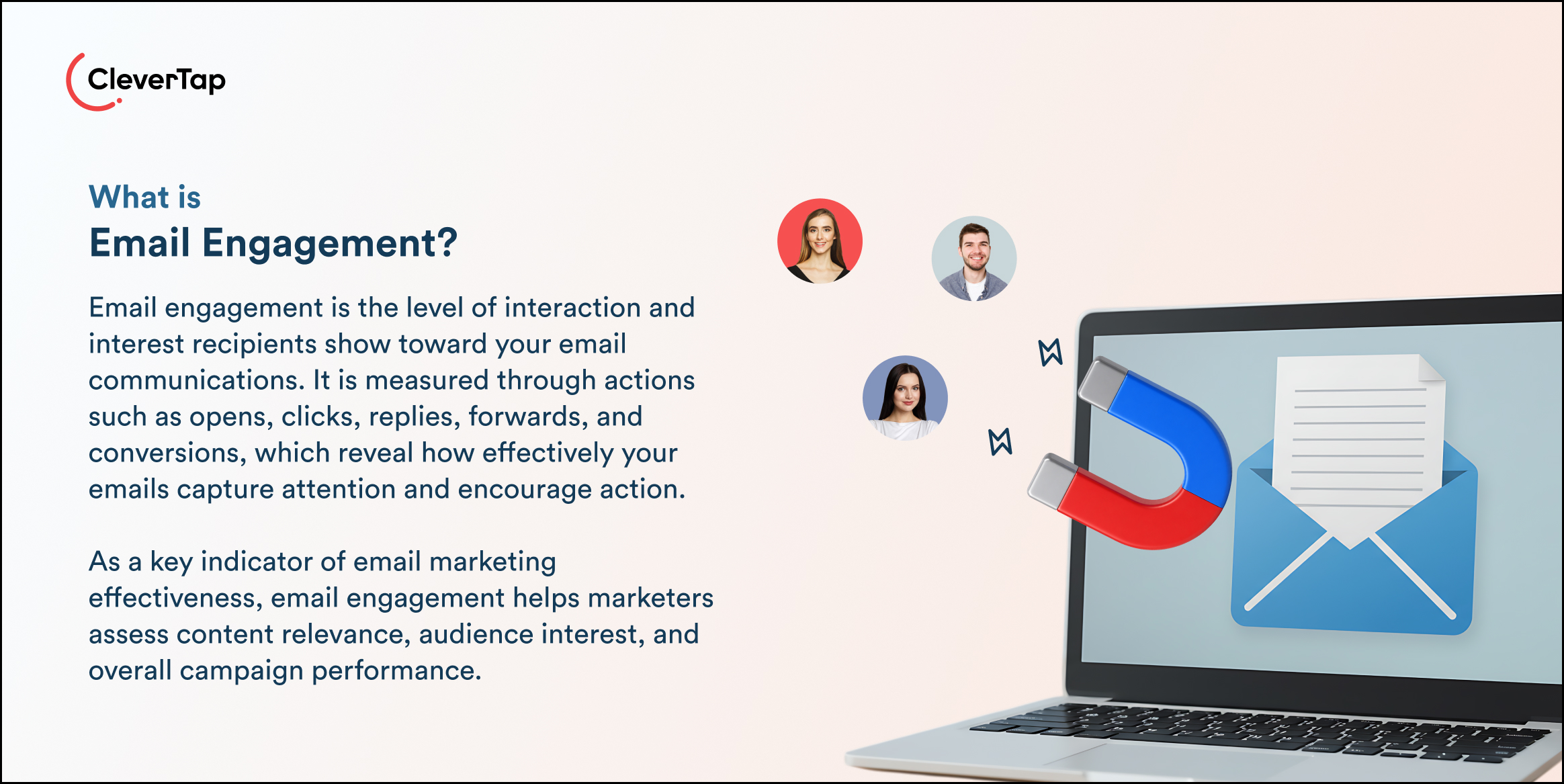
Strong engagement matters more than list size because an inactive audience delivers little business value. A smaller list of highly engaged users is often far more effective than a massive database of subscribers who never open emails. High engagement also improves sender reputation, deliverability, and long-term campaign performance.
In today’s multi-channel environment, email rarely works in isolation. Brands increasingly combine email with push notifications, SMS marketing, and in-app messaging to create connected customer journeys. Platforms like CleverTap, with its omnichannel engagement and journey features, help marketers orchestrate these touchpoints together, ensuring customers receive timely and relevant communication across channels.
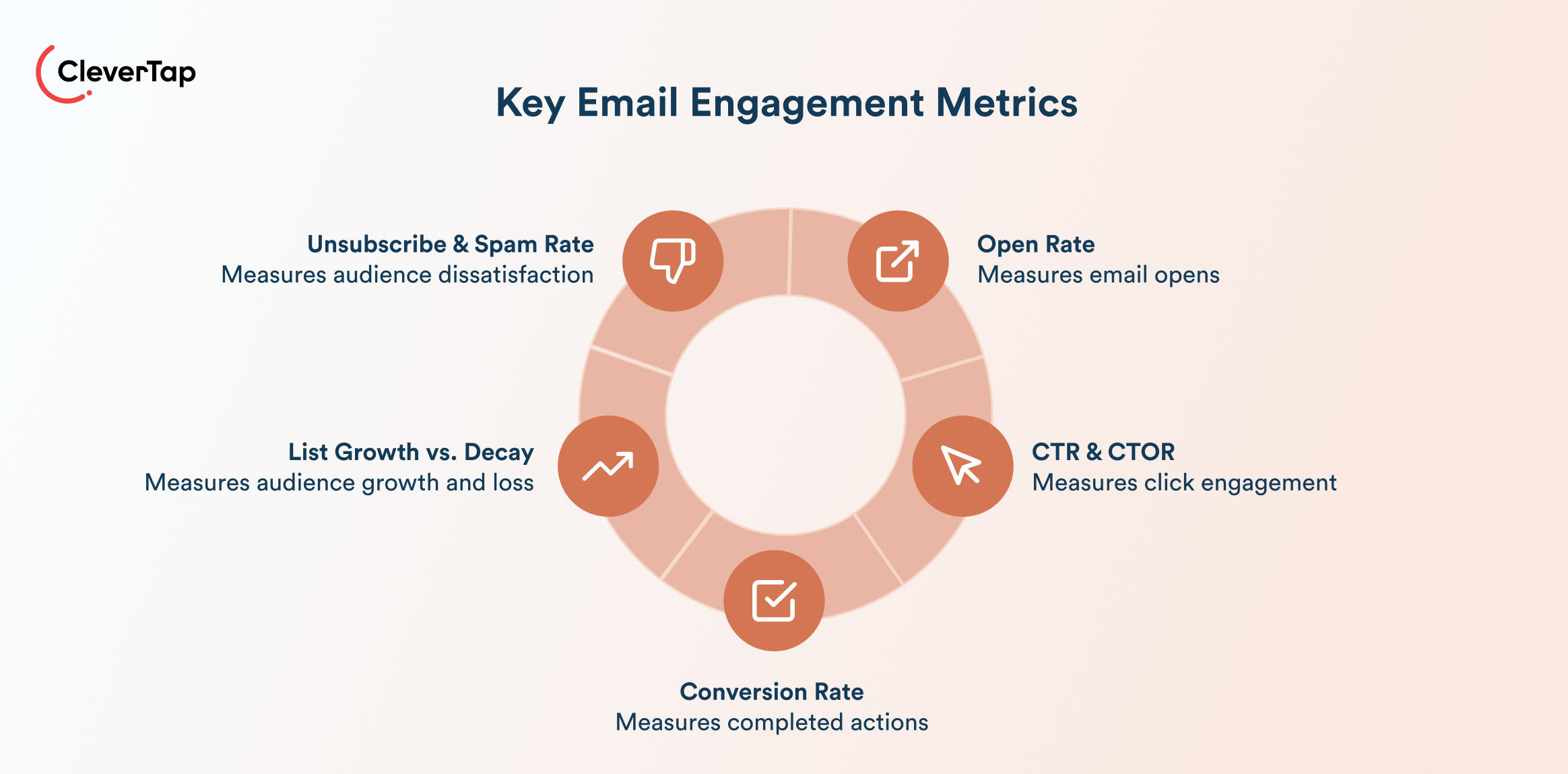
Key Email Engagement Metrics to Track
Tracking the right metrics helps marketers understand how audiences interact with their emails and where campaigns may be underperforming to improve email engagement. These metrics reveal whether subscribers are opening, clicking, converting, or disengaging over time.
Open Rate
Open rate measures the percentage of recipients who open your email. It is often used to evaluate subject lines, preview text, and sender trust.
Formula:
Open Rate = (Unique Opens ÷ Emails Delivered) X 100
While open rate is a useful benchmark, it should be interpreted carefully because privacy updates from providers like Apple Mail can inflate results*.
Click-Through Rate (CTR) and Click-to-Open Rate (CTOR)
CTR measures how many recipients clicked a link in your email, showing overall engagement with the campaign. Whereas, CTOR measures how effective the email content was after the email was opened.
Formula:
CTR = (Unique Clicks ÷ Emails Delivered) X 100
CTOR = (Unique Clicks ÷ Unique Opens) X 100
A strong CTOR usually indicates relevant content, clear messaging, and effective calls to action.
Conversion Rate
Email conversion rate tracks the percentage of recipients who completed a desired action after clicking through from the email, such as making a purchase or signing up for a webinar.
Formula:
Conversion Rate = (Conversions ÷ Total Clicks) X 100
This metric directly connects email engagement to revenue and business outcomes.
List Growth Rate vs. List Decay Rate
Email list growth rate measures how quickly your subscriber base is expanding, while list decay rate tracks how many subscribers unsubscribe, bounce, or become inactive.
Formula:
List Growth Rate = [(New Subscribers − Unsubscribes) ÷ Total Subscribers] X 100
A healthy email program balances acquisition with retention.
Unsubscribe Rate and Spam Complaint Rate
These metrics show whether recipients are losing interest or finding your emails irrelevant. High unsubscribe or spam complaint rates can hurt deliverability and sender reputation.
Formula:
Unsubscribe Rate = (Unsubscribes ÷ Emails Delivered) X 100
Spam Complaint Rate = (Spam Complaints ÷ Emails Delivered) X 100
Also read: How to Improve Email Marketing ROI Explained With Advanced Strategies
Why Is Your Email Engagement Dropping?
In most cases, email engagement drops because audience behavior, content relevance, or email practices have changed over time. Before improving performance, it’s important to identify what’s causing subscribers to disengage.
Your List Has Gone Cold
Email lists naturally decay over time. People change jobs, abandon email addresses, or simply stop interacting with certain brands. Continuing to send campaigns to inactive subscribers lowers engagement metrics and can damage the sender’s reputation.
A cold list often results in lower open rates, higher bounce rates, and declining click-through rates. It can also affect inbox placement, since email providers monitor engagement signals closely. Maintaining list hygiene by regularly removing invalid addresses, suppressing inactive users, and running re-engagement campaigns helps maintain a healthier and more responsive audience.
You’re Sending to Everyone, Not Someone
Generic batch-and-blast campaigns are one of the biggest reasons engagement falls. Customers expect content that matches their interests, behavior, and stage in the customer journey.
When every subscriber receives the same email, relevance drops quickly. A new user should not receive the same message as a loyal customer or a dormant subscriber. Segmenting audiences based on behavior, purchase history, demographics, or engagement levels allows marketers to send more targeted campaigns that feel timely and useful.
Your Subject Lines Aren’t Earning the Open
47% of email recipients decide to open an email based solely on the subject line. Weak, vague, or overly promotional subject lines reduce curiosity and fail to communicate value immediately.
If open rates are declining, the issue may not be the content itself but the first impression in the inbox. Strong subject lines are usually concise, clear, and benefit-driven. Preview text also plays an important role by giving recipients another reason to open the email. Testing different subject line styles can help identify what resonates best with your audience.
Email Frequency Fatigue
Sending too many emails can overwhelm subscribers and lead to disengagement. When inboxes are flooded with repetitive or unnecessary messages, users may stop opening emails, unsubscribe, or mark messages as spam.
Email fatigue often appears gradually. Open rates decline, click rates drop, and unsubscribe rates begin to increase. Finding the right cadence is essential. Some audiences respond well to frequent updates, while others prefer fewer, higher-value communications. Monitoring engagement trends can help determine whether frequency is becoming a problem.
Deliverability Issues
Even well-designed campaigns fail if emails never reach the inbox. Poor email deliverability is one of the most overlooked causes of declining engagement.
High bounce rates, spam complaints, missing authentication protocols, or sending to inactive lists can push emails into spam folders. As deliverability worsens, fewer subscribers even see your campaigns, creating a cycle of declining engagement. Monitoring sender reputation, authenticating domains, and maintaining clean lists are critical for improving inbox placement.
You’re Not Mobile-Optimized
81% of emails are now opened on mobile devices. If emails are difficult to read or navigate on a smartphone, users are unlikely to engage.
Poor mobile experiences include tiny text, broken layouts, slow-loading images, and buttons that are difficult to tap. Responsive templates, concise copy, and mobile-friendly designs make emails easier to consume and improve engagement across devices.
10 Proven Ways to Improve Email Engagement
The best-performing brands focus on relevance, timing, automation, and cross-channel coordination to keep messages useful and actionable.
1. Segment Your List by Engagement Tier
Use a three-tier model to organize subscribers by activity level:
- Active: Opened within 30 days
- Warm: Opened within 31–90 days
- Cold: No engagement for 90+ days
Tailor messaging and the frequency depending on the tier. Active users can receive frequent campaigns and launches, while Warm and Cold users need lighter communication or re-engagement flows. This prevents audience fatigue and improves overall engagement rates.
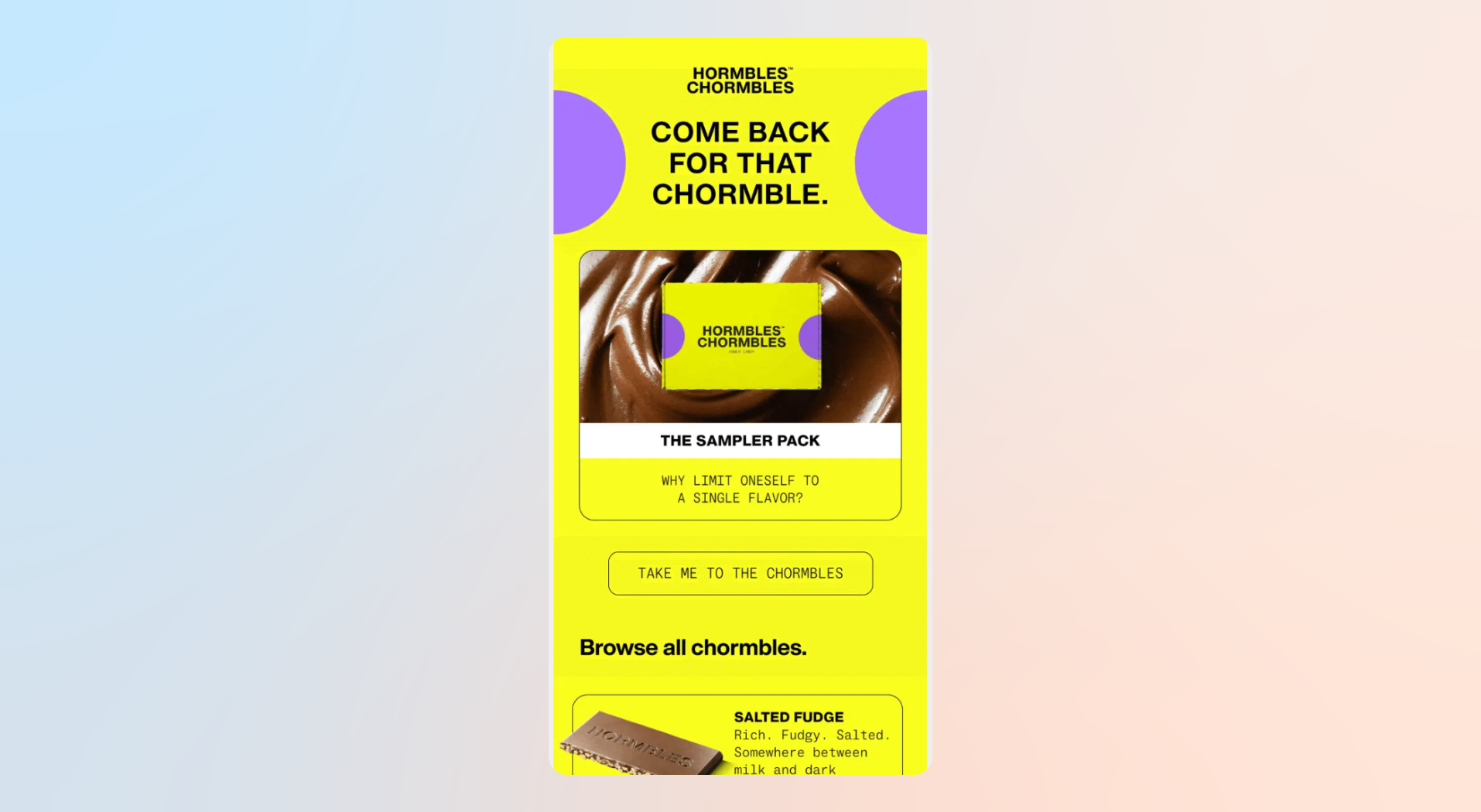
Example: In this email from Hormbles Chormbles, the brand targeted cart abandoners with a playful reminder about products left behind instead of sending a generic promotion to the entire list. The email focused only on users who had already shown purchase intent, making the message more relevant and timely.
2. Personalize Beyond First Name
Strong personalization uses behavioral data such as browsing activity, previous purchases, app usage, and lifecycle stage. Instead of “New deals this week,” use “Your saved sneakers are back in stock.”
Dynamic content blocks can also tailor recommendations, offers, or reminders based on user behavior. This makes emails feel more relevant and timely.
Example: Sushi King used CleverTap to personalize promotions and customer journeys based on purchase behavior and engagement patterns, helping improve retention by 50%.
3. Optimize Subject Lines and Preview Text Together
The subject line and preview text work together as your inbox hook. Together, they create about 100 characters of attention.
A simple framework combines two of these three elements:
- Curiosity
- Relevance
- Urgency
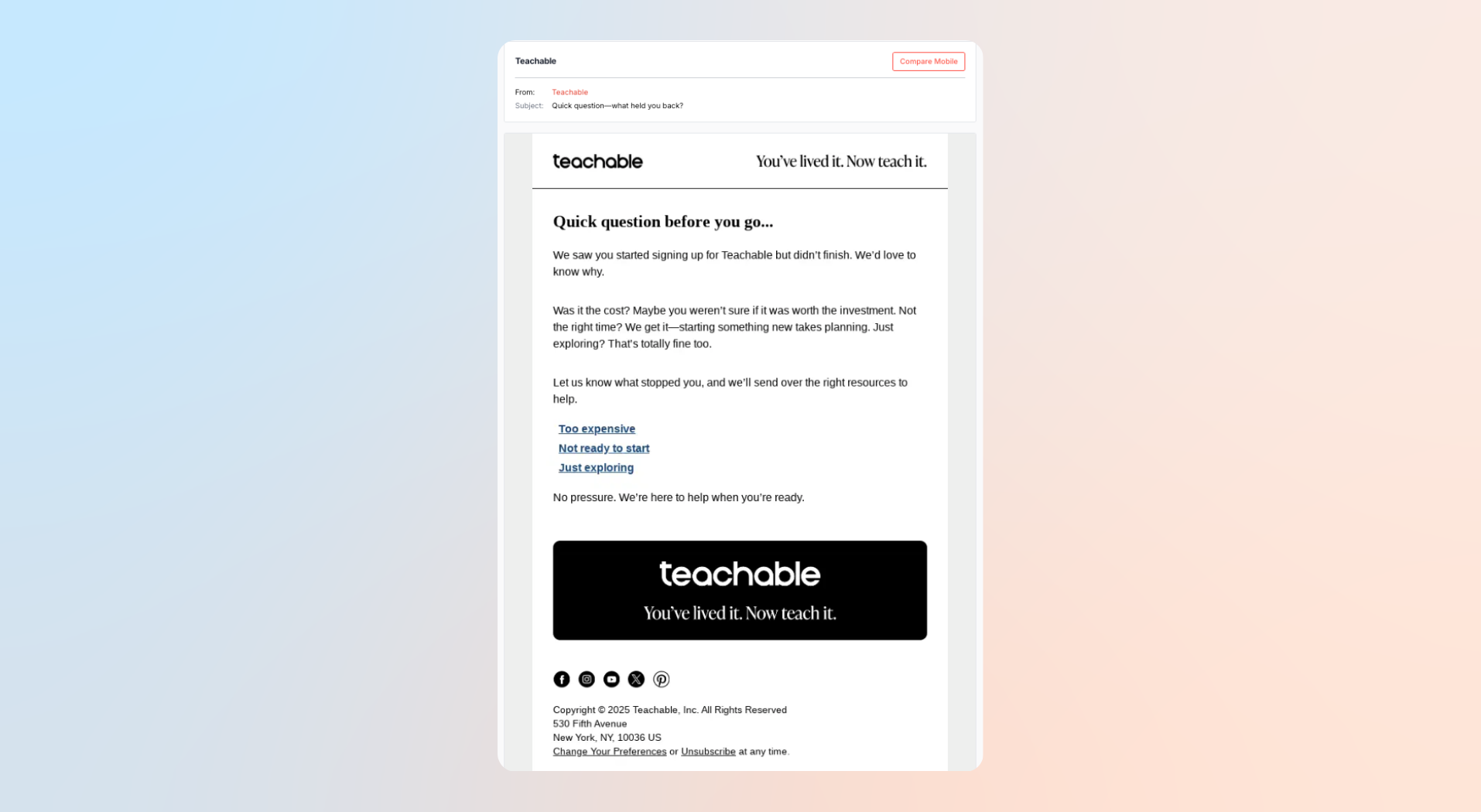
Example: Teachable used a conversational subject line paired with preview copy focused on unfinished purchases. Instead of sounding promotional, the email framed the message as a helpful follow-up, encouraging users to revisit abandoned carts without aggressive sales language.
4. Send at the Right Time for Your Audience
Engagement depends on individual habits, timezone, and app usage behavior. Send-time optimization tools analyze historical engagement to identify when users are most likely to open emails. Mobile-first brands can also compare email engagement with in-app activity windows for better timing.
Example: ZEE5 Global used CleverTap’s send-time optimization capabilities to deliver campaigns when users were most likely to engage, improving click-through performance significantly.
5. Use Behavior-Triggered Email Sequences
Triggered emails respond to customer actions in real time and consistently outperform scheduled batch campaigns. Common triggers include app installs, cart abandonment, first purchases, and inactivity.
A simple flow looks like this:
Event → Delay → Email
Cart abandoned → 2 hours → Reminder email
No purchase → 24 hours → Discount offer
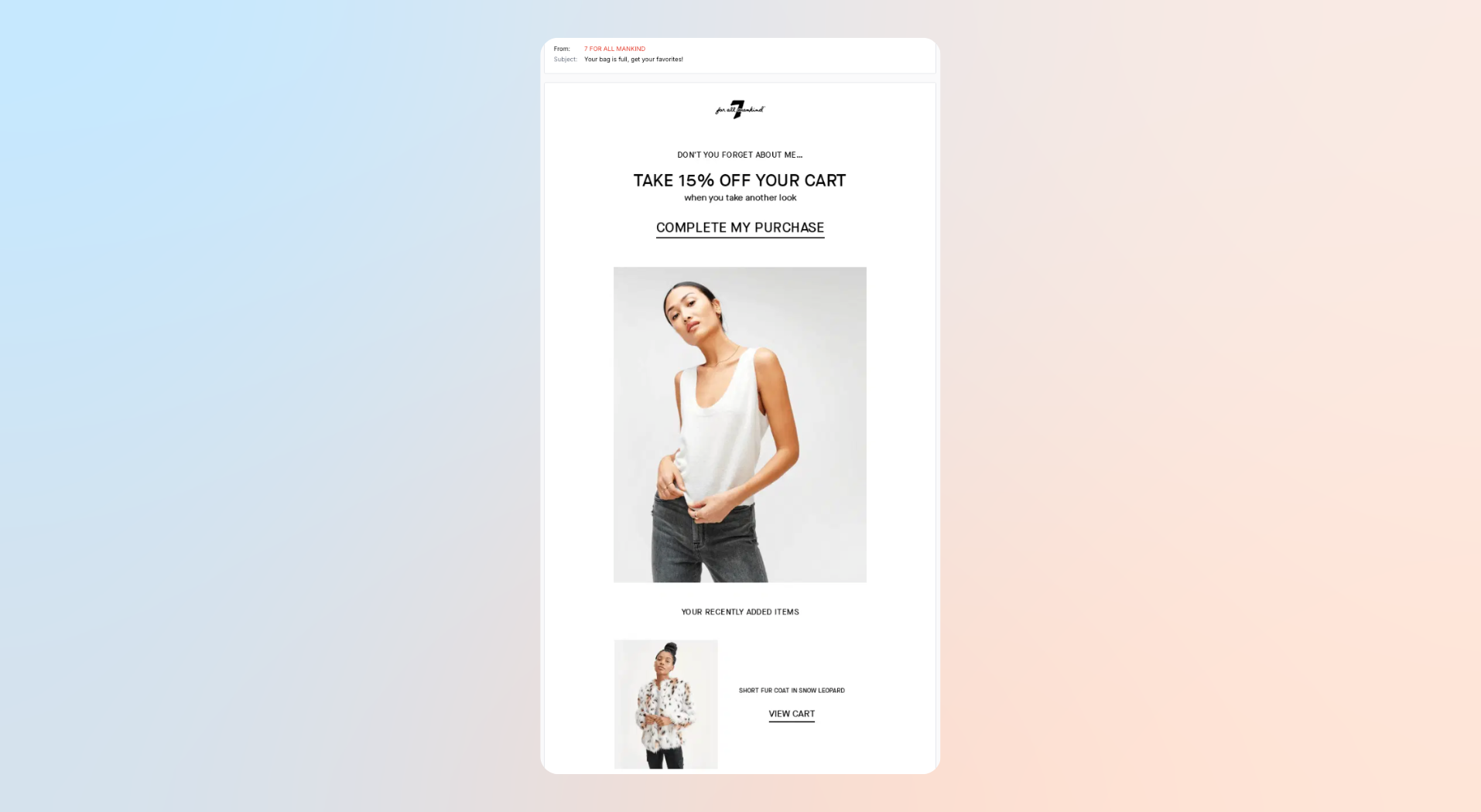
Example: 7 FOR ALL MANKIND sent a cart-abandonment email shortly after users left products behind. The email used product imagery, urgency, and direct CTAs to encourage shoppers to complete checkout before items sold out.
6. Clean Your List Regularly
Removing disengaged subscribers may seem counterintuitive, but it improves deliverability, sender reputation, and engagement rates over time. Continuing to email inactive users increases the risk of lower inbox placement, spam complaints, and declining open rates.
A simple sunset policy helps maintain a healthier email list:
- Send a three-touch win-back campaign
- Ask subscribers to update preferences or frequency
- Suppress users who still do not engage
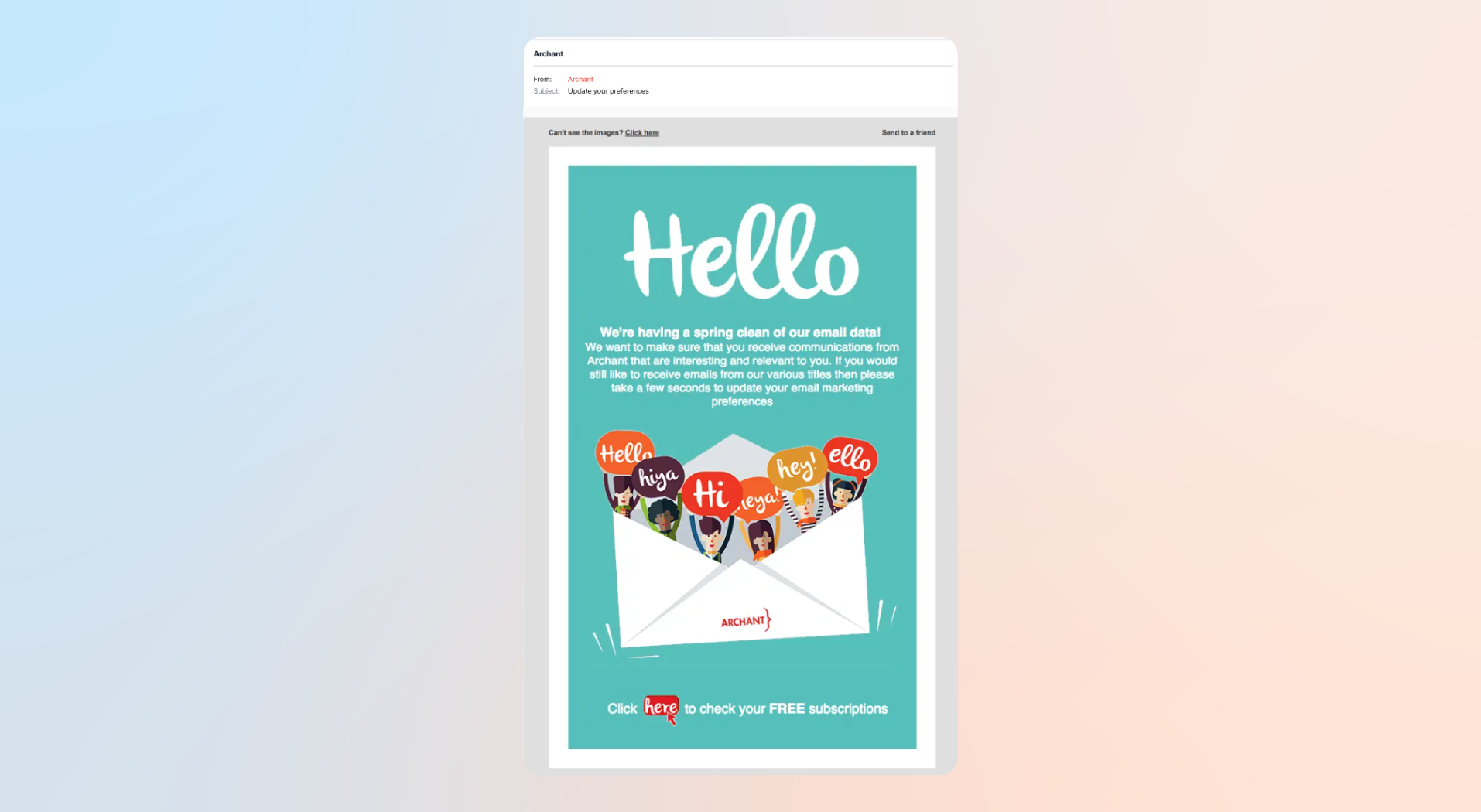
Example: This is a strong list-cleaning campaign because the brand gave subscribers control over the type and frequency of emails they wanted to receive instead of forcing an unsubscribe decision.
7. Run Engagement-Based Re-engagement Campaigns
Warm and cold users need dedicated reactivation campaigns instead of regular promotional emails. A simple three-email sequence might include:
- “We miss you — here’s 10% off”
- “Your offer expires tonight”
- “Should we stop sending emails?”
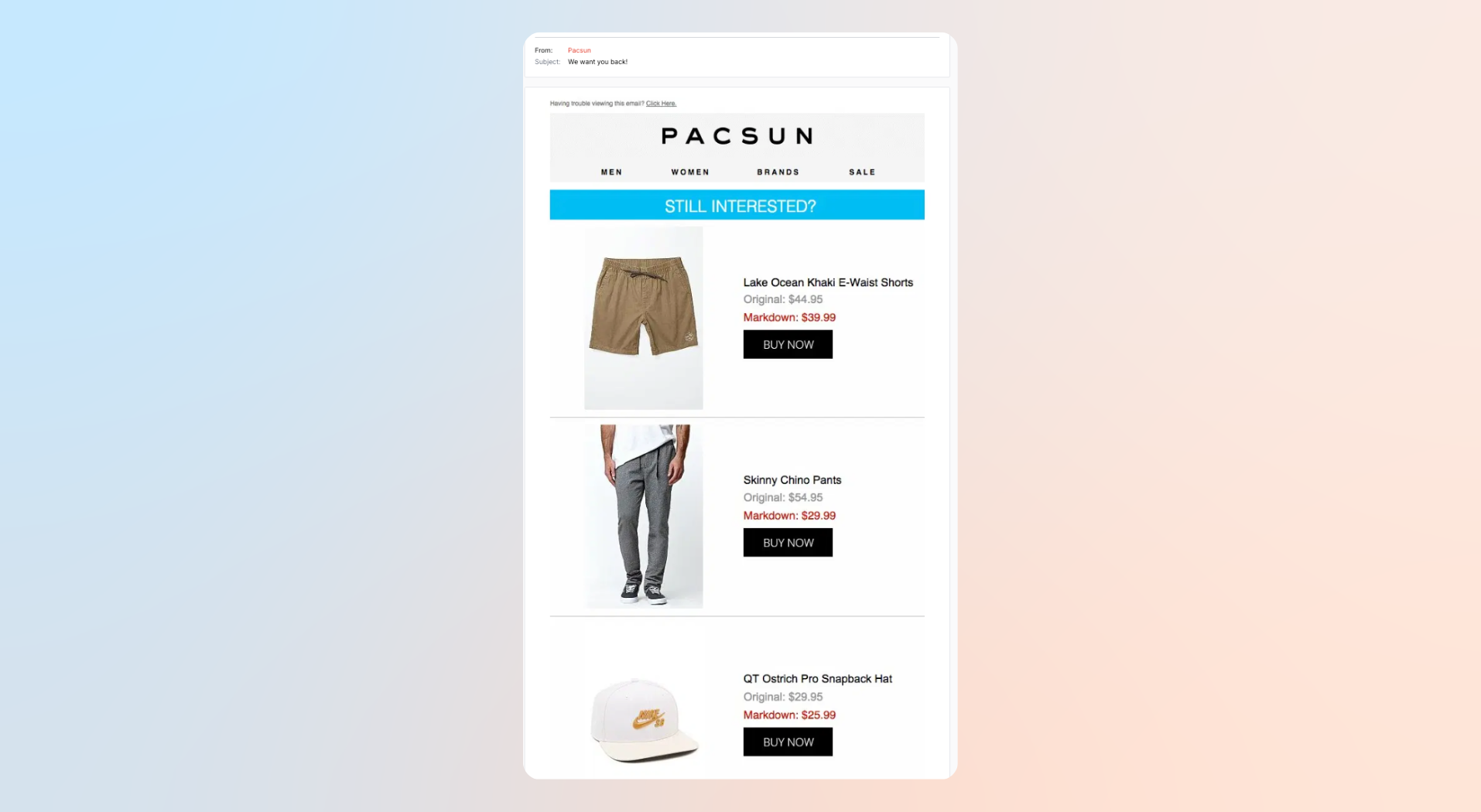
Example: The brand uses friendly, low-pressure messaging and a simple incentive to reconnect with inactive subscribers. Instead of pushing multiple offers, the email focuses on rebuilding interest and encouraging users to re-engage with the brand.
8. A/B Test Systematically, Not Randomly
Testing should follow a structured order and can include variations of the following:
- Subject line
- Send time
- CTA copy
- Layout
- Offer
Test one variable at a time and document results in a monthly testing calendar.
Example: Blooming Wear used dynamic personalization and experimentation through CleverTap to improve conversions and optimize campaign performance.
9. Optimize for Mobile-First Reading
More than 80% of emails are now opened on mobile devices, which means mobile readability directly affects engagement. If an email is difficult to scan, slow to load, or hard to tap through on a phone, users are likely to ignore or delete it. This is especially important for fintech, travel, gaming, and retail apps, where most customer interactions already happen on mobile.
Mobile-first emails should use:
- Single-column layouts
- Large tap targets
- Short paragraphs
- Clear visual hierarchy
- Strong preheader text
- Dark mode compatibility
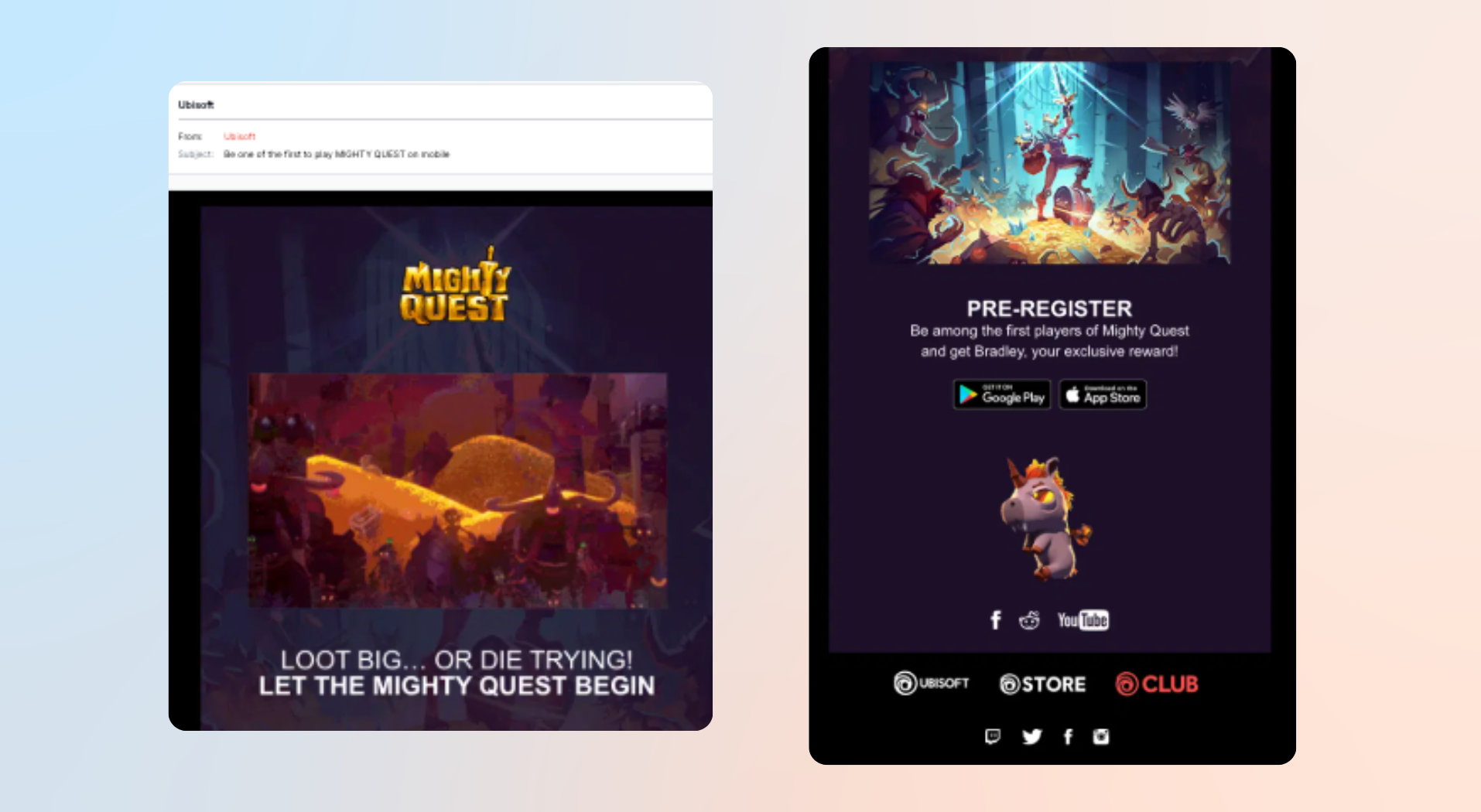
Example: This email from Ubisoft is a strong mobile-first design example because the email was built around thumb-friendly CTAs, short copy blocks, bold visuals, and a clear single action. The layout was easy to scroll through on a phone, and the design immediately reinforced that the experience was built for mobile gamers.
10. Coordinate Email With Push and In-App Messaging
Email performs better when it supports a connected customer journey instead of functioning as an isolated channel.
A simple onboarding sequence may look like this:
- Day 1: Push notification welcome
- Day 2: In-app tutorial
- Day 3: Email with setup tips
Example: Snitch used CleverTap to build AI-powered omnichannel journeys that combined personalized messaging across channels based on customer behavior and engagement signals. The brand used granular segmentation, automated journeys, and real-time behavioral triggers to send timely nudges about new arrivals, restocks, and offers through the right channel at the right moment. This omnichannel engagement strategy helped Snitch double its month-1 order retention and increase revenue growth by 70%.
How to Build an Email Engagement Strategy
Improving email engagement occurs by building a structured engagement strategy that aligns messaging, timing, and customer lifecycle goals.
Define Engagement Goals by Funnel Stage
Different stages of the customer journey require different engagement goals, metrics, and messaging strategies.
- Onboarding: The focus is activation. Welcome emails, product education, and setup guidance should encourage users to complete a first action, purchase, or feature interaction. Metrics such as activation rate, onboarding completion, and welcome email CTR matter most here.
- Retention: The goal shifts to re-engagement. Retention campaigns should bring inactive users back through reminders, personalized recommendations, or limited-time offers. Metrics like repeat visits, purchase frequency, and reactivation rates become more important.
- Loyalty: At this stage, engagement is about deepening relationships. Loyalty emails can promote referrals, rewards programs, upsells, or exclusive access. Average order value, referral participation, and repeat purchase rates are useful indicators.
Aligning campaigns with lifecycle stages makes email communication more relevant and effective.
Build Your Engagement Scoring Model
An engagement scoring model helps quantify subscriber activity and automate decision-making. Assign point values based on behavior, such as:
- Email open = 1 point
- Link click = 5 points
- Purchase or key action = 10 points
- Recent activity bonus = additional score
High-scoring users can move into priority campaigns, while low-scoring users enter re-engagement or suppression flows. Scoring also helps identify inactive subscribers before engagement drops significantly.
Create a 90-Day Email Engagement Roadmap
A structured roadmap keeps optimization efforts focused and measurable.
| Month 1 | Month 2 | Month 3 |
| Audit current email performance | Launch triggered email journeys | Roll out re-engagement campaigns |
| Segment Active, Warm, and Cold users | Start A/B testing cadence | Optimize timing and content |
| Clean inactive contacts | Add behavioral personalization | Refine campaigns based on results |
How CleverTap Builds Your Email Engagement Strategy
CleverTap helps brands build email engagement strategies around customer behavior, lifecycle stages, and real-time data instead of one-size-fits-all campaigns. By combining app, web, and campaign data into unified customer profiles, marketers can create more targeted and personalized email journeys.
The platform supports advanced audience segmentation using behavioral signals such as app activity, purchase history, recency, and engagement levels. This makes it easier to create Active, Warm, and Cold audience tiers and automate campaigns for each group. Marketers can also personalize subject lines, content blocks, product recommendations, and calls-to-action based on individual customer behavior.
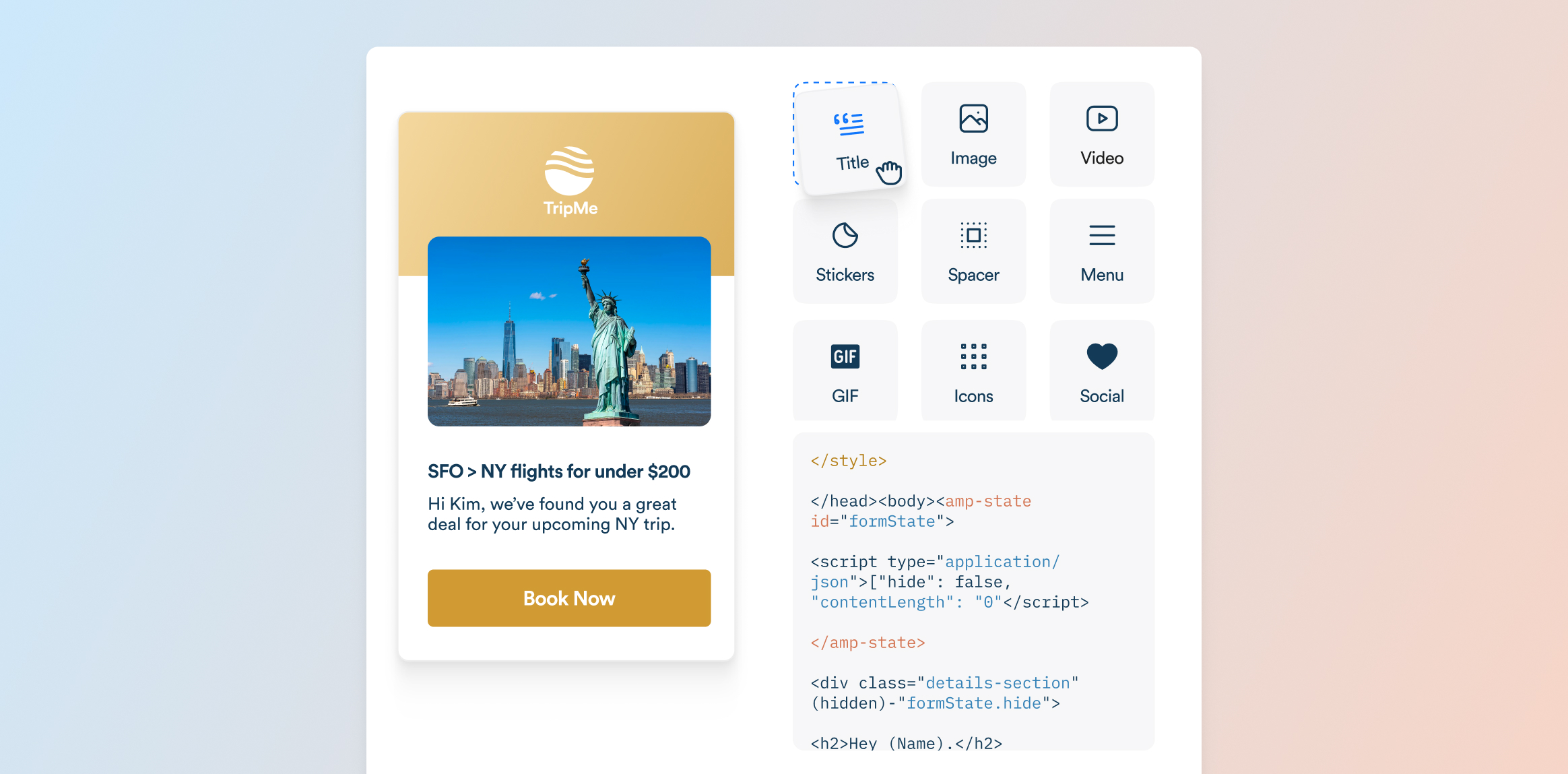
CleverTap’s journey builder allows brands to connect email with push notifications, in-app messaging, SMS, and WhatsApp campaigns in a single workflow. For example, a new user onboarding journey might include a push notification on day one, an in-app tutorial on day two, and an educational email on day three. This coordinated approach creates more consistent customer experiences across channels.
The platform also includes tools to improve deliverability and performance, including A/B testing, engagement analytics, send-time optimization, inbox previews, and domain management features. Marketers can test subject lines, timing, and messaging variations while monitoring engagement trends in real time.
In addition, CleverTap’s predictive capabilities help brands identify users who are likely to engage, convert, or become inactive. This allows teams to launch re-engagement campaigns earlier and prioritize high-intent audiences more effectively.
By combining segmentation, automation, personalization, and omnichannel orchestration, CleverTap helps marketers turn email into a more measurable and engagement-focused channel.
Boost your email marketing performance and drive higher conversions with CleverTap

Sagar Hatekar 
Leads product managementExpert in Marketing Analytics & Engagement platforms.
Free Customer Engagement Guides
Join our newsletter for actionable tips and proven strategies to grow your business and engage your customers.