





























Table of Contents
Categories
Share it now!

Most Popular


Read summarized version with
LLMs like ChatGPT and Claude have become integral to marketers’ everyday workflows, helping them streamline campaign ideation, content creation, research, data analysis, and strategic planning.
According to the World Federation of Advertisers’ State of AI in Marketing 2026 report, 96% of major brands now use generative or agentic AI, with 72% leveraging it for research and insights and 48% for strategy and planning.
Yet, despite this growing AI adoption, a fundamental disconnect remains. The AI tools marketers use often operate separately from the customer engagement platforms that hold their customer data, behavioral insights, campaign performance, and journey analytics.
As a result, marketers still need to switch between applications to retrieve information, generate recommendations, and analyze results. This manual intervention introduces friction, limits productivity, and slows the transition from insights to action.
But what if you could bring your AI assistant and your customer engagement platform together?
That’s the opportunity that Model Context Protocol (MCP) unlocks. And with CleverTap MCP Server, we’re bringing customer engagement intelligence and actionable workflows directly into the AI tools marketers already use.
What is Model Context Protocol (MCP)?
Model Context Protocol (MCP) is an open standard that enables AI applications to connect with external data sources, business systems, and tools. It allows large language models (LLMs) to access relevant information and perform supported actions beyond their built-in capabilities.
For marketers, this means moving beyond AI-generated recommendations based on manually supplied information to AI-powered workflows grounded in actual customer engagement data.
Introducing CleverTap MCP Server
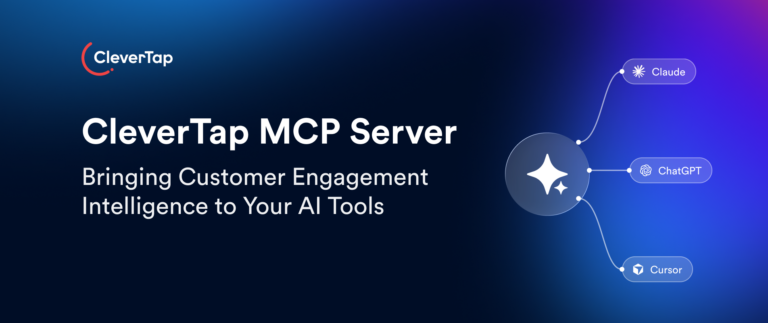
CleverTap MCP Server connects CleverTap’s AI-native customer engagement platform with external AI applications such as ChatGPT, Claude, and Cursor, enabling marketers to query, analyze, and act on customer engagement data through natural language prompts.
From retrieving campaign insights to analyzing customer journeys and preparing campaign drafts, marketers can access CleverTap intelligence directly within their preferred AI tools – without navigating multiple dashboards or writing complex queries.
The MCP Server also supports connectivity with environments such as Databricks, enabling marketers to work with CleverTap intelligence alongside other data and tools across their technology ecosystem.
Key Capabilities of CleverTap MCP Server
1. Access Your CleverTap Workspace Through Natural Language
CleverTap MCP Server makes it easy for marketers to retrieve details about campaigns, journeys, segments, events, and templates without manually navigating different sections of the CleverTap dashboard.
For instance, asking “Show me all active campaigns and journeys, along with their details” can provide an overview of current engagement activities. This reduces the time spent locating information and makes everyday campaign management more efficient.
2. Turn Campaign and Journey Data into Actionable Insights
Marketers can analyze performance across campaigns, journeys, and channels to identify conversion drivers, customer drop-offs, and optimization opportunities – all within their AI interface. From funnel analysis and node-level journey reporting to behavioral trends and campaign comparisons, CleverTap MCP Server makes detailed engagement analytics accessible through natural language.
It also supports access to historical data within your account’s existing retention period, without an additional MCP-specific lookback restriction, enabling deeper analysis of long-term behavior and seasonal trends.
3. Move from Insights to Campaign and Content Creation
CleverTap MCP Server supports the creation of ready-to-review campaign drafts across push notifications, SMS, email, and native display. Marketers can describe the campaign they want to create, including its objective and target audience, and use their connected AI application to initiate draft creation in CleverTap.
For example: “Create a push campaign draft to re-engage users who haven’t purchased in the last 60 days.”
4. Maintain Secure, Role-Based Access
CleverTap MCP Server inherits the existing role-based access controls (RBAC) configured within the CleverTap dashboard. This means users can access only the information and perform only the actions they are already authorized to undertake within CleverTap.
CleverTap MCP Server in Action: Practical Use Cases
Let’s look at how CleverTap MCP Server simplifies everyday marketing workflows, from analyzing customer journeys to automating reports and planning campaigns.
1. Optimize Customer Journeys
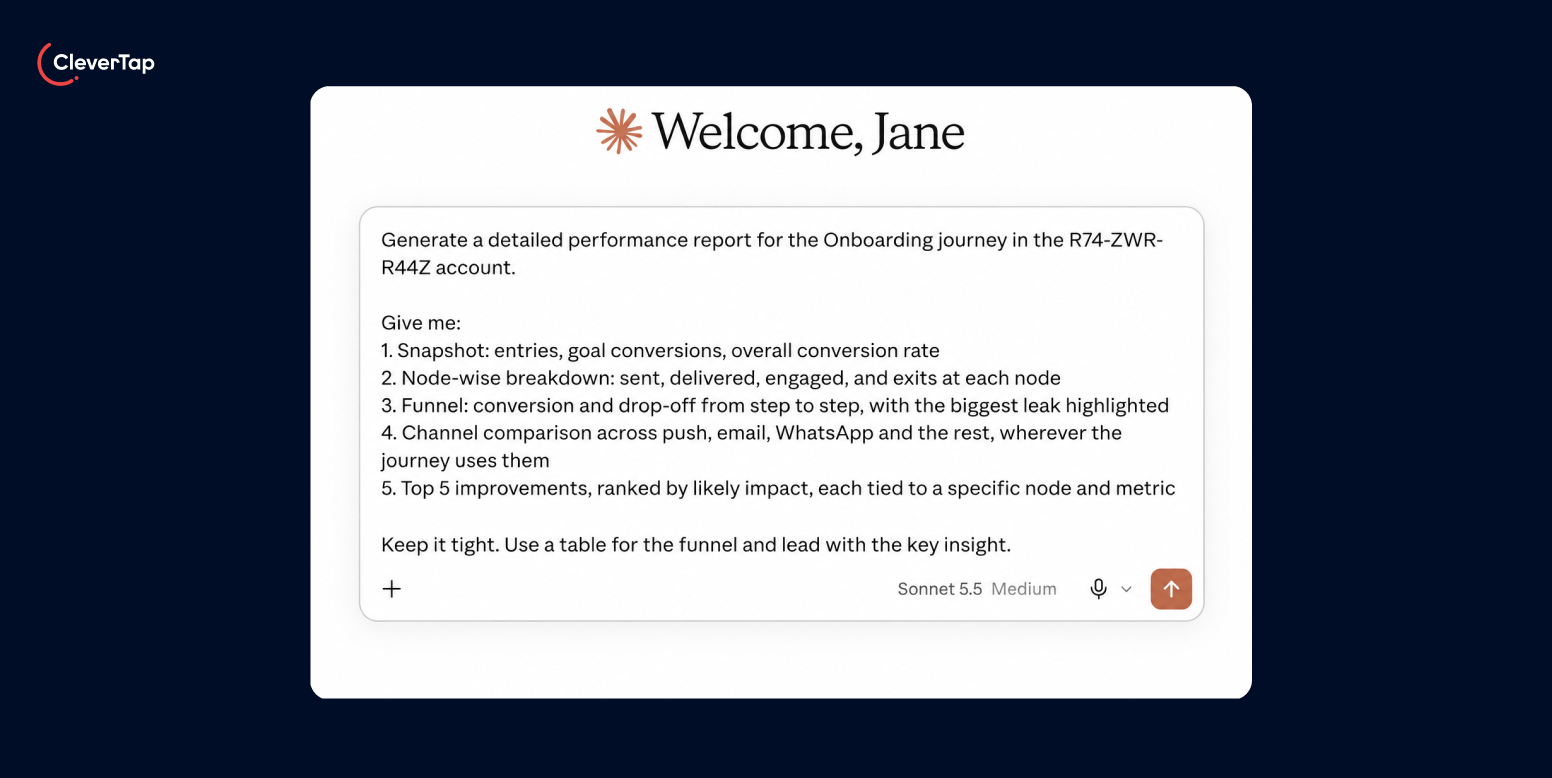
Consider a marketer looking to optimize an onboarding journey. Instead of manually examining multiple reports to identify where users drop off, they can simply ask their AI assistant:
“Analyze our onboarding journey over the last 30 days. Identify the nodes with the highest drop-offs, compare channel performance, and recommend the top five improvements.”
The result is faster identification of bottlenecks and more informed journey optimization.
2. Automate Weekly Campaign Performance Reporting
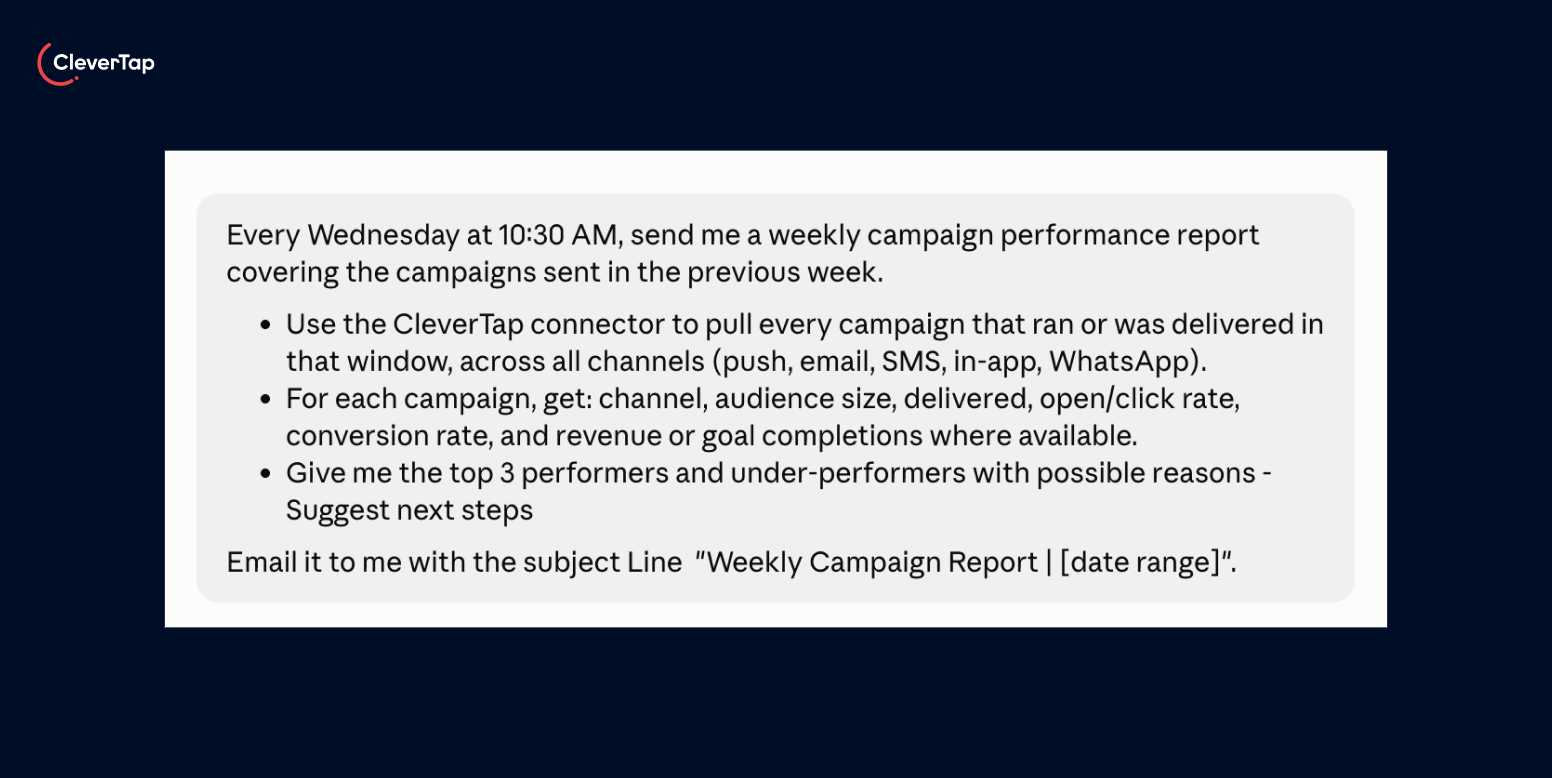
Preparing weekly campaign reports often involves manually collecting data, consolidating metrics, and identifying performance trends. With CleverTap MCP Server, marketers can schedule recurring reports through supported AI tools like Claude, delivered directly to their email or Slack, using a simple prompt:
“Every Wednesday, generate a report covering all campaigns from the previous week. Include key performance metrics, top-performing campaigns, underperformers, and recommended next steps. Email the report to me.”
The result is less time spent on manual reporting and better visibility into campaign performance.
3. Plan Your Next Sales Season
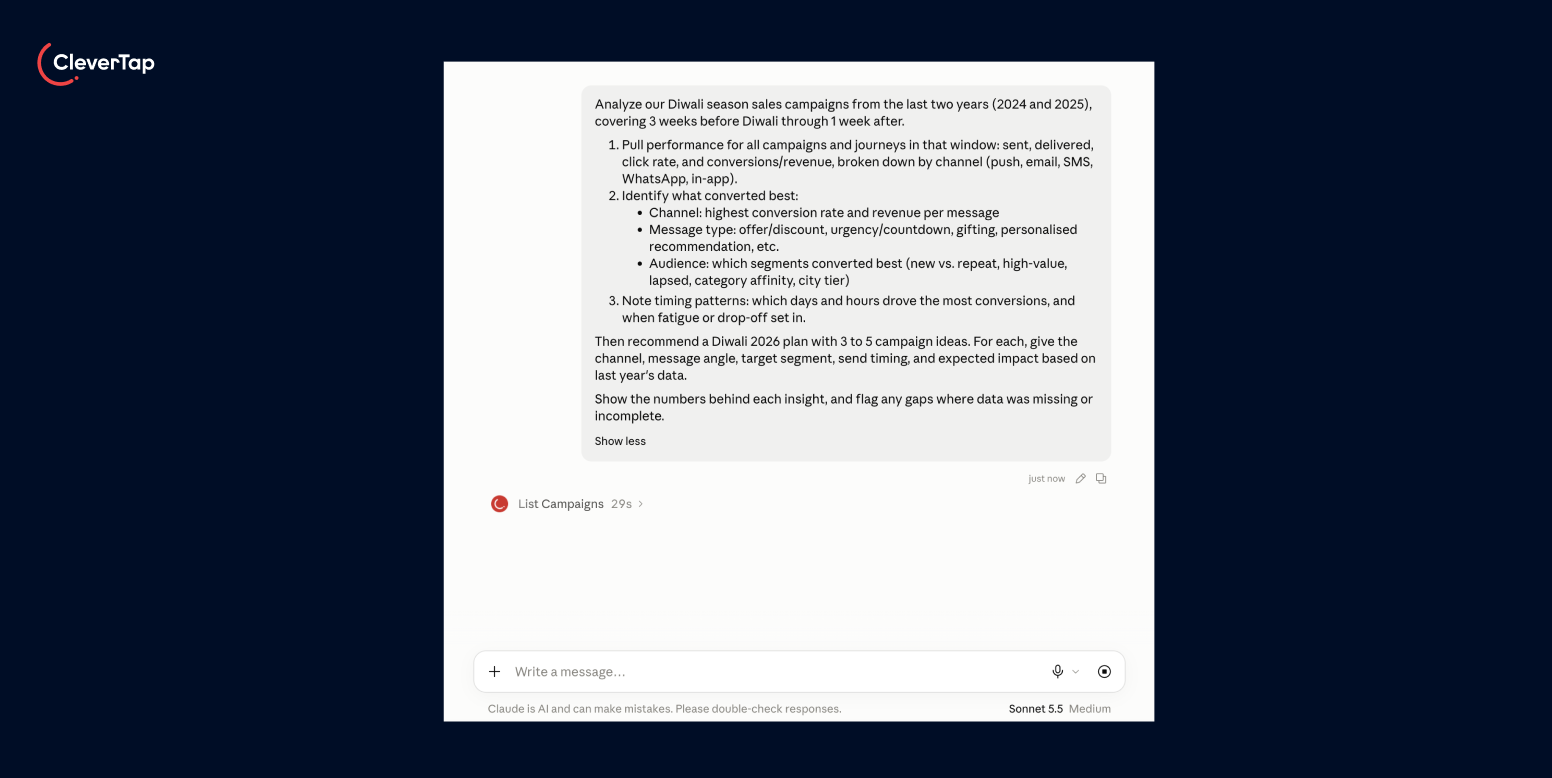
Planning seasonal campaigns requires understanding what worked previously. CleverTap MCP Server enables marketers to analyze historical campaigns, compare engagement and conversions, and identify the most effective channels, audiences, and offers, using the prompt:
“Analyze our Diwali campaigns from the last two years. Compare engagement, conversions, and revenue across channels, identify the best-performing audiences and offers, and recommend five campaign ideas for the upcoming sale.”
The result is faster, data-backed campaign planning to drive engagement and conversions.
Bringing Customer Intelligence into AI-Powered Workflows
CleverTap MCP Server complements the broader vision of CleverAI™, where customer intelligence, decisioning, and execution are natively connected to enable Live 1:1 Personalization.
By extending access to CleverTap intelligence and supported actions into external AI applications, the MCP Server helps marketers bridge the gap between insights and execution, making everyday marketing workflows more connected, efficient, and actionable.
Bring customer engagement intelligence into your AI workflows with CleverTap MCP Server.
Master Your Seasonal & Holiday Campaign Strategy
Looking for inspiration to boost engagement and retention during key commercial moments? Check out our strategy guides:
- Creative Campaign Inspiration: Best Christmas Marketing Campaigns | Christmas Advertisement Examples
- Seasonal Planning: Holiday Marketing Ideas | December Marketing Ideas
- High-Impact Promotions: Halloween Marketing & Promotion Ideas | Thanksgiving Promotions | New Year Campaign Ideas
Deliver Live 1:1 Personalization That Drives Higher Lifetime Value
Customer loyalty is built when engagement keeps pace with changing needs and behavior. With CleverTap’s AI-native Customer Retention Management Platform, powered by CleverAI™, you set the goals and guardrails while past context, live intent, and AI decisioning deliver Live 1:1 Personalization. Each outcome informs the next decision, helping curb churn, and maximize customer lifetime value.

Vibhav Agarwal 
Vice President - Product Marketing
Free Customer Engagement Guides
Join our newsletter for actionable tips and proven strategies to grow your business and engage your customers.