






































Table of Contents
Categories
Most Popular


Most teams recognize that push is a high-intent channel, yet messages still arrive at the wrong moment or place. You send a flash sale alert, and it lands when the user is asleep or stuck at home, miles from a store. The offer might be great, but if the context is off, it’s nothing but noise. That’s why personalized push notifications see 59% higher engagement than generic blasts. Users are more likely to act when the message matches their reality, and location adds a critical layer of context to make that relevance possible.
Most brands personalize only for who the user is. They completely ignore where users are or what they’re doing. Location provides the real-world context that standard audience segmentation misses, shifting a user’s interest into intent and intent into immediate action.
In this article, we’re going to break down how location-based push notifications work, what data makes them possible, and how to fix the delivery issues that typically hold teams back.
What Are Location-Based Push Notifications?
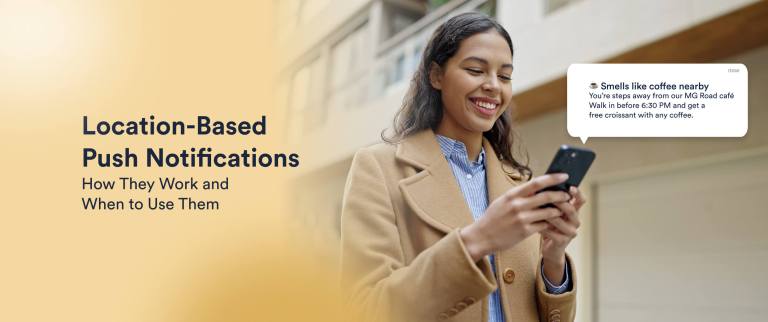
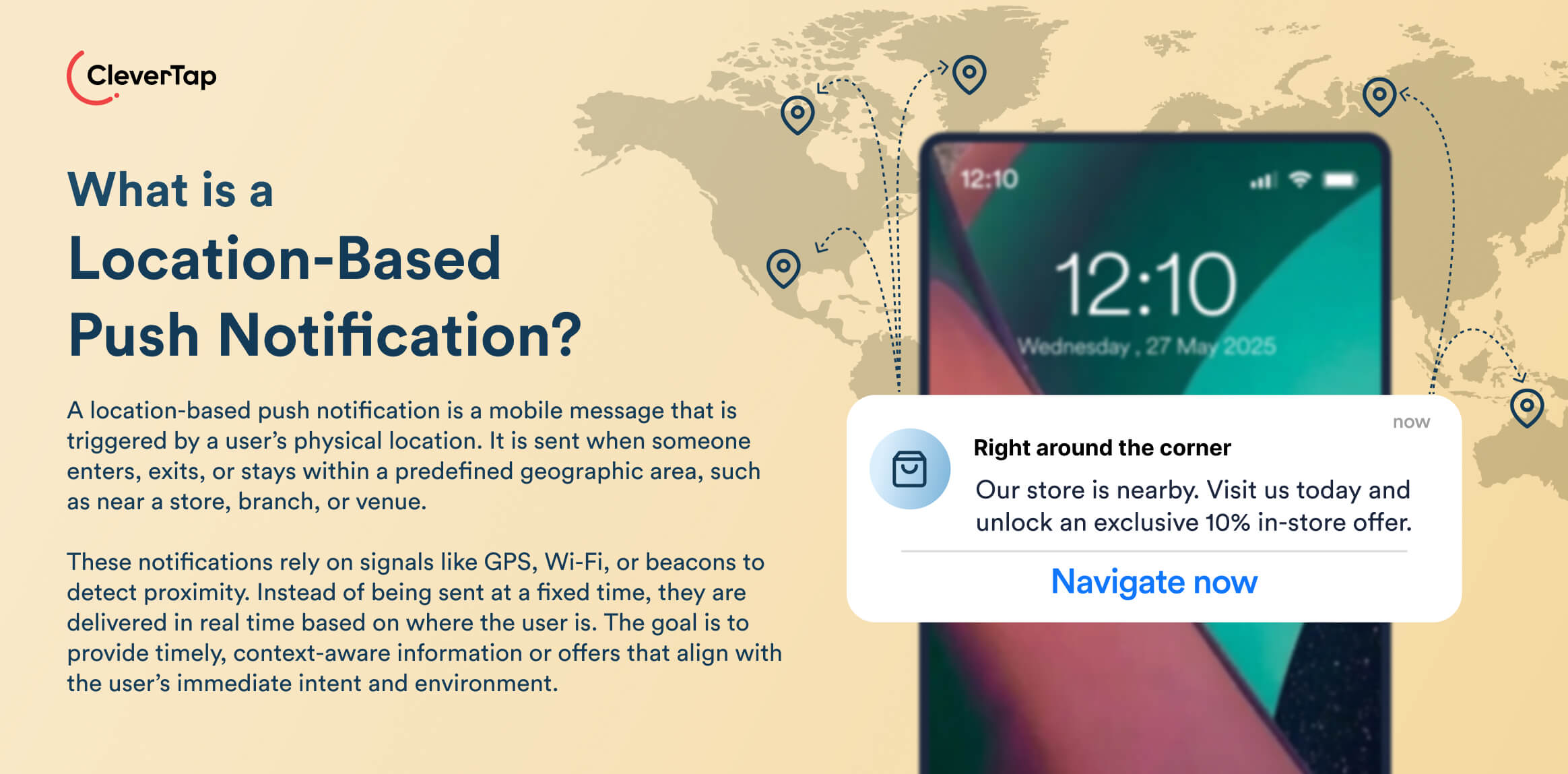
Location-based or geo push notifications are mobile messages that trigger when a user enters, dwells in, or leaves a defined area, whether that’s a retail store, an airport, or a neighborhood. They use signals like GPS, Wi-Fi, or Bluetooth to determine location and deliver messages when physical context makes the interaction more relevant.
How Location Adds Context to Engagement
Location adds context to engagement by identifying a user’s physical surroundings and likely readiness to act. It helps close the gap between interest and opportunity by showing whether the user is actually in a position to respond. This allows teams to send notifications when timing and context make action more likely.
In short, location data tells you whether the user’s environment is right for your message instead of you guessing their readiness.
- Moment-of-intent targeting: Traditional market segmentation tells you who a user is, but not when they’re ready to act. Location data pinpoints moments when users are physically near the environment where a relevant action can occur.
- Bridging online intent with real-world behavior: Behavioral analytics tell you when a user viewed a category or abandoned a cart. However, signals say little about their contextual readiness. With geofencing push notifications, you can trigger a reminder, offer, or nudge only when the user’s real-world location aligns with that intent, closing the gap between app behavior and footfall or purchase completion.
- Reducing message noise: Sending fewer, more timely push notifications reduces fatigue and opt-outs. Plus, location triggers let you easily attribute lift in dwell time, store visits, and conversions compared to broad segment pushes.
- Dynamic personalization beyond profile attributes: Location context lets CRM teams layer real-time signals like daypart, velocity, and movement patterns onto existing segments, generating richer customer states. This improves relevance for lifecycle orchestration and increases engagement precision across journeys.
Examples of Everyday Location-Based Experiences
The examples below show how location push notifications empower mobile engagement beyond surface touches.
Proximity-Aware Ordering
Coffee and QSR brands use location to ensure your order is fresh the moment you walk in. They usually use advanced apps that rely on isochrones (travel time polygons) instead of standard circular geofences.
Their app creates a dynamic boundary based on current traffic conditions. The SDK fires a specific event tag to the order management system once your device breaches that perimeter. As a result, the kitchen knows exactly when to start prepping the order.
Geo-Triggered Pickup Enhancements
Retailers use geo-triggered pickup notifications to alert staff the moment you pull into the parking lot. Their system uses high-precision polygon geofencing drawn tightly around the store’s parking lot. The app wakes up in the background and hits an API endpoint once the operating system detects an enter event. This webhook instantly updates the staff. The system also checks for a dwell event to filter out users just driving past the lot versus customers who have actually parked.
Contextual Passes and Footfall Incentives
Retailers use contextual passes to intercept high-value shoppers as they approach a store. They use a real-time customer segmentation layer to filter the crowd instead of sending a generic message to everyone nearby.
When the geofence triggers, the platform cross-references the location signal with user attributes like LTV or recent purchase history. Then, the campaign engine fires the offer for qualified users.
Next, let’s walk through how live location data, engagement rules, and triggers work together behind the scenes.
How Location-Based Push Notifications Work Step by Step
Location-based push notifications rely on the mobile operating system to monitor location. The OS tracks geofences or beacons at the system level to minimize battery usage. When a device enters a defined boundary, the OS wakes an app’s SDK to record the event. The OS then evaluates predefined targeting rules and delivers the notification. Since this logic runs at the OS level, you can trigger notifications even if the app is closed or the device is locked.
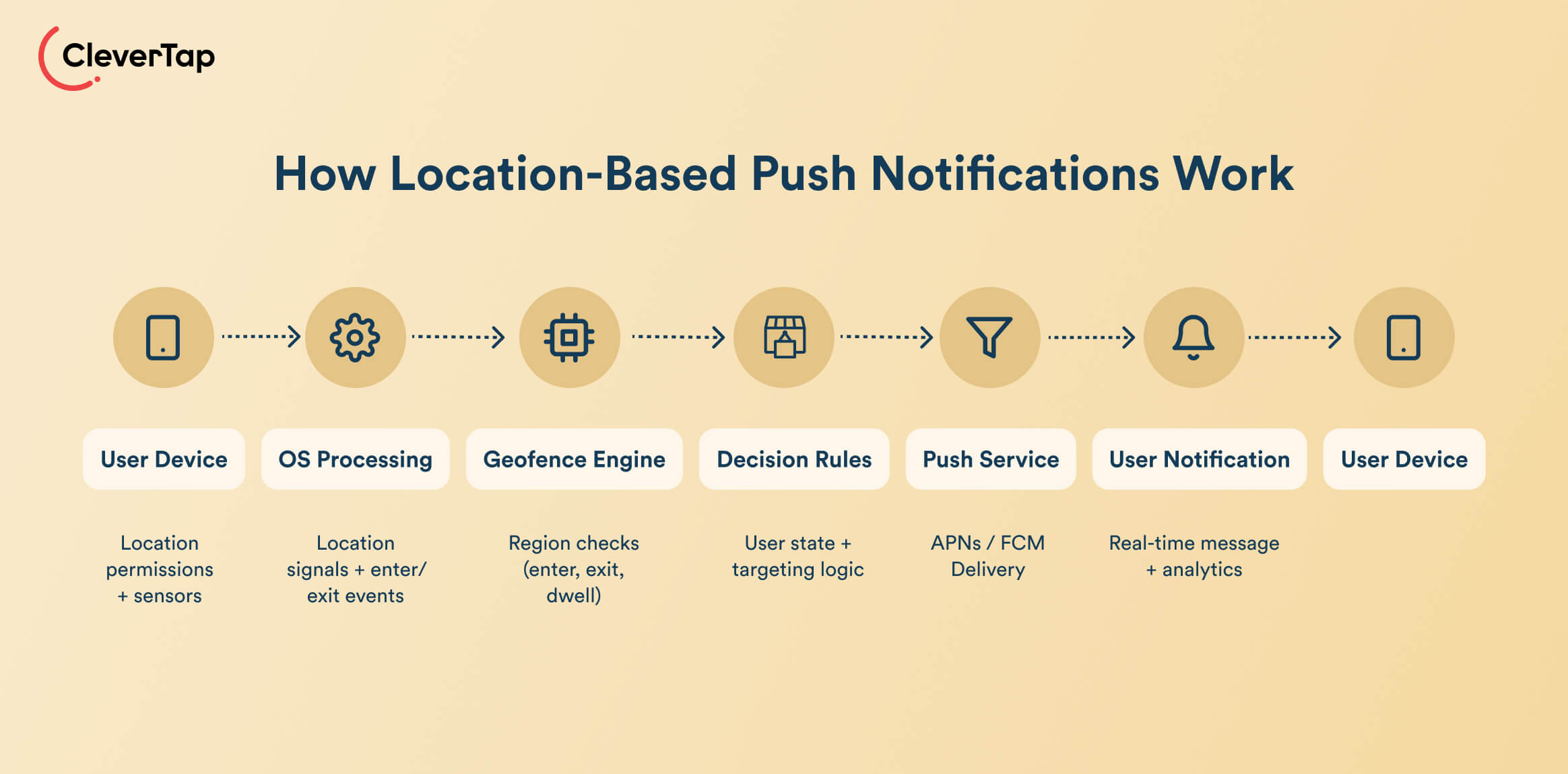
Step 1: User Grants Location Permission
On iOS, users choose whether an app can use location while using the app or always, and whether to share a precise or approximate location, which can be as broad as a ~3 km² area.
On Android, apps request foreground vs background location along with precise vs approximate access. Plus, background access is required for geofences that must work when the app is closed.
The level of permission you earn directly controls how tight your geofences can be and where location-based push notifications are even viable.
Step 2: Device Collects Location Signals
Once the required permissions are granted, the operating system begins collecting the user’s location from different sources. It uses:
- GPS: Offers high precision outdoors and increases battery cost
- Wi-Fi positioning: Ideal for dense urban or indoor environments
- Cell-tower triangulation: Can be coarser but cheaper
- Bluetooth beacons: Offer excellent aisle- or zone-level proximity signals
Modern stacks blend these signals to balance accuracy with battery life. Your marketing team must assume variable precision, especially indoors or in low-signal areas.
Step 3: App or SDK Receives Location Updates
An application’s SDK registers specific regions along with latitude, longitude, and radius. The OS monitors these regions at the system level.
When a device crosses a boundary, the OS launches the app in the background for a few seconds. This is a fleeting window of execution time where the SDK must fire the event before the app is suspended again.
Both Android and iOS impose limits in terms of how many regions you can monitor for each app. The SDK usually uses a dynamic rolling window to swap nearest geofences into the OS registry as the user moves.
Step 4: Geofence or Proximity Zone Detects Entry or Exit
A geofence is defined by a latitude and longitude coordinate, along with a radius. For example, you can create a geofence 150–300 meters around a store, or a tighter radius around a pickup bay. The OS or SDK watches these zones and fires transitions like ENTER, EXIT, or DWELL when a device crosses the boundary. To avoid spamming people passing by, they also monitor if a device remains inside for a configured loitering delay.
Step 5: Trigger Conditions Evaluate Context and User State
An enter or exit event alone doesn’t guarantee a push. The geo event is usually passed into a server-side or on-device rules engine that checks:
- Segmentation and membership
- Recent behaviors (last session, last purchase, etc.)
- Journey stage
- Frequency caps
- Quiet hours
- Consent flags
Here, you layer rules like targeting loyalty members, avoiding repeat messages, or assigning experiment variants, making location one input in a broader decision system rather than the sole trigger.
Step 6: Notification Delivered in Real Time
Approved triggers generate a push payload and send it via APNs (iOS) or FCM (Android). These services maintain live device connections. As a result, location-based push notification delivery remains near-instant when users are online, and analytics capture downstream behavior for attribution.
Types of Location-Based Push Notification Triggers
Businesses use several types of location-based push notification triggers, each designed to detect movement and context in a different way. Here’s how each type works.
1. Geofence Entry Triggers
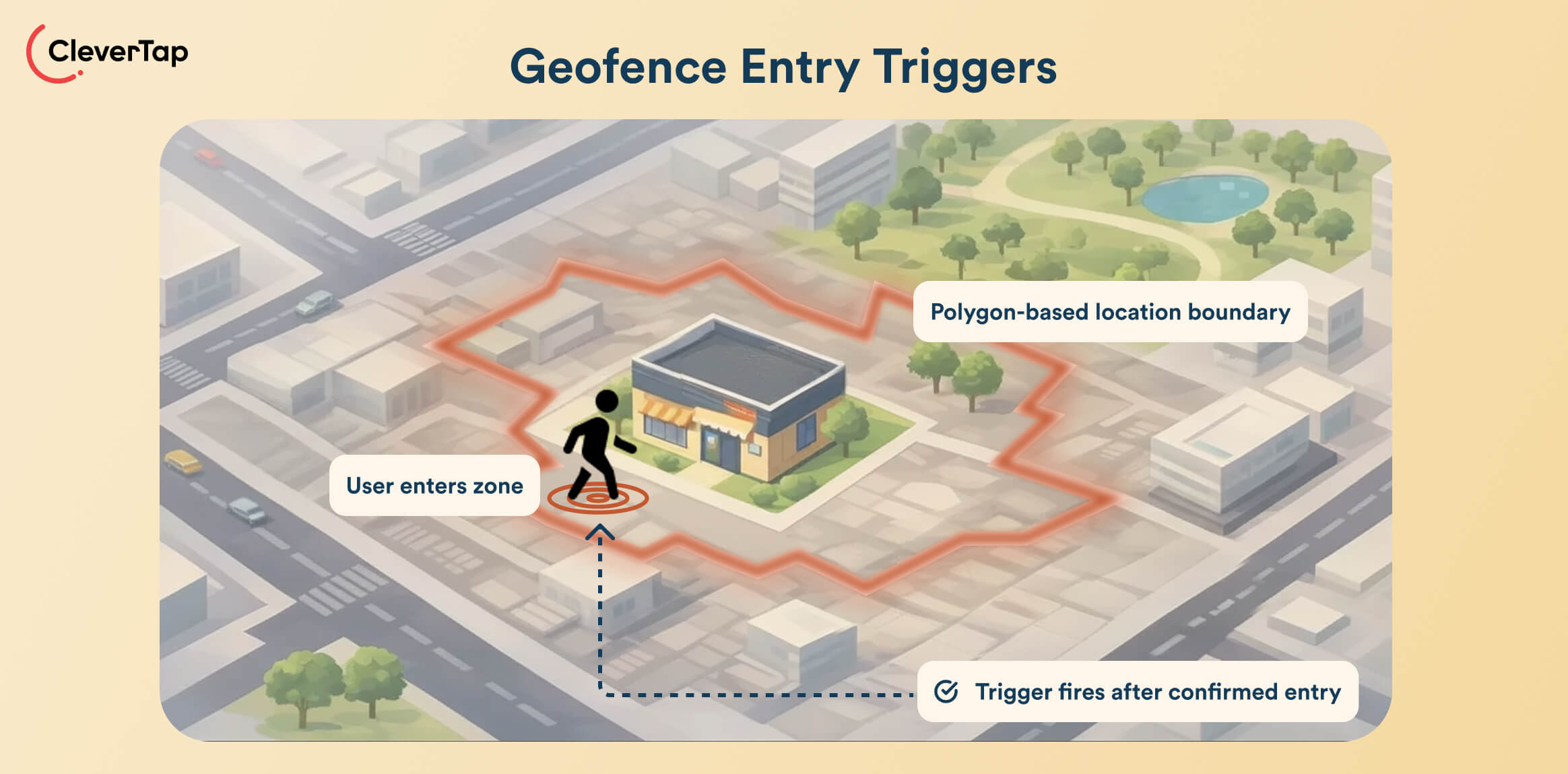
These fire the moment a user enters a virtual boundary around a store, venue, or region. Many platforms use a simple radius of 200 meters around a point. More advanced implementations use polygons to map the actual footprint of each location.
Geofence entry triggers rely on the operating system’s background region monitoring. The OS usually waits for a Wi-Fi handshake or sustained GPS movement before waking up the app to fire the trigger. These triggers are ideal for high-intent moments like curbside pickup alerts and welcome offers.
2. Geofence Exit Triggers
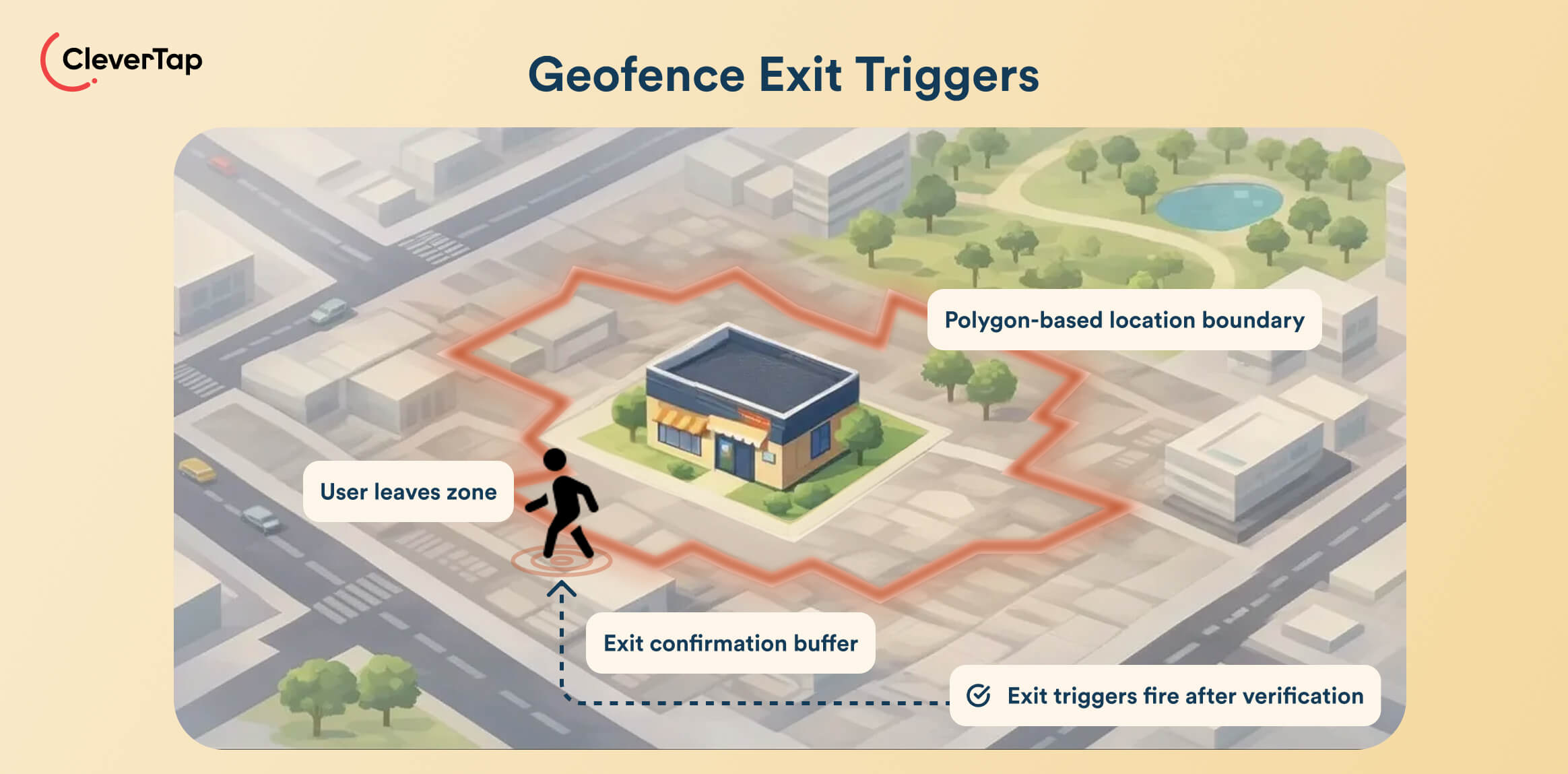
These triggers fire when a user leaves a defined area. In most cases, the OS applies a debounce buffer to confirm that the user has actually exited the zone. Most apps process exit triggers with lower priority to save OS power. This type of location-based trigger is ideal for initiating feedback requests, reminders for forgotten items, and thank-you messages.
3. Proximity-Based Triggers Using Beacons
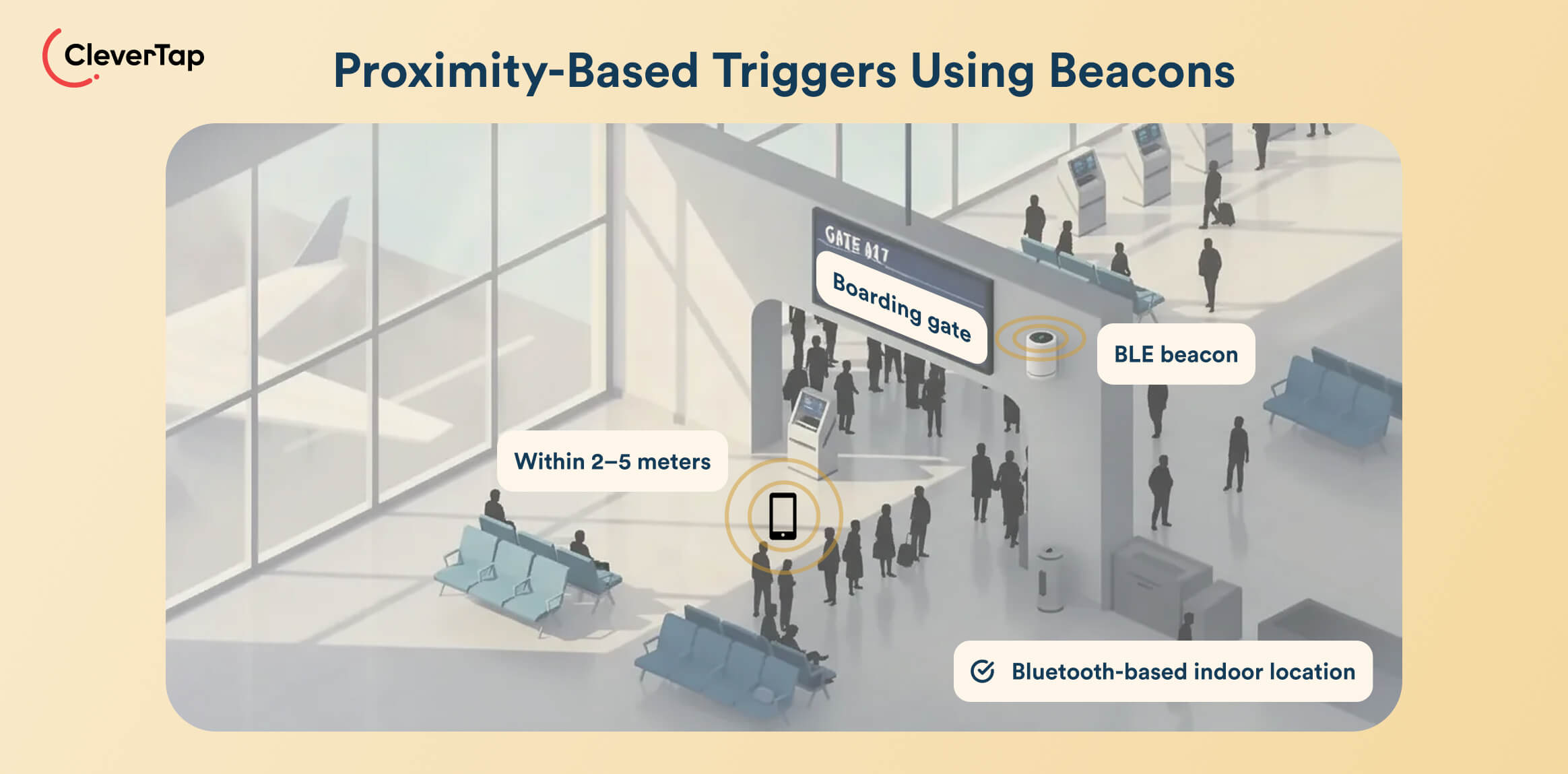
Beacon-based proximity triggers work where you can’t use GPS signals. These triggers use on-site Bluetooth Low Energy (BLE) hardware to detect beacon signals and determine location down to a few meters.
Beacon-based location requires Bluetooth to be enabled on the user’s device. The app scans for specific BLE universally unique identifiers (UUIDs) corresponding to aisles, boarding gates, or checkout counters. These triggers are suitable for notifying users at the boarding gate, automatically sending loyalty cards at checkout, or guiding shoppers to a precise in-store aisle.
4. Dwell Time Triggers
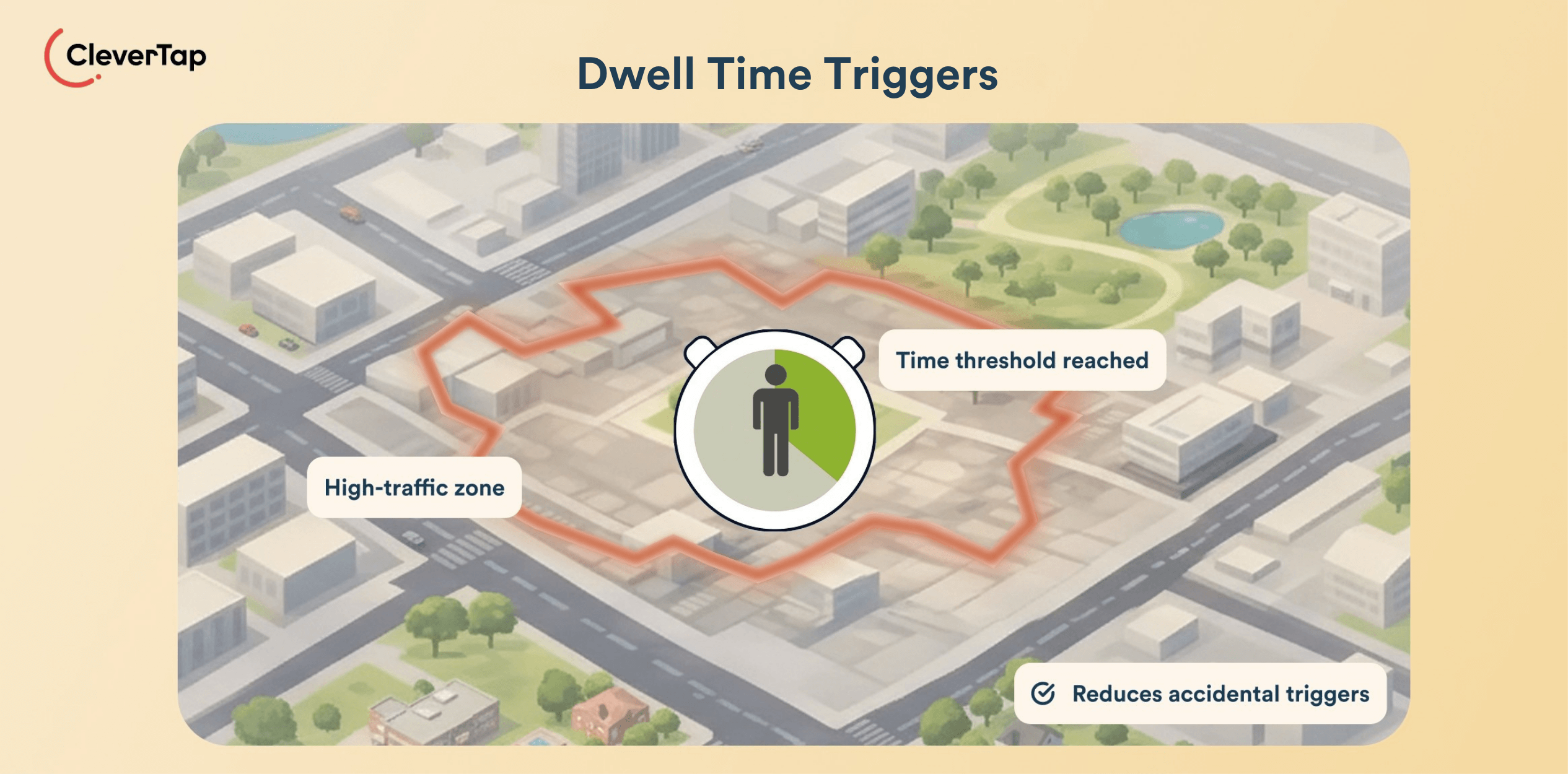
These activate only if a user remains inside a geofence for a set period, reducing accidental triggers from people simply passing by. Dwell time triggers are ideal for high-traffic zones like malls or event spaces where intent strengthens over time.
5. Recency-Based Location Triggers
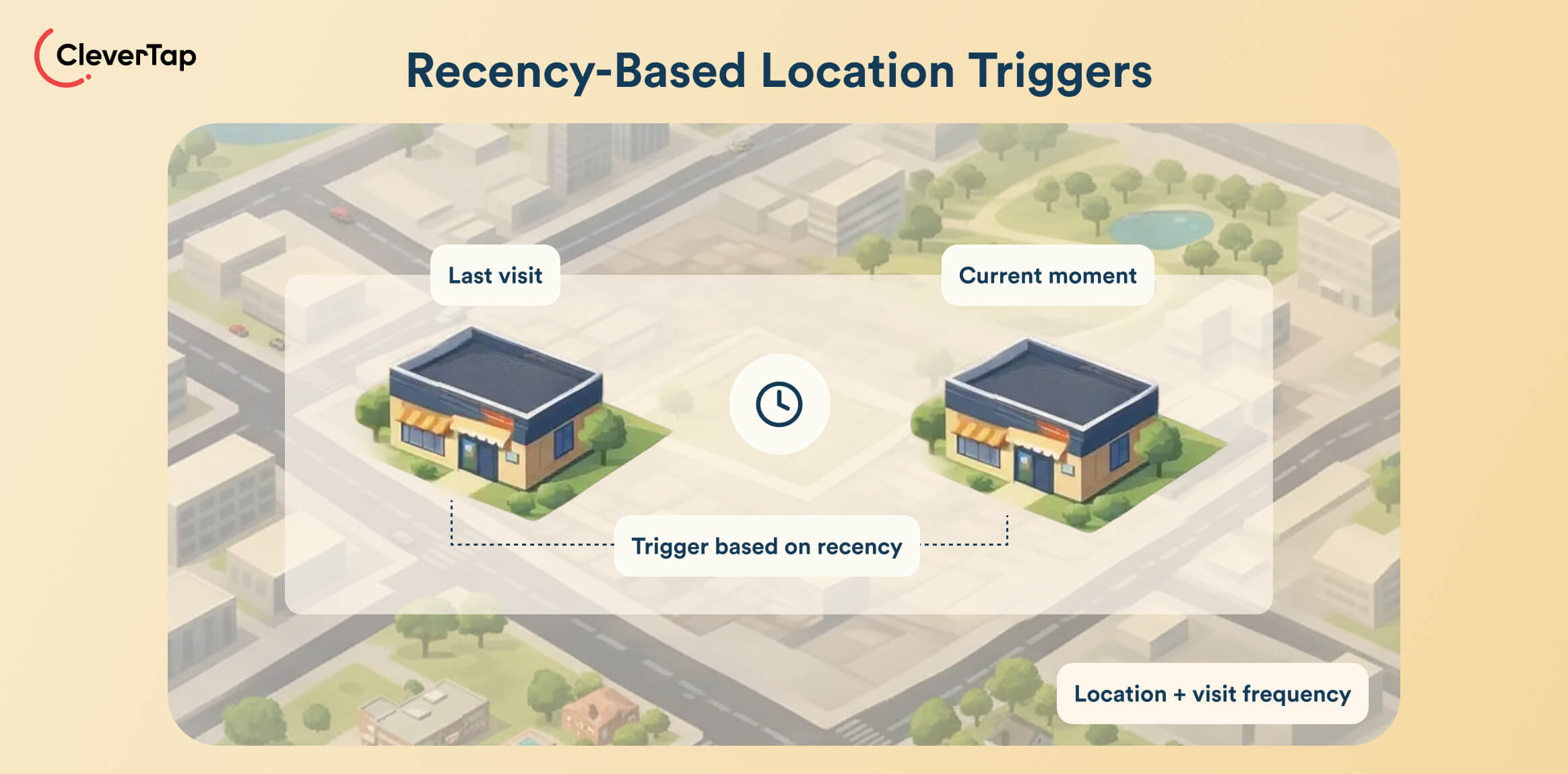
These triggers consider whether a user visited a location recently and tailor messaging based on that history. Recency-based location triggers enable retargeting moments like replenishment reminders, loyalty upsells, or welcome back nudges tied to visit frequency.
6. Hybrid Triggers Combining Behavior and Location
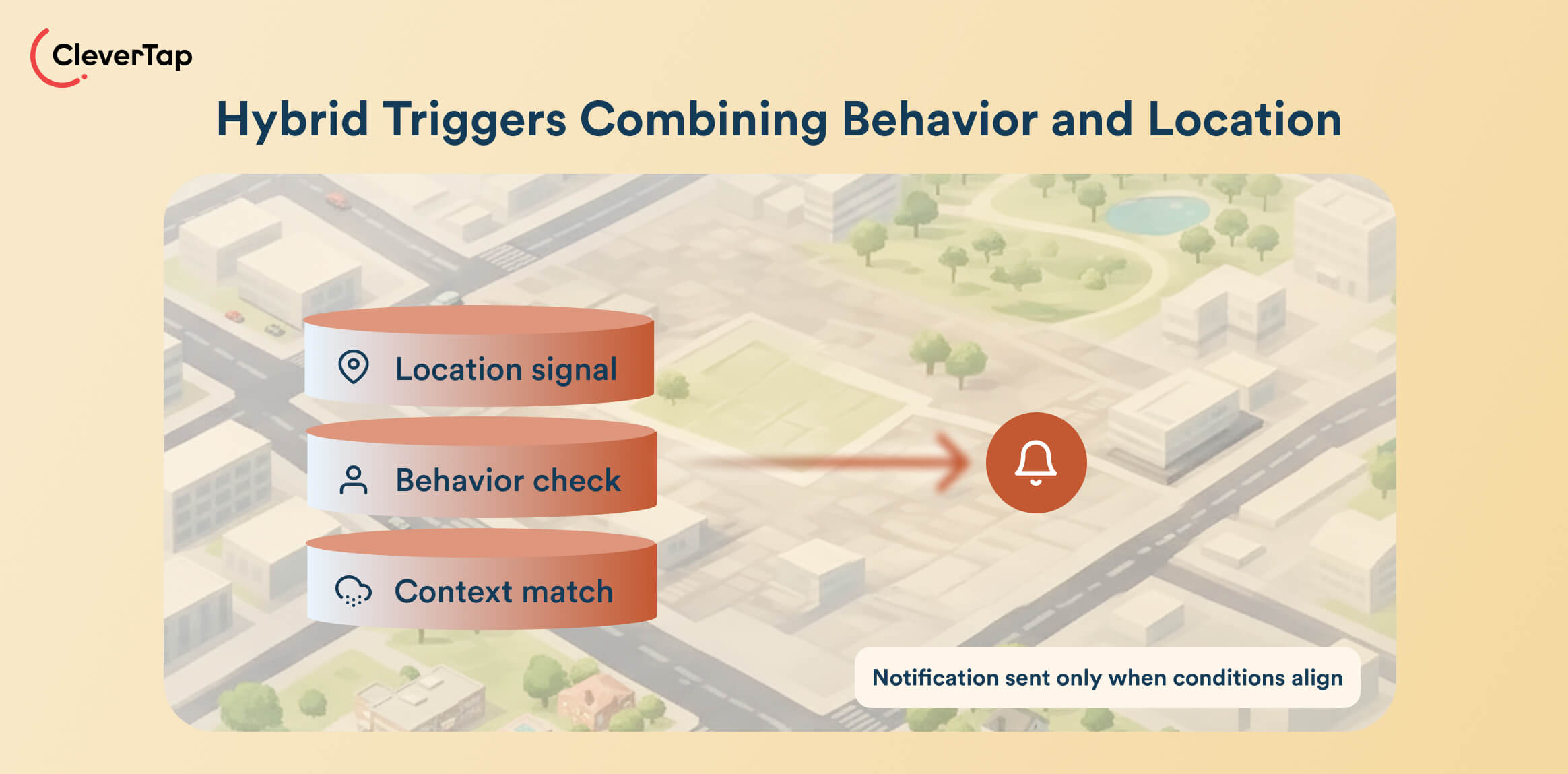
Hybrid triggers combine location data and behavioral signals to amplify or suppress push notifications. Once the event fires, the SDK checks for secondary conditions like purchase history, inventory availability, weather, and time window. The user receives a notification only when they match one of the combinations of location data and behavior signals. These triggers are ideal for happy hour notifications.
Data Required for Effective Location-Based Notifications
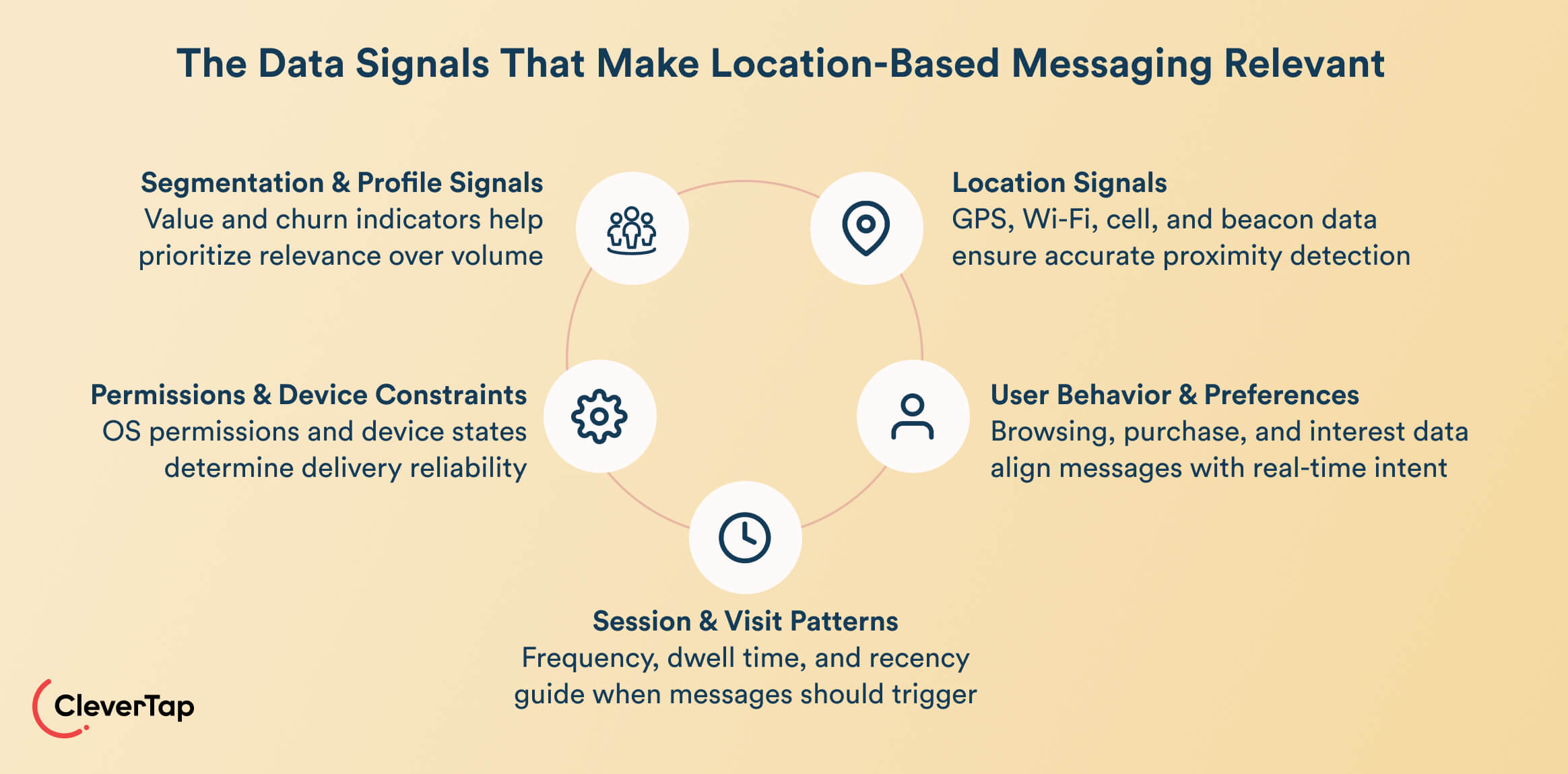
You need a combination of locational signal, user preferences, visit patterns, and device permissions to send effective geo push notifications.
Location Signals
GPS, Wi-Fi, cell networks, and Bluetooth beacons tell the system where the user is and how precise the trigger should be. They determine proximity, movement, and whether the user is in a position to act.
The operating system usually provides a confidence circle based on the user’s location data. You should ideally suppress the message if confidence is way too low. Otherwise, you’ll end up welcoming users to the store when they are actually at the coffee shop next door.
User Behavior and Preferences
Browsing history, past purchases, favorited items, and content interests help you tailor the location-based notification message.
Behavioral context links a user’s physical location to their intent by checking their digital activity the moment an event occurs. For example, when a user visits the store, the system combines on-site presence with online actions like product views, cart state, and category affinity. This combination ensures your offer aligns with the user’s previous shopping patterns and behavior.
Session and Visit Patterns
Signals like store visit frequency, dwell time, and last app session show whether the user is exploring, returning, or ready to engage again. These data points help you create interactions that feel more adaptive than repetitive.
For example, users who enter, transact, and leave quickly may benefit from immediate messaging. On the contrary, users with longer browsing sessions may want delayed or context-aware notifications.
Permissions, OS Constraints, Device Factors
Message delivery also depends on the device and operating system to a great extent. You must consider certain OS constraints, permissions, and device factors.
For example, background app refresh must be enabled for the app to update content when the location changes. Devices with low power modes can suspend background location monitoring to conserve battery.
You’ll also need platform-specific notification permissions. For example, iOS push notifications or time-sensitive alerts, which allow critical alerts to bypass Focus modes. An efficient location-based push notification system checks all these constraints and applies fallback methods like deferring delivery until the app is foregrounded.
Segmentation and Profile Attributes
Finally, profile metrics like predicted customer lifetime value and churn probability help you prioritize relevance over volume. For example, you may not need to send aggressive discounts to high-value, loyal customers. At the same time, lapsed users may require incentives for you to win them back.
Real-World Examples of Location-Based Push Notifications
Geo-targeted push notifications become powerful when they’re tied to concrete journeys that move users from nearby to active. Here’s how different industries use it, with triggers your team can replicate.
Retail
Lenskart, with over 500 offline stores, uses geofencing and triggered campaigns to nudge customers who are physically near a store to check out the latest products and offers. Tying location proximity to personalized push messaging helps bridge the online-to-offline experience. Plus, it increases both foot traffic and conversion potential by catching customers when they’re most receptive.
Food Delivery
Faasos, one of India’s largest food delivery apps, used CleverTap Journeys to send timely push reminders to users who added items to their cart but didn’t complete the order within a mealtime window. CleverTap’s automation allowed Faasos to trigger messages only when the context aligned, helping improve order completion rates by 7%.
Travel and Hospitality
Cleartrip used CleverTap’s RFM segmentation to engage 10+ million users with personalized travel messages, improving cross-sell performance across flights, trains, and hotels. The same RFM logic can also support airport or hotel location triggers, sending check-in alerts or service prompts the moment a traveler arrives on-site.
Events and Entertainment
With CleverTap, BookMyShow boosted engagement and lifted conversions by over 50% by tailoring messages to each user’s interests. Location triggers can enhance this further: notify fans as they enter the venue, offer instant seat upgrades when they’re close to their section, or deliver timely upsells as they move around the space.
Mobility and Ride Hailing
SafeBoda used CleverTap to automate personalized onboarding and re-engagement campaigns, driving a 75% retention rate and strong conversion from first-ride prompts. The same setup can incorporate location-based push notifications, like alerts when a rider reaches the pickup area or updates when routes change, to make the mobility experience even more timely.
Location-Based Push vs Behavior-Based Push
Location-based push focuses on where a user is in the real world, while behavior-based push focuses on what the user has done inside the app. Both unlock different forms of relevance, and the strongest mobile app engagement happens when they work together.
| Location-based Push | Behavior-based Push | |
| Primary trigger | Real-time movement: enter/exit geofence, dwell time | User actions: browse, purchase, search, add to cart |
| Personalization depth | High in the moment, tied to physical opportunity | High over time, based on preferences and intent |
| Data dependency | Permissions and OS signals | App analytics and user history |
| When it works best | Right-place, right-time nudges | Lifecycle journeys and habit-building |
Location triggers excel at converting intent into action by catching users when they can actually visit a store, pick up products from stores, or enter a venue. Behavior triggers drive retention and relevance by shaping long-term habits based on meaningful signals like frequency, recency, and interest.
Behavior data tells you who the user is and what they’re interested in. Location data tells you when the moment is right. When both signals align, for example, a user who recently browsed running shoes walks past a store that sells them, the system automatically triggers a push that’s relevant and actionable right now.
Privacy, Permissions, and User Trust
Geo-targeted push notifications work best when users feel in control of how their location data is used. Trust depends on clarity, timing, and respect for personal boundaries.
Permission UX Best Practices
Ask for location access at the moment it makes sense, for example, right before enabling curbside pickup or store finder, not during onboarding when trust is low. iOS and Android now split location into precise vs approximate and foreground vs background. That’s why request only what your use case actually requires. Provide fallback behaviors for users who decline.
Explaining Value and Transparency
Use a short pre-permission screen that states the benefit in plain language, such as ‘We’ll notify you when your order is ready as you arrive.’ Users are more comfortable sharing data when they understand how it’s used and can easily change their settings. Link directly to privacy controls and avoid legal jargon.
Frequency Capping and Sensitivity Considerations
Cap frequency, ideally one or two geo-triggered pushes per day, and set stricter weekly controls to prevent fatigue. Avoid overly personal or sensitive locations and always provide opt-outs for specific geofences or campaigns. This balance of relevance and restraint is what sustains long-term trust.
Common Challenges and How to Solve Them
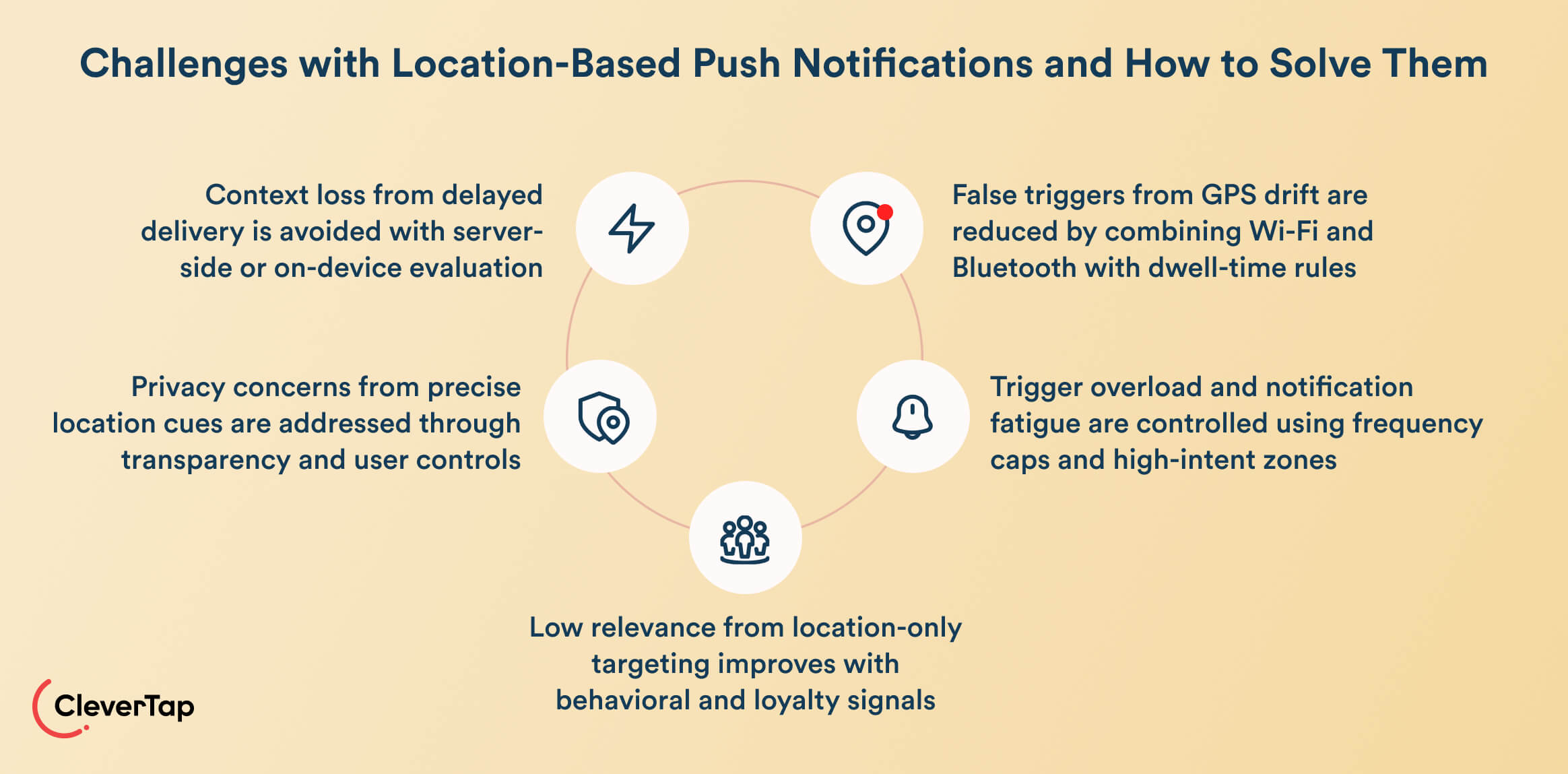
Common challenges of location-based push notifications include trigger overload, poor audience segmentation, geofence accuracy issues, and latency and delivery speed
Geofence Accuracy Issues
GPS can drift indoors or in dense urban areas, causing false triggers. Consider improving accuracy by blending Wi-Fi and Bluetooth signals where available, and set sensible dwell time rules so notifications only fire when users truly remain within a zone.
Trigger Overload
Too many alerts, especially from overlapping geofences, lead to fatigue and opt-outs. Use frequency caps, prioritize high-intent zones, and suppress campaigns when the user has recently acted or is already in an active journey.
Poor Audience Segmentation
A location event doesn’t always equal intent. Add behavioral filters (recent browsing, purchase history, loyalty status) before firing a message, so notifications feel relevant to the individual.
Privacy and Perception Risks
Surprising users with hyper-precise location cues can feel invasive. Be transparent about how location is used, avoid messaging tied to sensitive places, and provide obvious controls to adjust or pause location-based alerts.
Latency and Delivery Speed
If messages arrive minutes after the moment, context is lost. Run evaluation logic server-side or on-device where possible, reduce dependency on heavy network calls, and use push gateways optimized for real-time delivery.
How to Solve Push Notification Delivery Issues on Android
Many location-based push notifications fail on Android, even when the notification is technically delivered. The message is handed off to Firebase Cloud Messaging (FCM), but never appears on the user’s screen. This gap between delivery and rendering is especially common on devices with aggressive battery optimizations or background restrictions, where apps that haven’t been recently opened are deprioritized by the OS.
Common causes include:
- OEM-specific background limitations (for example, on Xiaomi, OPPO, and Vivo)
- Interrupted FCM connections due to poor connectivity
- Battery-saving modes that kill background processes before a notification can render
These issues distort campaign performance and leave users unaware of key alerts.
RenderMax, CleverTap’s enhanced push delivery technology, addresses these challenges by adapting to the device’s state. Its SDK detects whether the app is idle or restricted and intelligently wakes just enough of the app context to render the notification, even under battery-optimization regimes. RenderMax also uses fallback pull notification mechanisms to retrieve missed messages when connectivity resumes.
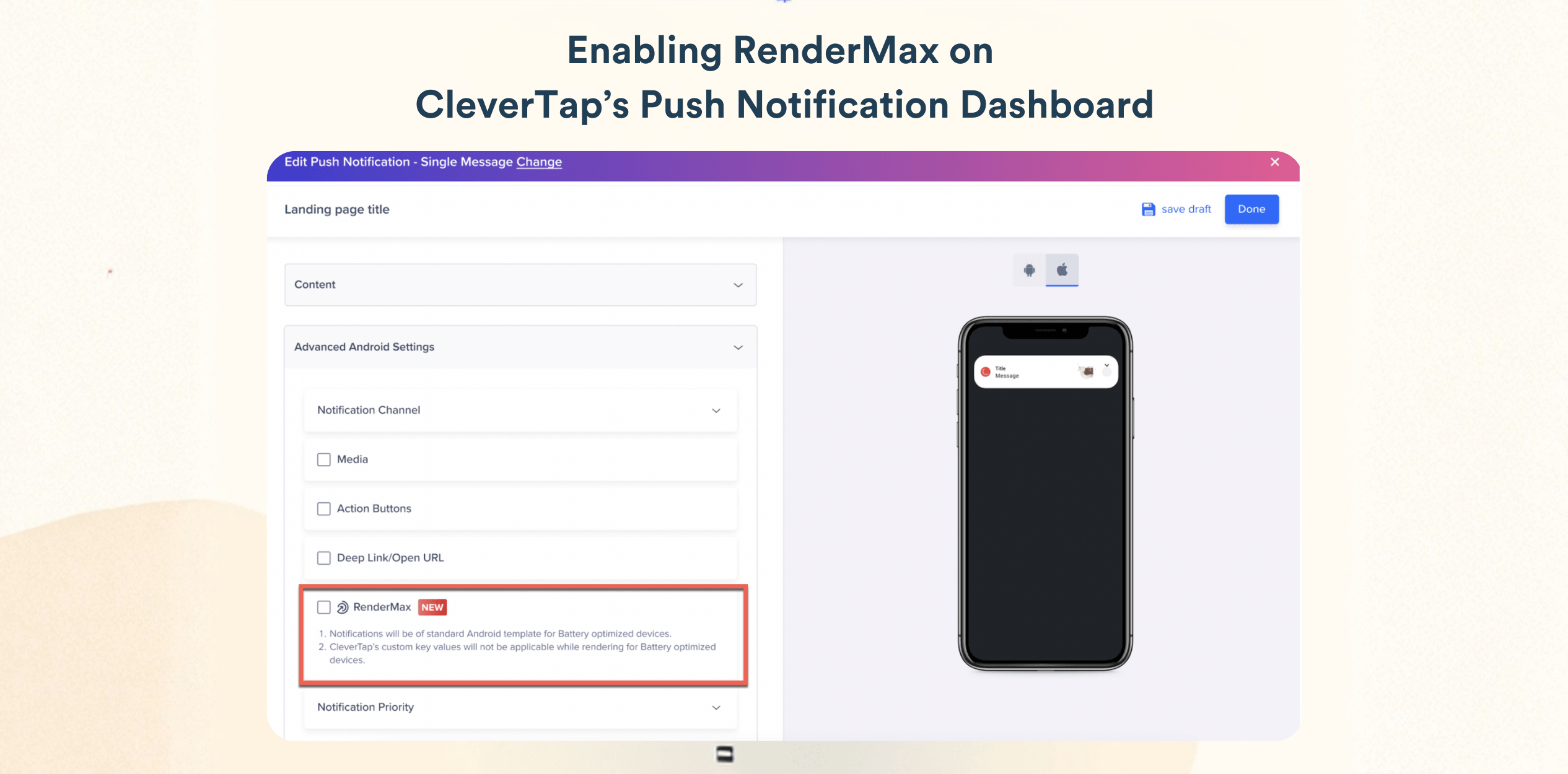
With RenderMax, far more Android users actually see the notifications they’ve opted into, which leads to stronger engagement, higher retention, and better campaign ROI.
How CleverTap Helps You Send Effective Location-Based Push Notifications
CleverTap is an all-in-one customer engagement platform built for B2C brands to deliver real-time, personalized messaging across the entire customer lifecycle. For location-based campaigns, CleverTap combines geofencing, behavioral segmentation, and push delivery optimization so teams can trigger notifications when proximity, timing, and user intent align.
Real-Time Geofencing Campaigns
CleverTap enables marketers to create virtual boundaries around physical locations such as stores, venues, or service zones using geofences defined by latitude, longitude, and radius. When users enter or exit these geofences, CleverTap can trigger push notifications instantly.
Geofences can be organized into clusters, allowing brands to manage large numbers of locations across regions. Campaigns can be triggered in real time when users cross a boundary, or scheduled as follow-up notifications hours or days after the geofence event. These triggers also generate system events such as Geocluster Entered and Geocluster Exited, which can power segmentation, analytics, and retargeting.
These events also become part of the user’s behavioral profile, allowing marketers to build segments based on store visits, location frequency, or proximity patterns.
Location-Based Audience Segmentation
Beyond real-time triggers, CleverTap allows marketers to segment audiences using geographic attributes when building campaigns. Teams can target users by country, region, or city, or define a specific location radius around a place to reach users nearby.
This makes it possible to run location-aware promotions, regional announcements, or proximity campaigns while combining geography with behavioral attributes such as purchase history, app activity, or lifecycle stage.
Combining Location With Behavioral Journeys
Location signals alone do not always indicate user intent. CleverTap’s Journey builder allows marketers to combine location events with behavioral signals, profile attributes, and lifecycle stages to create more intelligent engagement flows.
For example, a user entering a store geofence can receive a notification only if they recently browsed a relevant product category or belong to a loyalty segment. This ensures location-based notifications remain relevant instead of becoming generic proximity alerts.
Personalizing Messages With Location Data
CleverTap also enables marketers to personalize messages using location intelligence through Linked Content and Liquid tags. This allows campaigns to dynamically insert contextual information such as the nearest store name or nearby service locations, directly into push notification copy.
With location-aware personalization, notifications can feel contextual rather than promotional, improving engagement and increasing the likelihood of action.
Extending Location Intelligence With Integrations
CleverTap can also integrate with location intelligence partners to enrich campaigns with additional context. For example, integrations with platforms like Radar enable brands to trigger messages based on nearby places or service locations, while weather data providers can power campaigns tied to local weather conditions.
These integrations allow marketers to move beyond simple geofences and create campaigns informed by broader environmental context.
Improving Push Delivery Reliability
Location-based triggers only work if notifications actually appear on users’ devices. CleverTap improves delivery reliability through technologies like RenderMax, which increases push notification render rates on Android devices affected by aggressive background restrictions or battery optimizations.
By ensuring more notifications are successfully displayed, brands can protect the value of time-sensitive location triggers and deliver engagement when it matters most.
Turn location signals into real-time engagement. See how CleverTap helps you trigger smarter, context-aware push notifications.
Turn Location Context Into Better Push Performance
Location-based push notifications work best when they combine timing, proximity, and user intent. When location signals are layered with behavior and lifecycle context, brands can move from broad messaging to timely engagement that feels useful in the moment. Teams that get this right do more than improve relevance. They create better customer experiences and stronger conversion opportunities.
With CleverTap, marketers can combine these signals to trigger more relevant notifications and deliver engagement when it matters most. If you’re ready to turn proximity into performance, schedule a demo to see how CleverTap brings location-aware engagement to life.

Sagar Hatekar 
Leads product managementExpert in Marketing Analytics & Engagement platforms.
Free Customer Engagement Guides
Join our newsletter for actionable tips and proven strategies to grow your business and engage your customers.