















































Table of Contents
Categories
Most Popular


Email bounces occur when a delivery attempt fails, and the message is returned to the sender. Left unmanaged, that number quietly chips away at your sender reputation and inbox placement. Understanding hard bounce vs. soft bounce behavior determines how you respond, and getting that wrong means bloated suppression lists, ISP throttling, and deliverability damage that compounds over time.
This guide covers the definitions, causes, and a step-by-step response framework to help you handle both with precision.
What is a Hard Bounce?
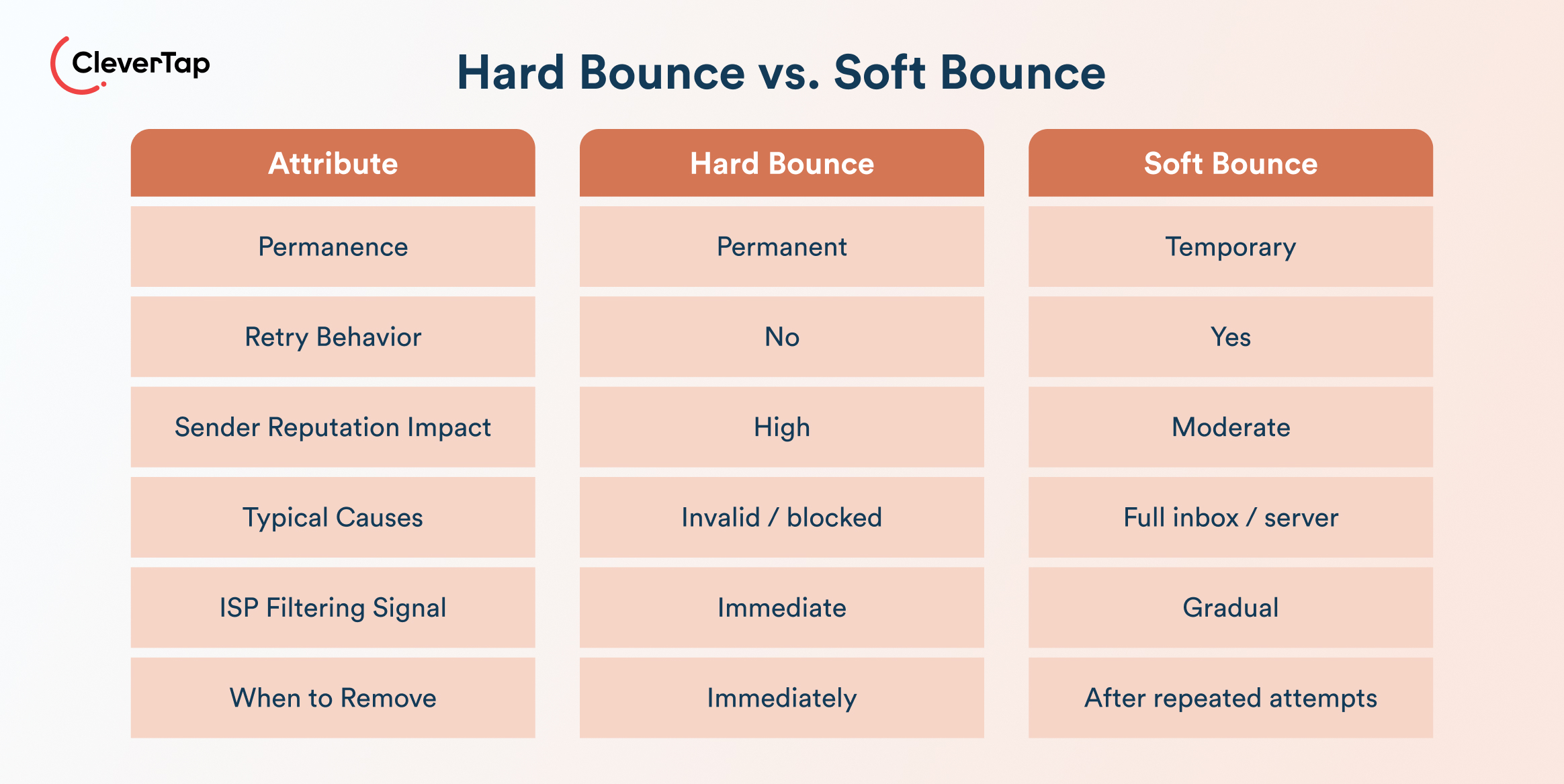
A hard bounce is a permanent delivery failure. It happens when an email can’t be delivered due to an invalid address, a nonexistent domain, or an outright server rejection, and there’s no point in retrying until the root cause is fixed.
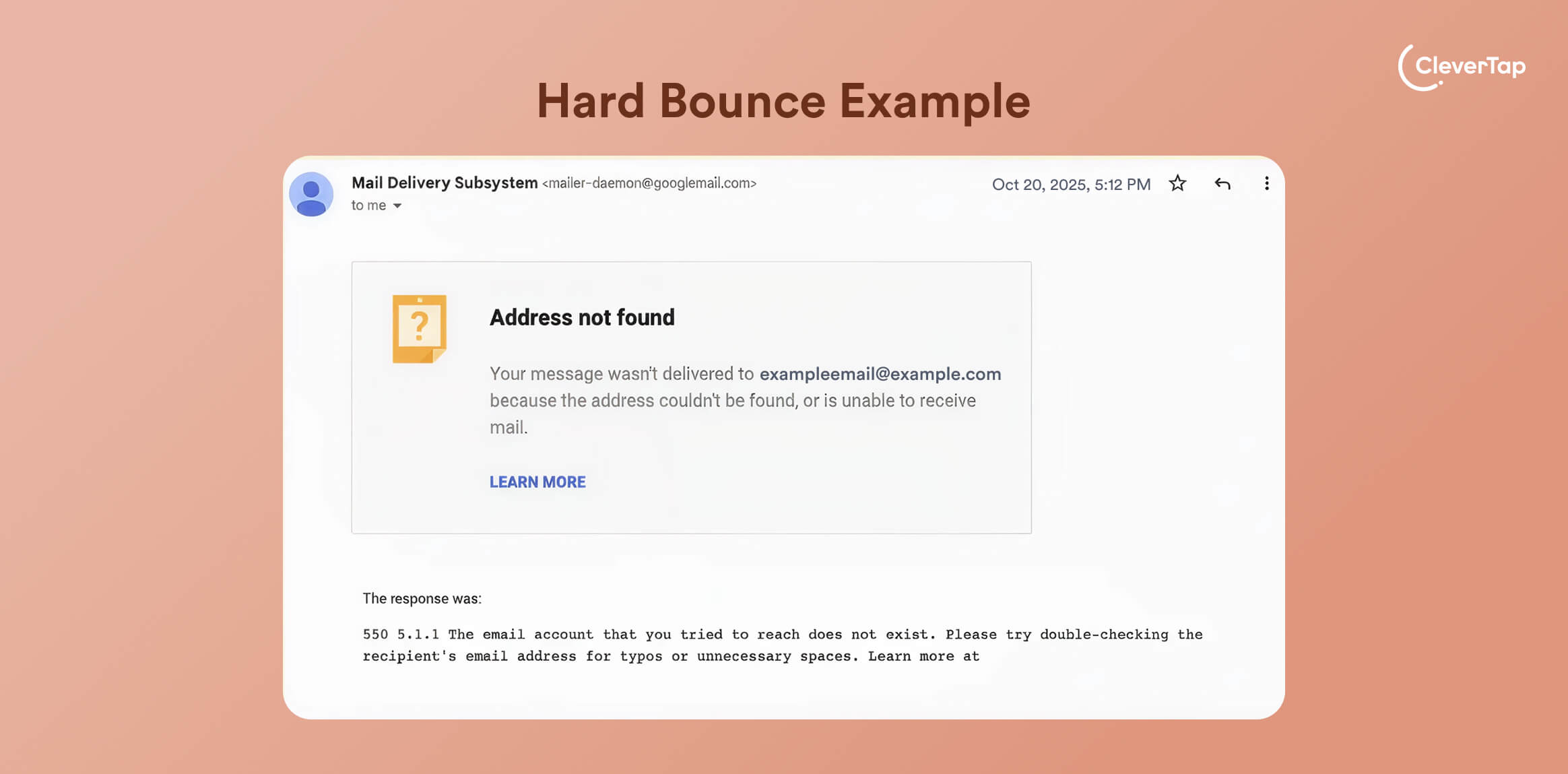
Hard bounces trigger SMTP 5xx error codes, which signal permanent failure. Common examples include
- 550 5.1.1 User Unknown: The recipient address doesn’t exist.
- 550 5.1.0 Address Rejected: The domain is invalid, or the syntax is malformed.
When your ESP receives these codes, it suppresses that address immediately, typically after a single failed attempt. This often happens during the SMTP RCPT TO stage, where the receiving server checks whether the recipient address exists. Repeated hard bounces signal poor list hygiene to ISPs, which can throttle your domain’s deliverability over time.
Hard Bounce Reasons
- Domain doesn’t exist: Invalid or expired domains trigger immediate 5xx rejections. This is common in e-commerce lead imports where purchased or scraped lists include defunct domains.
- Blocked by recipient server: ISPs reject mail outright via policy codes like 550 5.7.1, typically when your authentication is weak, or your sending patterns resemble spam.
- Permanent recipient block: Deactivated or admin-blocked addresses return permanent rejection codes like 551. This happens frequently in SaaS when trial accounts expire and are disabled.
- Generic or role-based addresses: Role-based addresses (like support@ or info@) can sometimes be filtered or deprioritized, especially in bulk sends, but they don’t inherently cause hard bounces.
Hard Bounce Impact on Deliverability
A hard bounce damages the sender reputation quickly. If your bounce rate crosses 2%, ISPs flag your domain for scrutiny, triggering throttling, aggressive spam filtering, or blacklisting. Because ISPs share signal data across platforms, a reputation hit with one can ripple across others.
The fallout extends beyond the bounced addresses themselves.
What Is a Soft Bounce?
When weighing soft bounce vs. hard bounce behavior, the key distinction is permanence. A soft bounce is a temporary failure, allowing ESPs to retry the send without immediately suppressing the address. Unlike hard bounces, soft bounces don’t signal an invalid address.
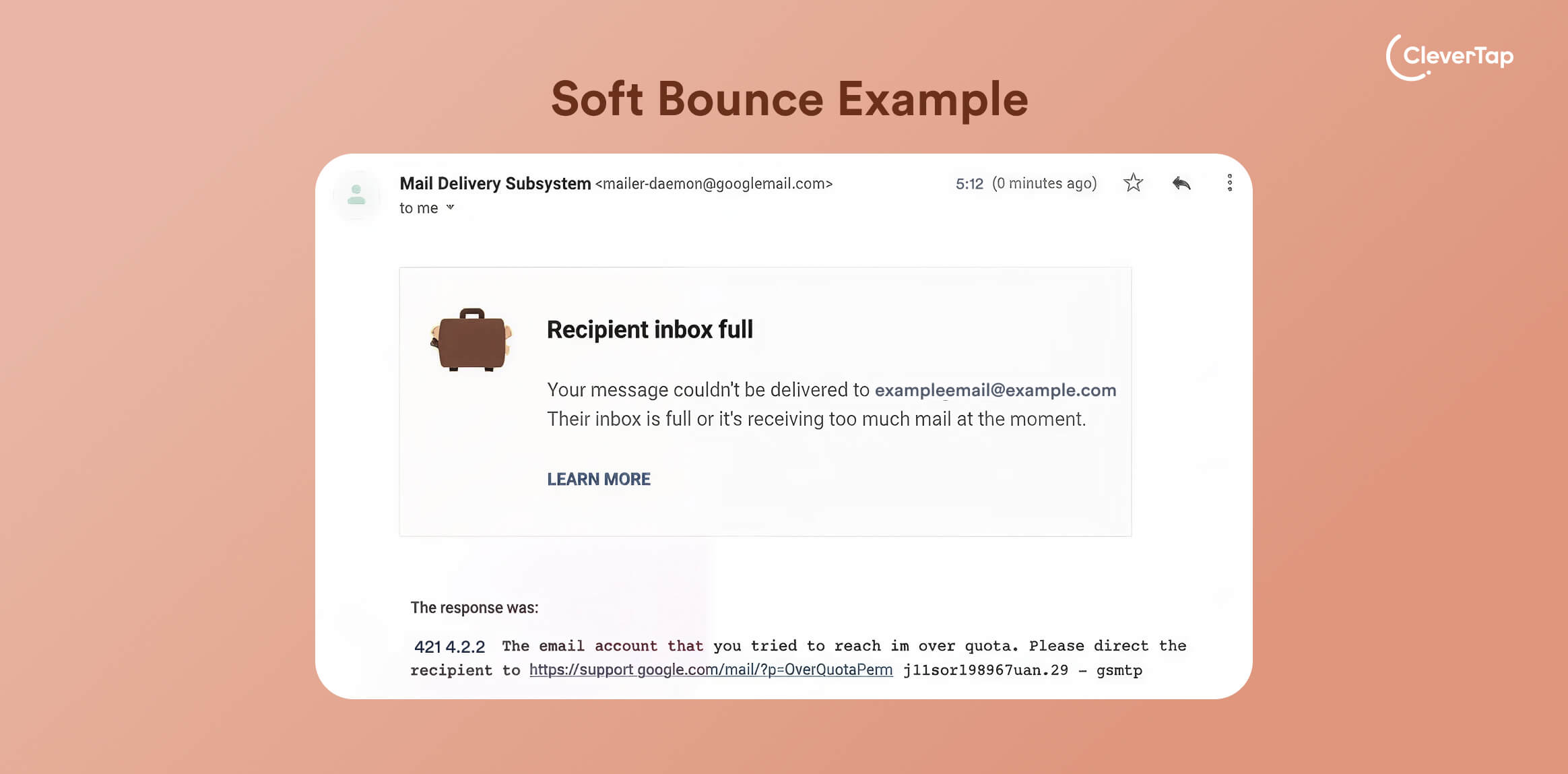
Soft bounces trigger SMTP 4xx error codes; common examples include 421 4.2.0 (mailbox temporarily unavailable) and 452 4.5.3 (too many messages).
When your ESP receives these, it queues retries using exponential backoff logic, starting at around 15 minutes and extending to 24–48 hours. Most ESPs escalate to hard bounce status after 3–5 consecutive failures, though this threshold varies by platform.
Common Causes of Soft Bounces
- Full inbox: The recipient’s mailbox has hit its storage quota. This is common in subscription services where inactive subscribers accumulate unread emails without clearing their inbox.
- Server overload or maintenance: The recipient’s mail server is temporarily down or throttling inbound traffic, a recurring issue in fintech during peak transaction hours.
- Email size limits: Emails exceeding server size thresholds (Gmail caps at 25MB; limits vary elsewhere) are rejected temporarily. E-commerce brands sending order confirmations with high-resolution product images are especially prone to this.
- Temporary content filtering: Greylisting or initial spam checks can block a first delivery attempt, with the email getting through on retry. This often affects SaaS onboarding sequences, hitting new inbox configurations.
When Do Soft Bounces Become Hard Bounces?
The soft bounce vs. hard bounce line isn’t always fixed; soft bounces convert to hard bounces after repeated delivery failures, typically after 3–7 retry attempts over 24–72 hours, depending on your ESP. Most ESPs leave the final suppression decision to you, which means you need your own threshold policy. This matters because:
- Consistent soft bounces on the same address across multiple sends often signal an underlying problem, a migrated mailbox, an abandoned account, or a quietly deactivated address. Left unmonitored, these drag down email deliverability.
- Most ESPs retry automatically and may suppress addresses after repeated soft bounces, though thresholds vary by provider.
When to Consider Email List Suppression
Once an address converts to a hard bounce, suppress it immediately. For persistent soft bounces, apply a manual review trigger: if the same address soft bounces across three or more consecutive campaigns, treat it as a hard bounce candidate and either suppress or re-verify before sending again.
What Causes Spikes in Hard Bounce vs. Soft Bounce Rates?
Whether you’re tracking hard bounce vs. soft bounce rates, spikes rarely happen in isolation. Bounced emails are usually the result of list acquisition shortcuts, technical gaps, or ISP policy changes that compound over time.
List Acquisition Problems
- Bad imports: Purchased or scraped lists introduce invalid addresses from the start. Validating addresses at the point of acquisition is the most effective way to prevent hard bounce spikes before they compound.
- API capture errors: Typos at the point of sign-up, like a missing @ symbol or a misspelled domain, generate hard bounces immediately on the first send. This is especially common in sign-up flows where form validation isn’t enforced at the API level.
Technical Setup Issues
- Incorrect SPF, DKIM, or DMARC configuration: Since Gmail and Yahoo began enforcing bulk sender requirements in February 2024, authentication failures now result in outright bounces with error codes, not just spam folder placement. Misconfigured records are no longer a minor deliverability drag; they’re a direct delivery blocker.
- Redirect domain or alias problems: Alias chains and parked domains that fail DNS resolution trigger 5xx hard bounces. Newsletters routed through multiple domain layers without validating each hop are especially exposed.
Content-Triggered Bounces
- Email size limits: Emails exceeding server size limits are temporarily rejected. Gmail caps inbound mail at 25 MB, though limits vary by receiving server. Campaigns with high-resolution imagery or large attachments regularly hit this ceiling.
- Spam-signaling keywords: Phrases like “free money” or aggressive capitalization trigger temporary 4xx filters. These soft bounces can harden if the same content pattern repeats across multiple campaigns without correction.
ISP Volume and Engagement Thresholds
- Unauthenticated volume surges: Sudden spikes in send volume without proper authentication, common during promotional launches or sale events, trigger ISP scrutiny and temporary rejections. Gmail and Yahoo both enforce spam complaint rate thresholds. Rates above 0.3% can harm sender reputation and inbox placement.
- Corporate firewalls: Enterprise mail servers frequently block or throttle automated sends to role-based accounts, generating soft bounces that harden if send attempts continue unchecked.
Step-by-Step Bounce Response Framework
This framework gives you a systematic way to detect, diagnose, and act on both soft bounce vs. hard bounce scenarios before they compound into deliverability damage.
Step 1: Immediate Detection
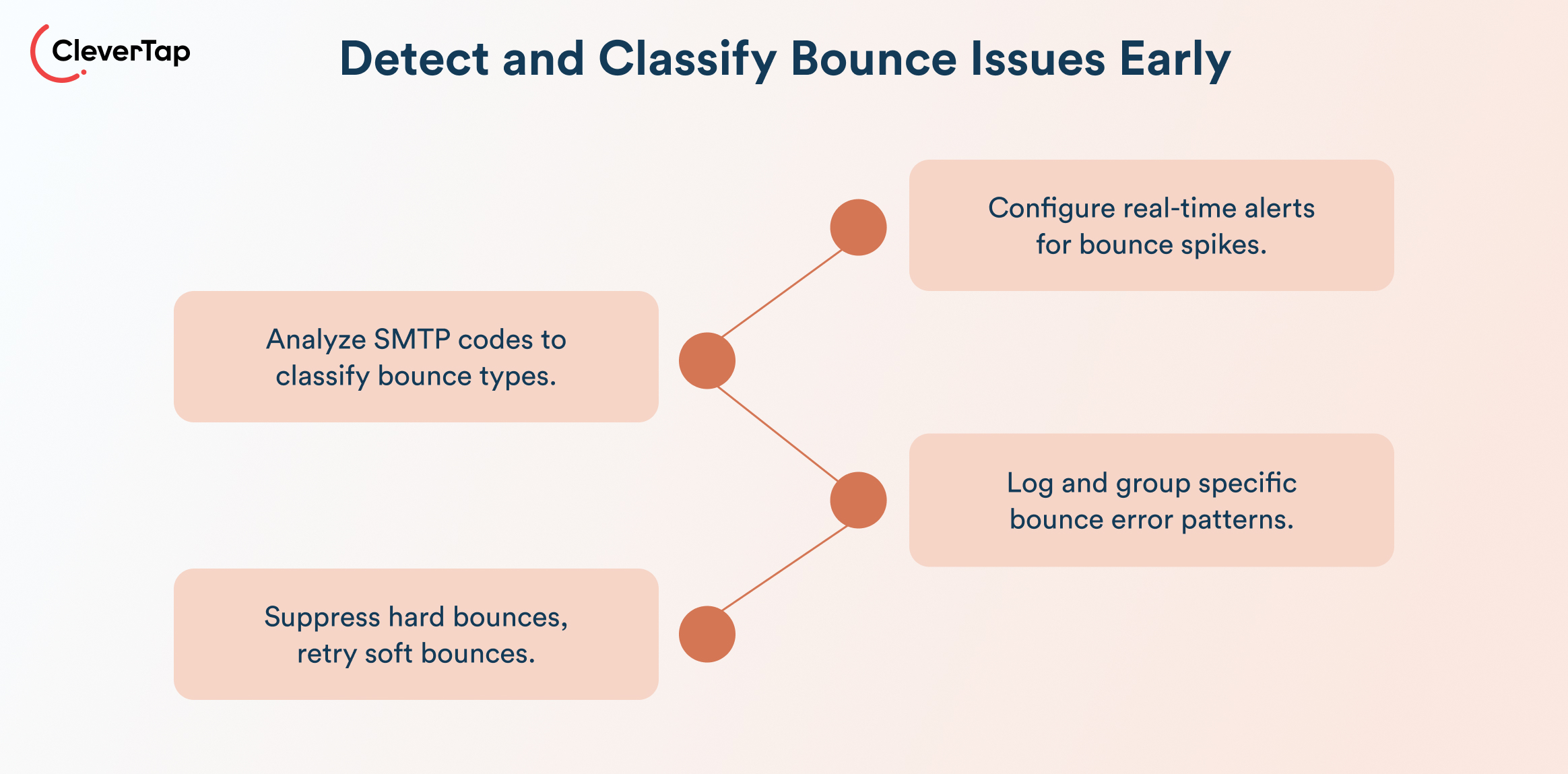
- Alerts and dashboards: Configure real-time ESP alerts for hard bounce rates exceeding 1%, which is the threshold at which ISP scrutiny begins. For soft bounces, flag any sudden spike above your campaign baseline rather than a fixed percentage, since acceptable soft bounce rates vary by list size and send frequency. CleverTap’s dashboards surface these signals at the campaign level for instant visibility.
- Diagnosis: Parse bounce headers for SMTP codes, like 5xx, which confirms a hard bounce, and 4xx, which flags a soft bounce. Cross-reference with campaign segments to identify whether the issue is isolated to a specific list, domain, or send time.
- Reason code logging: Extract specific codes like 550 User Unknown (invalid address) or 421 Over Quota (temporary overload) and log them by pattern. This helps distinguish infrastructure issues from list quality problems.
- Suppress vs. retry decision: Suppress hard bounces immediately without exceptions. For soft bounces, allow your ESP to retry up to 3–5 times before escalating. If codes indicate a transient issue, allow retries; if the same address soft bounces across three consecutive campaigns, treat it as a hard bounce candidate.
Step 2: Automation Playbooks
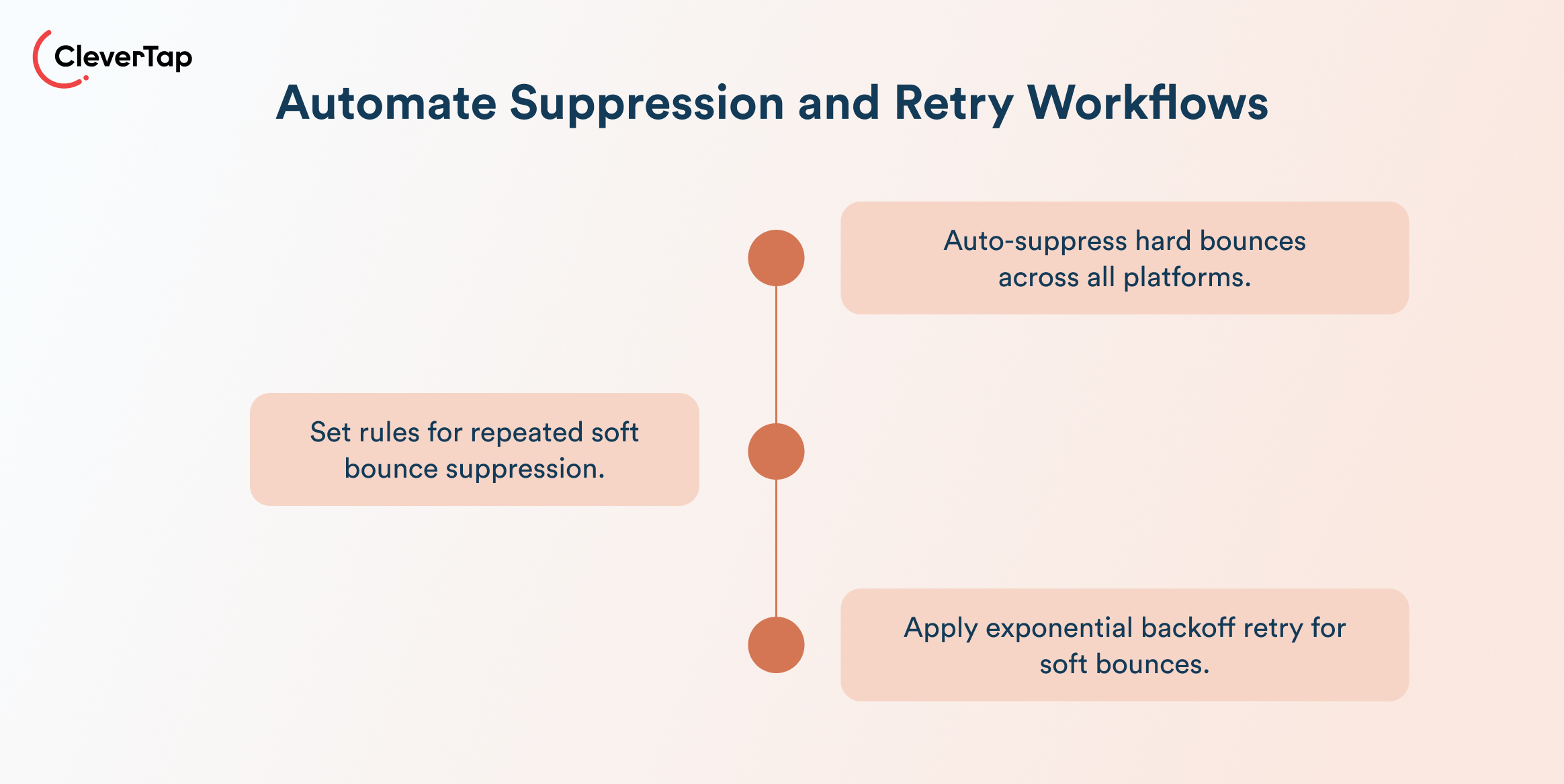
- ESP suppression lists: Auto-suppress confirmed hard bounces to a global suppression list that syncs across all sending platforms, ESP, CRM, and any automation tools. An address that hard bounces in one platform should be blocked everywhere.
- Auto-suppression rules: Configure suppression triggers for persistent soft bounces. Run list hygiene reviews weekly for high-volume sends where list decay accelerates.
- Retry algorithms by severity: Apply exponential backoff for low-severity soft bounces for 15 minutes, 1 hour, and 4 hours, escalating to suppression if unresolved after the final retry. Align retry windows with user session patterns to maximize the chance of inbox availability.
Step 3: Reactivation Strategies
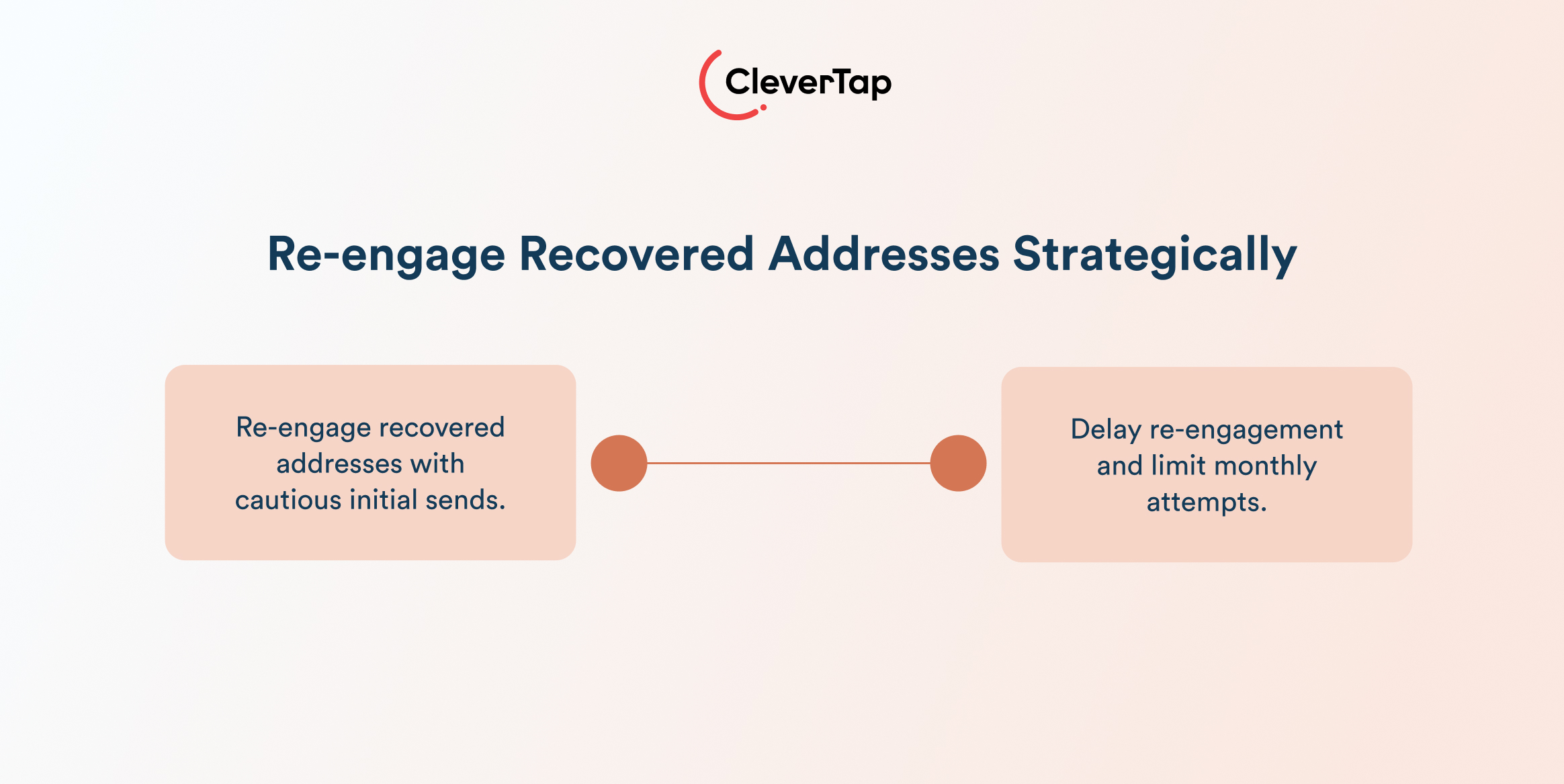
- Re-engagement sequences for recovered addresses: Once a soft bounce resolves, don’t immediately resume full send cadence. Start with a single re-engagement email, testing deliverability before reintroducing the address to active flows.
- Timing and frequency: Wait at least 7–14 days after a soft bounce resolves before re-engaging. Limit re-engagement attempts to two per month and track open rates closely; a non-opening address after two attempts should move to suppression review, not continued sending.
Learn how to improve email deliverability.
How CleverTap Helps Manage Hard Bounce vs. Soft Bounce
Apna, a job-seekers platform, built its email channel from scratch using CleverTap. Since the email channel was set up from scratch, the team developed a customized warm-up plan, following a phased approach that began with trigger-based campaigns with personalized, relevant communication.
To prime the channel for massive scale, the team optimized domain usage, cleaned lists, and used third-party email verification to keep bounce rates low. As the targeted base grew, Apna and CleverTap monitored open and click rates and maintained the domain’s reputation collaboratively.
The results: 30x growth in monthly users reached within 12 months, a 28% increase in open rates, 88% higher click rates, and, for key campaigns, open rates at 3x the industry average.

Read the full case study here.
CleverTap combines real-time analytics, automation, and AI-driven personalization to help brands proactively manage bounce rates and protect sender reputation.
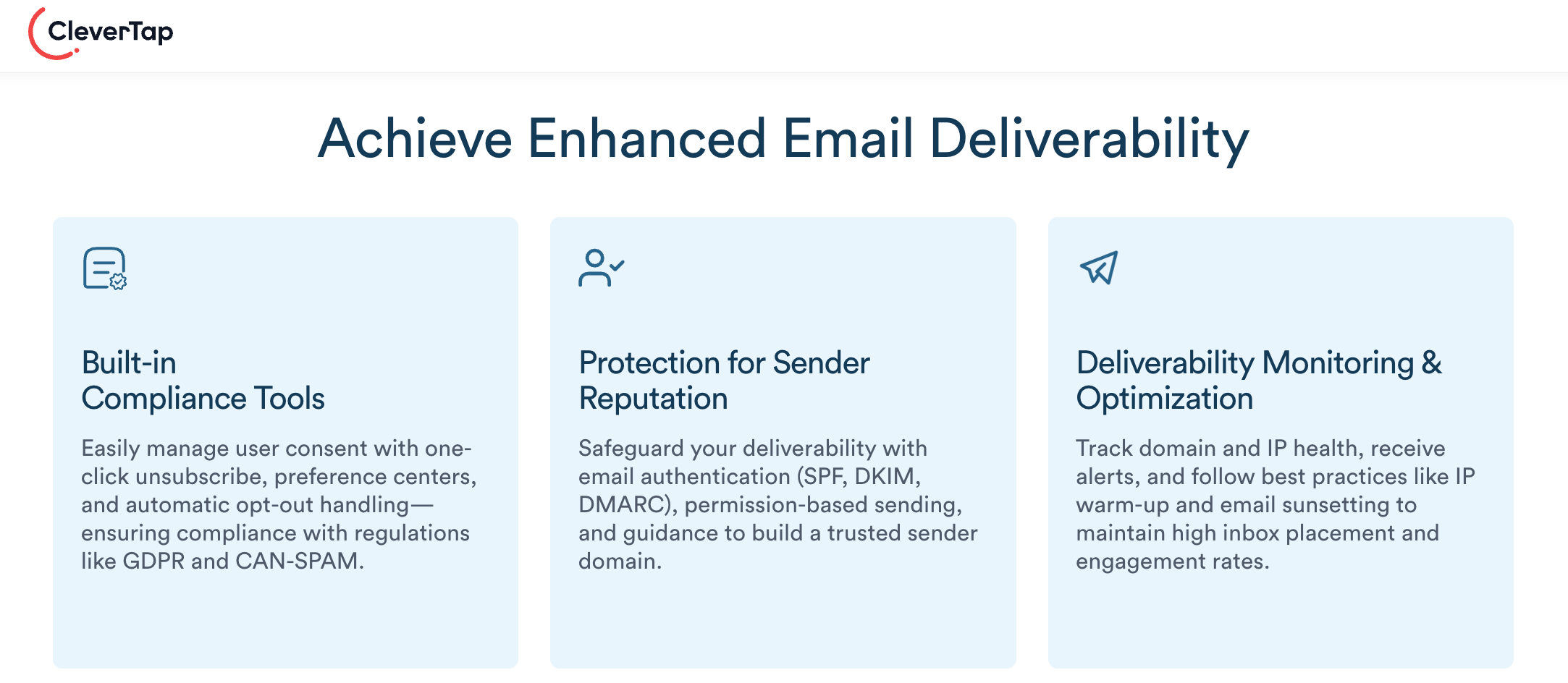
Real-Time Deliverability Monitoring
CleverTap provides campaign-level visibility into delivery metrics like sends, opens, clicks, bounces, and unsubscribes. This allows teams to quickly identify anomalies, such as sudden spikes in hard or soft bounces, and take corrective action before reputation damage compounds.
Granular Segmentation and Personalization
Using behavioral data, demographics, and lifecycle signals, CleverTap enables highly targeted email campaigns. More relevant emails drive higher engagement, which improves inbox placement and reduces the likelihood of spam filtering or soft bounces.
AI-Driven Send Optimization
CleverTap’s AI predicts optimal send times and frequency for each user, ensuring emails are delivered when recipients are most likely to engage. Strong engagement signals (opens, clicks) positively influence ISP trust and long-term deliverability.
Built-In Bounce Tracking and Suppression
The platform tracks hard bounces, soft bounces, spam events, and unsubscribes at a granular level across dashboards and reports. This enables:
- Immediate suppression of invalid addresses
- Identification of recurring soft bounce patterns
- Continuous list hygiene improvements
A/B Testing and Campaign Optimization
With built-in experimentation capabilities, marketers can test subject lines, content, and timing to identify what drives engagement, helping reduce soft bounces caused by poor engagement or filtering signals.
Make email a valuable growth channel with CleverTap. See it in action.
Frequently Asked Questions (FAQs) About Hard Bounce vs. Soft Bounce
Q1. What is the main difference between a hard bounce and a soft bounce?
A hard bounce is a permanent delivery failure (e.g., invalid email address), while a soft bounce is a temporary issue (e.g., full inbox or server downtime) that may resolve with retries.
Q2. What is a good email bounce rate?
A healthy bounce rate is typically below 2%, with high-quality lists often staying under 1%.
Q3. Do soft bounces affect sender reputation?
Yes. While less severe than hard bounces, repeated soft bounces can signal poor list quality or engagement issues and negatively impact deliverability over time.
Q4. How many times should you retry a soft bounce?
Most ESPs retry 3–5 times over 24–72 hours. If failures persist across multiple campaigns, the address should be reviewed or suppressed.
Q5. How can you reduce email bounce rates?
You can reduce bounce rates by:
- Maintaining clean, permission-based lists
- Validating emails at sign-up
- Authenticating your domain (SPF, DKIM, DMARC)
- Sending relevant, personalized content
- Monitoring bounce trends in real time
Don’t Let Bounces Bounce You Back
Bounces are inevitable; how you respond to them is what matters. Each bounce is a signal: clean your lists, fix authentication gaps, and refine retry thresholds to protect deliverability.
Start with the essentials: suppress hard bounces immediately, set clear rules for persistent soft bounces, and ensure your authentication is properly configured. Consistent hygiene and monitoring lead to better inbox placement and stronger engagement.
With CleverTap, you can simplify bounce management through real-time tracking, automation, and built-in suppression—so your emails reach the right audience, every time.

Subharun Mukherjee 
Heads Cross-Functional Marketing.Expert in SaaS Product Marketing, CX & GTM strategies.
Free Customer Engagement Guides
Join our newsletter for actionable tips and proven strategies to grow your business and engage your customers.