















































Table of Contents
Categories
Most Popular


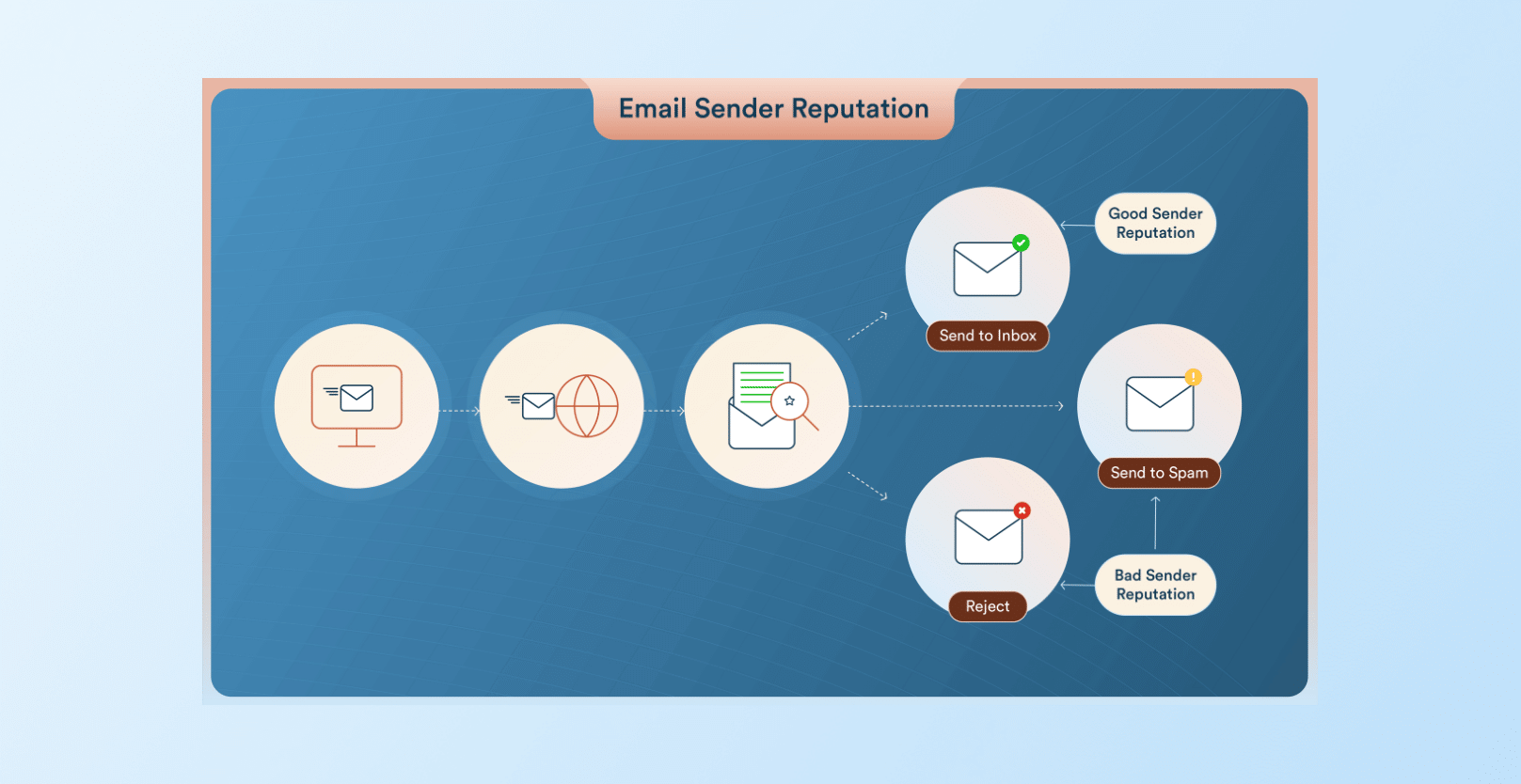
Email deliverability hinges on your sender domain reputation. Mailbox providers like Gmail, Yahoo, and Microsoft constantly evaluate your sending domain’s history, engagement, and complaint rates. A strong domain reputation means emails reach the inbox, while a poor one can land messages straight in spam.
Every sent email is scored against factors like spam complaints, bounces, unsubscribe rates, sending volume, and authentication. If any of these signals look bad, emails get filtered out. For example, Google and Yahoo expect bulk senders to keep spam complaints under 0.1%; exceeding 0.3% will likely close the inbox doors. Likewise, the average email placement is 83.5%, meaning 1 in 6 legitimate marketing emails never reaches the inbox.
Domain reputation effectively controls inbox placement and spam filtering. Poor domain reputation is costly: emails get blocked, open rates and revenue drop, and loyal customers may complain or miss important messages. In this blog, we’ll learn what domain reputation is and how to check and improve it.
What Is Domain Reputation?
Domain reputation is an invisible score or judgment, built up over time, that tells email filters how much they can trust messages from you. Each recipient server maintains its own reputation for your domain based on past behavior. If your domain frequently sends wanted, authenticated emails that get opened, your reputation is high; if it sends a lot of spammy or unwanted messages (high bounces, complaints, or spam traps), your reputation plunges.
Domain vs. IP vs. Email Server Reputation
It’s important to distinguish domain reputation from IP/server reputation.
IP Reputation
- Measures the trustworthiness of the sending IP address or email server.
- Can reset if you switch ESPs or move to a new sending IP.
- Typically recovers faster, often within 2–4 weeks of consistent, healthy sending behavior.
Domain Reputation
- Evaluates the credibility of the sending domain name itself.
- Portable across infrastructure, meaning your reputation follows the domain even if you change ESPs or IP addresses.
- Slower to recover after damage, often taking 6–12 weeks or more.
Both reputations affect email deliverability and spam filtering. However, mailbox providers increasingly prioritize domain reputation over IP reputation. This means warming up a new IP won’t fix deliverability issues if the underlying domain reputation is poor.
Domain Reputation Score
There’s no universal domain reputation score used across all email providers. Some tools calculate a 0–100 rating, while others use categories like Good, Neutral, or Poor. For example, Sender Score (by Validity) rates IPs on a 0–100 scale, with 80+ typically considered healthy. Google Postmaster Tools, on the other hand, shows domain reputation using a four-tier rating system—High, Medium, Low, and Bad—based on Gmail’s internal metrics.
Because each provider evaluates reputation differently, it’s best to check multiple sources. Tools like Sender Score, Cisco Talos, MXToolbox, Barracuda Central, and Google Postmaster Tools help you perform a domain reputation score check, identify blacklist issues, and monitor spam rates. Consistently strong ratings across these tools usually indicate a healthy domain reputation, while warnings or blacklist listings signal deliverability problems that need attention.
Learn how to improve email deliverability.
Why Domain Reputation Matters for Email Deliverability
Inbox Placement and Spam Filtering
Domain reputation is the gatekeeper to the inbox. If your domain is in good standing, mailbox providers are more likely to deliver your emails to the primary inbox (or at least the Promotions tab rather than spam). Conversely, a strong domain reputation can significantly raise your inbox placement. The filters use your reputation score (explicit or implicit) to decide if each message is trusted.
Providers consider your domain score alongside content filters. Good reputation can overcome small issues; poor reputation can override great content. Gmail, for instance, will deliver more of a sender’s mail to the inbox as long as their domain reputation is high, even if individual campaigns have minor flaws.
Revenue & Engagement Impact
Domain reputation directly impacts your bottom line. High inbox placement means more subscribers see your message, increasing opens, clicks, and conversions. When a domain’s reputation falters, marketers often see open rates plummet and unsubscribes spike.
The revenue impact is stark. Every email that never reaches the inbox is an opportunity lost. Credibility is also at stake: frequent non-deliveries make customers doubt whether your business is reliable.
By contrast, high domain reputation creates a virtuous cycle. Engaged recipients reinforce the reputation, which means future emails reach even more inboxes, driving more revenue.
The Cost of Poor Reputation
A damaged domain reputation can take a long time to recover. While IP reputation may improve within a few weeks, domain reputation often requires 6–12 weeks of consistent, clean sending to rebuild. During this period, marketers typically see lower deliverability, reduced engagement, and declining campaign performance.
Switching to a new domain isn’t a quick fix either. New domains start with no established trust, so mailbox providers may treat them cautiously until a positive sending history is built.
The real cost of poor domain reputation isn’t just immediate drops in opens or conversions. It creates a longer recovery cycle where every campaign struggles to reach the inbox. That’s why proactive reputation management, through authentication, list hygiene, and ongoing monitoring, is critical for sustained email deliverability.
How to Check Domain Reputation for Email
To diagnose deliverability issues and check your domain’s standing, use a two-pronged approach:
Step 1: Monitor Campaign Performance Signals
Start by looking at your own email campaigns. Key signals of reputation include:
- Bounce rates (soft & hard): High bounce rates (>2–5%) indicate list or sending problems. Track both hard bounces and soft bounces.
- Spam complaint rate: Monitor how often recipients mark your mail as spam. Aim for a complaint rate well under 0.1%, since rates above ~0.3% can kill your reputation.
- Unsubscribe rate: A high unsubscribe percentage (above ~0.5%) suggests your content or frequency is off. Try to keep unsubscribes around 0.5% or lower.
- Delivery rate: Compare accepted vs. sent. If delivery (acceptance by ISP) suddenly dips, it may mean your domain or IP got blocked.
- Open & click engagement: Track how many recipients open and click. Falling engagement is often the first sign of trouble. High open/click rates, by contrast, signal to filters that your audience wants your mail.
CleverTap’s email campaign reporting provides all these metrics. The platform shows you deliveries, opens (views), clicks, unsubscribes, and bounce/complaint counts for each campaign. This immediate visibility lets you catch negative trends early. For instance, if a campaign’s bounce rate creeps above ~2%, or you see a spike in complaints, you can pause sends and investigate before the ISPs penalize you.
Step 2: Check Blocklists & Domain Reputation Scores
Next, use tools to independently assess your domain and IP reputation:
- Google Postmaster Tools (PMT): Sign up and verify your sending domain with Google. PMT then reports Gmail-specific metrics, including your spam rate, IP reputation, and domain reputation (as Gmail sees it), plus authentication and delivery errors.
- Microsoft SNDS (Smart Network Data Services): This free tool shows you Outlook.com/Hotmail IP statistics. It tells you if Microsoft is seeing unusual bounce or spam complaint rates for your sending IPs.
- Sender Score: Validity’s Sender Score rates your sending IP address on a 0–100 scale, calculated on a rolling 30-day average. While it is primarily an IP reputation tool, it can reflect broader sending health. A score above 80 is generally considered healthy.
- Barracuda Central Reputation Lookup: Barracuda runs a major email blocklist. Checking your domain and IP here will reveal if you’re in Barracuda’s spam lists. It’s simple and can quickly flag blacklist status.
- MXToolbox: Use MXToolbox’s Domain Health and Blacklist check. These scan your DNS (SPF, DKIM, MX records) and test against dozens of spam blocklists. This effectively does a “domain spam reputation check” by revealing any blacklist entries or misconfigurations.
- Other blacklists: Manually check common DNSBLs like Spamhaus (ZEN), SpamCop, SURBL, etc. Mailing your domain or IP into mxtoolbox.com/blacklists or Spamhaus’s lookup can show if you’re listed.
By consulting multiple sources, you get a well-rounded domain reputation score check.
Step 3: Measure Actual Inbox Placement
Finally, test real inbox placement using a seed list. A seed list is a set of controlled test addresses (Gmail, Yahoo, Outlook, etc.) that you own. By sending your emails to these seeds, you can directly observe where they land.
Here’s a simple seed workflow: Add 15–25 diverse test accounts (across free and corporate providers) to a CleverTap list. Run a campaign on this seed list along with your real list. Then use an inbox testing service to send the same email content to those seeds. These tools will report for each seed address whether the email went to Inbox, spam, or was blocked. This lets you measure true inbox placement provider-by-provider.
Seed testing closes the visibility gap left by open/click metrics. For example, your ESP might say 95% delivered, but seed tests might reveal only 80% in the inbox. Armed with that data, you can troubleshoot. CleverTap supports this process: simply include the seed addresses in your send. Then compare those results via your third-party testing tool. Repeating seed tests regularly helps confirm whether your reputation fixes are working.
Common Causes of Poor Email Domain Reputation
Understanding what sinks your email domain reputation lets you fix it. The most common culprits are:
- High bounce rates: Sending emails to invalid or outdated addresses leads to bounces. When bounce rates rise above 2–5%, mailbox providers assume poor list hygiene. Hard bounces are especially harmful because they signal that your database isn’t being maintained. Regular list cleaning and double opt-in can help keep bounce rates low.
- Spam complaints: When recipients mark your email as spam, it sends a strong negative signal to mailbox providers. Complaint rates should typically stay below 0.1%. Even a small spike can quickly hurt your domain reputation and reduce inbox placement.
- Inconsistent sending patterns: Sudden spikes in email volume or long periods of inactivity followed by large campaigns can appear suspicious. Maintaining a consistent sending cadence helps build trust with mailbox providers.
- Low engagement rates: Low open and click rates indicate that recipients aren’t interested in your emails. Over time, this weak engagement can push your messages toward spam. Regularly removing inactive users and running re-engagement campaigns helps maintain healthy engagement signals.
- Authentication failures: Missing or misconfigured SPF, DKIM, or DMARC records can cause emails to fail authentication checks. Many mailbox providers now require these protocols for high-volume senders, and failing them can directly hurt deliverability.
- Poor list hygiene: Sending to purchased lists, outdated contacts, or spam traps can severely damage domain reputation. Maintaining a clean, permission-based list and validating email addresses regularly helps prevent these issues.
How to Improve Domain Reputation (Actionable Framework)
Improving a damaged domain reputation takes discipline. Here’s a step-by-step framework to restore and build your domain trust:
1. Authenticate Your Domain Properly
Set up SPF, DKIM, and DMARC for your sending domain. These authentication protocols verify that your emails are legitimate and help mailbox providers trust your messages. Most major inbox providers now require authentication for bulk senders, and missing records can lead to spam filtering or rejection. During onboarding, CleverTap helps ensure these DNS records are configured correctly.
2. Use a Branded Tracking Domain
Many email platforms use generic domains for click tracking. Instead, configure a branded tracking subdomain (for example, links.yourbrand.com) so all tracked URLs align with your authenticated domain. This improves trust signals because spam filters evaluate the reputation of the domains used in email links. CleverTap supports custom tracking domains to maintain brand consistency and improve deliverability.
3. Clean Your Email List Proactively
Strong list hygiene is critical for maintaining a healthy domain reputation. Regularly remove invalid, inactive, or risky email addresses to reduce bounce rates and avoid spam traps. Using email validation tools and maintaining a strict opt-in policy can significantly lower bounce rates and improve deliverability over time.
4. Monitor Negative Signals in Real Time
Track key performance metrics such as bounce rates, spam complaints, unsubscribes, and delivery rates. Sudden spikes in these signals can indicate reputation problems. CleverTap provides campaign-level analytics and provider-level insights so teams can quickly identify and resolve issues before they affect deliverability.
5. Improve Engagement Signals
Mailbox providers favor senders whose emails generate strong engagement. Focus on sending relevant, timely content and segment audiences based on behavior or preferences. Removing inactive subscribers and running re-engagement campaigns can improve open and click rates, which strengthens your overall domain reputation.
30-Day Domain Reputation Improvement Plan
Implementing the fixes above can be structured into a one-month plan:
Week 1: Authentication & List Cleanup
- Set up and verify SPF, DKIM, and DMARC for your sending domain.
- Clean your email list by removing invalid, inactive, or bouncing addresses.
- Ensure all contacts are valid opt-ins.
Week 2: Branded Domain Setup
- Configure a custom tracking subdomain so all email links use your domain.
- Confirm that your From address and return-path align with your authenticated domain.
Week 3: Engagement Optimization
- Segment and pause sends to inactive subscribers (e.g., no opens in 6+ months).
- Optimize sending frequency and A/B test subject lines and content.
- Run a preference or re-confirmation campaign to keep only engaged subscribers.
Week 4: Inbox Placement Testing & Monitoring
- Run seed tests to check where emails land across major providers.
- Review key metrics like bounce rate, spam complaints, and unsubscribes.
- Set up automated reports or alerts to quickly detect reputation issues.
By following this month-long roadmap, you’ll address the major reputation factors in a systematic way, giving your domain’s reputation a chance to recover and strengthen.
How CleverTap Helps Protect Your Email Domain Reputation
CleverTap’s email platform is designed to make these checks and improvements easy.
It provides built-in capabilities that help teams monitor, maintain, and improve their email domain reputation throughout the email campaign lifecycle.
- Campaign-Level Reputation Monitoring: CleverTap provides detailed reporting for every email campaign, including metrics such as deliveries, opens, clicks, conversions, bounces, and errors. These insights help marketers quickly identify unusual trends—like rising bounce rates or declining engagement—that may signal potential deliverability issues.
- Bounce and Complaint Tracking: The platform automatically tracks bounces, unsubscribes, and spam complaints across campaigns. By consolidating these signals into campaign reports, teams can quickly detect negative reputation signals and address problems before they escalate.
- Authentication Support (SPF, DKIM, DMARC): During onboarding, CleverTap helps teams configure SPF and DKIM authentication, ensuring that emails are properly verified by mailbox providers. Setting up these authentication protocols—and adding DMARC policies—helps prevent spoofing and improves trust with inbox providers.
- Branded Tracking Domains: CleverTap allows you to configure a custom tracking subdomain so that all email links and tracking pixels align with your brand’s domain. This helps maintain domain consistency across emails and improves trust signals, since mailbox providers also evaluate the reputation of domains used in email links.
- Email Validation Integrations: CleverTap integrates with email validation partners to help teams identify invalid, inactive, or risky email addresses before sending campaigns. Regular list validation reduces bounce rates, avoids spam traps, and protects domain reputation over time.
- Seed Testing Enablement: While CleverTap does not perform inbox placement testing directly, it enables the process through flexible audience segmentation. Teams can upload seed email addresses as a segment and send campaigns to those addresses to test inbox placement across providers using external deliverability testing tools.
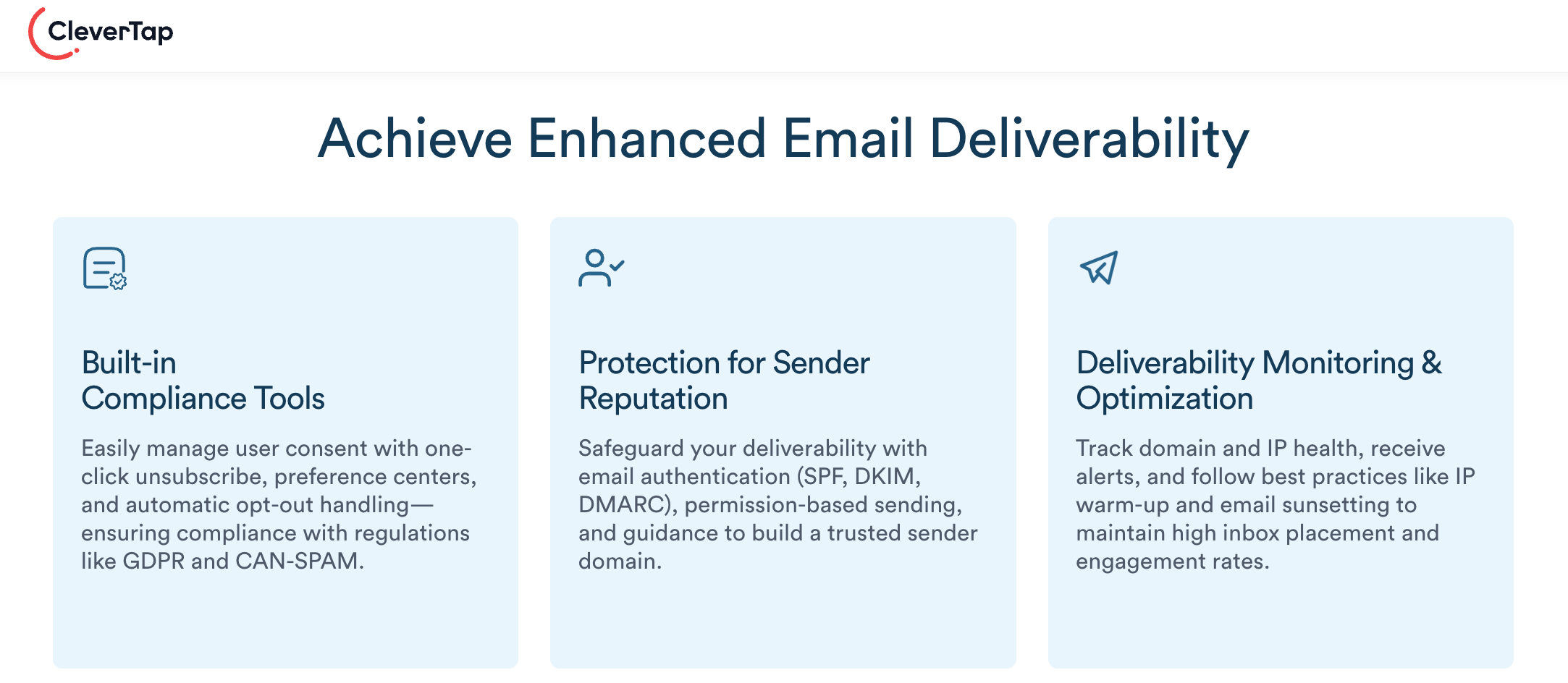
By combining these features, CleverTap gives you comprehensive protection for your domain reputation. From the minute you set up your sender domain, through every campaign send, CleverTap helps ensure your sending practices align with deliverability best practices. We surface all the key metrics (bounces, complaints, engagement) and support the technical setup (auth, tracking domains) needed to maintain a positive sending reputation.
Learn how CleverTap can help you improve your email deliverability.
Protect Your Domain Reputation Before Problems Start
Domain reputation is one of the most important factors in email marketing success. Most reputation problems are preventable with proper authentication, consistent sending habits, and regular list hygiene. The key is catching issues early before they compound into months-long recovery cycles.
With CleverTap, you have the reporting, authentication support, and list management tools to stay on top of your domain reputation at every stage, so your emails land where they’re meant to.

Subharun Mukherjee 
Heads Cross-Functional Marketing.Expert in SaaS Product Marketing, CX & GTM strategies.
Free Customer Engagement Guides
Join our newsletter for actionable tips and proven strategies to grow your business and engage your customers.